
Livraison le jour même ou le lendemain

Qualité garantie

Débloquez vos offres de bienvenue: Livraison GRATUITE | Jusqu'à -80 % | 30 jours d'essai gratuits à JoyPlus
Téléchargez l'application
Whether for annotating lecture notes, sketching a brilliant idea, or simply gaining more precision, a tablet stylus can be a complete game-changer for your daily routine. But faced with a sea of models, making the right choice can often be a headache. Don't worry! This guide is here to help you cut through the noise and find the perfect accessory for your iPad, Android tablet, or any other touchscreen device.
Before diving into our selection, let's review the few crucial points to check to ensure you make the right decision.
This is the number one criterion—the one that's non-negotiable. Before you even look at the design or price, make sure the stylus is compatible with your tablet accessory. There are two main families:
The golden rule: scour the product's spec sheet to verify that it is compatible with YOUR specific tablet or smartphone model.
There's a right stylus for every need. What will you primarily use it for?
For an active stylus, battery life and the charging method (USB-C, magnetic, etc.) are crucial points. Also, consider the bonus features that can make a difference in daily use: customisable shortcut buttons, an eraser function, or simplified pairing.
Enough theory, let's get practical! Here are the models that caught our eye, for every user and budget.
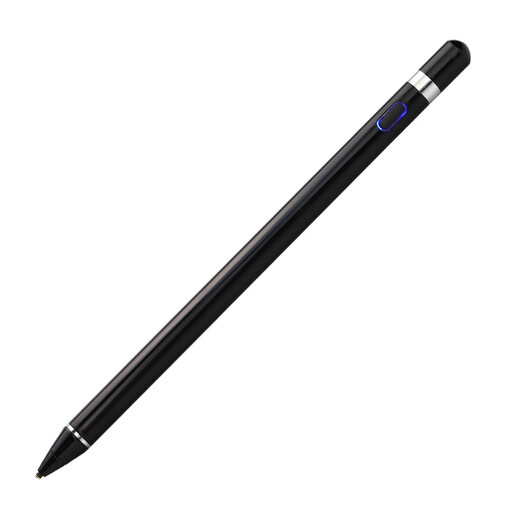
Why it stands out: This active stylus is an excellent all-round solution. Its very broad compatibility (iOS, Android, and Microsoft) makes it a smart choice for anyone who juggles multiple devices or is looking for an affordable alternative to official styluses.
Key Strengths:
Who is it for? Students and professionals who switch between an iPad at the office and an Android smartphone at home. An excellent universal stylus for note-taking and casual drawing.
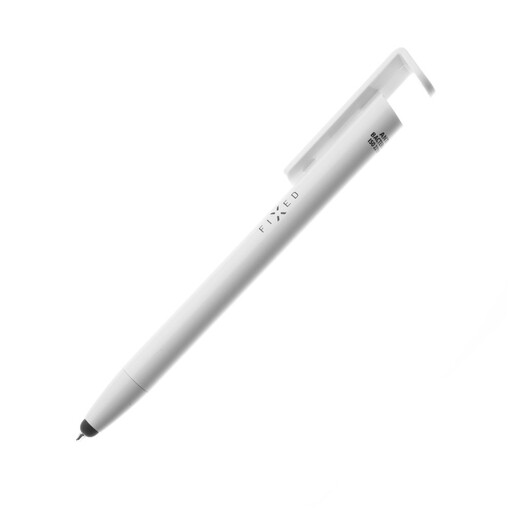
Why it stands out: The FIXED Pen is the Swiss Army knife of mobile accessories. It combines three functions in one: a passive touchscreen stylus, a ballpoint pen, and even a smartphone stand. Its antibacterial surface treatment is a real bonus for hygiene.
Key Strengths:
Who is it for? For on-the-go users who love smart, multi-functional gadgets. Perfect if you constantly switch between paper and screen, and a small stand for watching a video is always welcome.
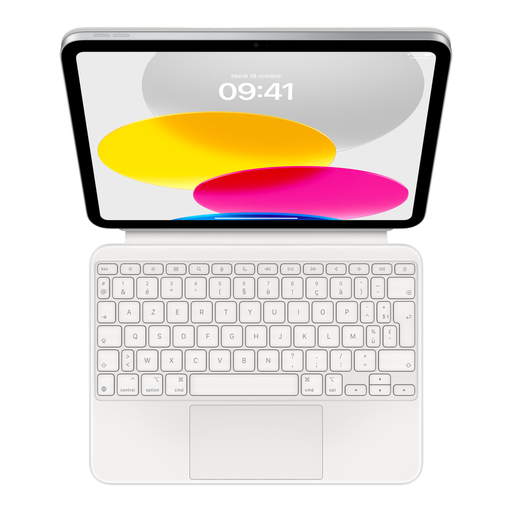
Why it stands out: Okay, so it's not a stylus. But for those primarily focused on productivity, this tablet accessory is a must-have. It transforms the iPad (10th gen) into a true compact workstation, with a stunningly comfortable keyboard and an ultra-precise trackpad.
Key Strengths:
Who is it for? iPad (10th generation) owners who spend more time typing emails, reports, or notes than drawing. The ultimate tool for turning your tablet into a productivity machine.
Does our selection not meet your specific needs? No problem, our catalogue is packed with other models of styluses and accessories for all tastes.
? Discover our range of pens with cases
The essential first step: carefully check the stylus's spec sheet. Manufacturers list the compatible systems (iOS, Android, Windows) and device models precisely. As a reminder, a passive stylus is almost universal, but an active stylus has much stricter requirements.
For navigation, annotation, or note-taking, a good active universal stylus is very compelling today. However, for advanced artistic use (drawing, illustration), proprietary styluses like the Apple Pencil or S Pen still have the edge. Their software integration is unbeatable for ultra-fine control over pressure and tilt.