
Livraison le jour même ou le lendemain

Qualité garantie

Débloquez vos offres de bienvenue: Livraison GRATUITE | Jusqu'à -80 % | 30 jours d'essai gratuits à JoyPlus
Téléchargez l'application
Whether you use it for work, school, or leisure, a tablet is a significant investment. Protecting it with a suitable case? Simple, in theory. In practice, the market is saturated with options that often lead to disappointment. A poor choice doesn't just leave your device vulnerable; it can also ruin your daily user experience. As the Head of Product Recommendations at Joybuy, my mission is to guide you. Let's review the pitfalls to avoid and the essential criteria for finding the perfect tablet case for you in 2026.
Before you even start comparing models, it's crucial to identify the common flaws that turn a good deal into a regret.
To avoid these pitfalls, simply focus on a few key technical specifications.
The screen size isn't enough. Two 11-inch tablets can have completely different dimensions, thicknesses, and component placements. Before any purchase, verify the exact compatibility with the model and generation of your device. For example, an iPad case for the Pro 11-inch (M4) is not necessarily suitable for an iPad Air 11-inch (M2). Reputable manufacturers always list compatible models with precision. Ensure that the cutouts for buttons, microphones, speakers, and the camera are perfectly aligned.
Your usage dictates the type of case you should choose:
The quality of the materials directly determines the lifespan of your tablet protection.
Here are a few options that illustrate how a good case can meet specific needs while avoiding the aforementioned pitfalls.
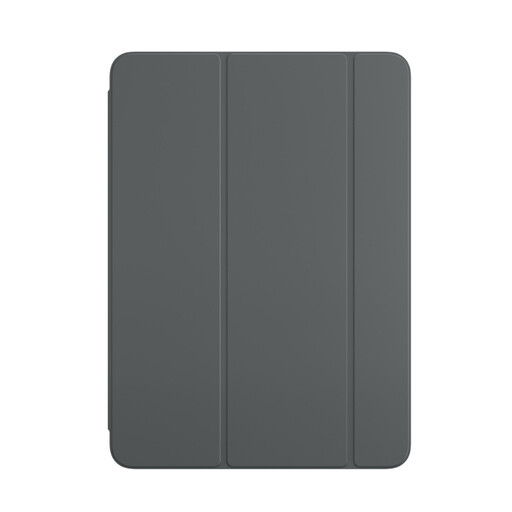
Who is it for? For fans of Apple's minimalist design looking for a slim, lightweight, and perfectly integrated case for their iPad Air for daily use (reading, videos, web browsing).
Designed by Apple, its compatibility is flawless, eliminating the "universal" case risk. The magnetic attachment is powerful and the stand is stable, sidestepping the problem of flimsy folds.
Perfect integration with the sleep/wake function. Ultra-slim design that preserves the iPad Air's lightness. Quality materials ensure excellent longevity.
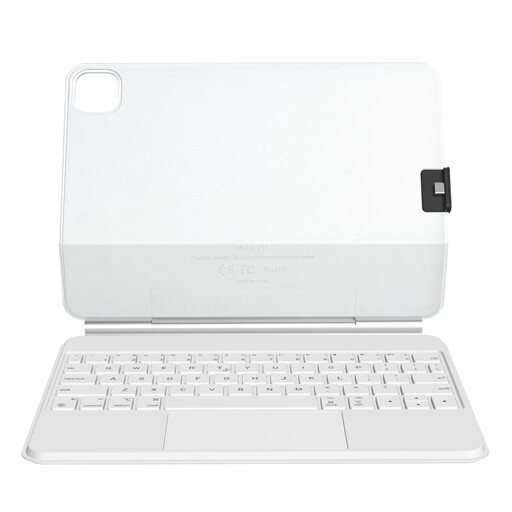
Who is it for? For those who use their iPad to take notes, write emails, or draft reports, and who are looking for an all-in-one solution to turn their tablet into a compact laptop.
Its "floating" design relies on powerful magnets, ensuring a very stable stand and an ergonomic viewing angle. Goodbye, flimsy stands! Compatibility is clearly defined for specific iPad models.
It transforms the iPad into a complete productivity tool with its keyboard and trackpad. The detachable back cover offers highly appreciated modularity for use in pure tablet mode.
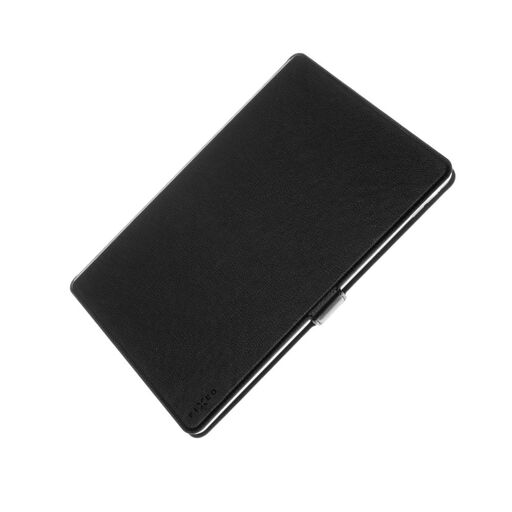
Who is it for? For owners of Samsung (or other Android) tablets who are looking for reliable, functional, and affordable protection without sacrificing build quality.
This case is custom-made for the Galaxy Tab A9+, ensuring a perfect fit. Its stitched edges are a mark of durability, helping to avoid the pitfall of materials that wear out prematurely.
Excellent value for money. Soft TPU inner shell for better shock absorption. Practical details like a card slot and a stable stand mode.
We have put together a complete and up-to-date selection of products that meet our selection criteria and current standards.
How do I clean my tablet case without damaging it? For most materials (PU leather, TPU, etc.), a soft, lint-free, and slightly damp cloth is sufficient. Avoid harsh chemicals, alcohol, or abrasive powders that could damage the surface. Let it air dry completely before putting the tablet back in.
Can a magnetic case damage my tablet or credit cards? No, the magnets used in tablet cases are too weak to affect the device's electronic components. They are even necessary for the automatic sleep/wake function. As a precaution, it's best to avoid storing a bank card with a magnetic stripe in direct, prolonged contact with the magnets, although the risk is virtually non-existent with modern chip cards.
Is compatibility really that crucial for an 11-inch case? Yes, it is absolutely fundamental. Even with the same screen size, the thickness, camera placement, and location of microphones and speakers vary enormously from one model to another (e.g., between an iPad Air and an iPad Pro, or between a Samsung and a Xiaomi tablet). An ill-fitting case can block access to certain functions or offer poor protection. Always check the exact model name and its release year before completing your purchase.