
Livraison le jour même ou le lendemain

Qualité garantie

Débloquez vos offres de bienvenue: Livraison GRATUITE | Jusqu'à -80 % | 30 jours d'essai gratuits à JoyPlus
Téléchargez l'application
A tablet can replace a computer for certain tasks, complement a smartphone, or be used for reading and taking notes. However, product listings sometimes highlight RAM, artificial intelligence or connectivity without always explaining the device’s limitations.
Before placing your order, three potential pitfalls deserve your attention:
For working, viewing documents or watching videos, consider the screen size, resolution and brightness. A 10- to 11-inch tablet offers a good balance between viewing comfort and portability. From 12 inches upwards, the extra space becomes particularly useful for drawing, multitasking or displaying several windows side by side.
The refresh rate, measured in hertz, has a direct impact on how smoothly content scrolls. For example, the 90 Hz screen on the Samsung Galaxy Tab S10FE makes navigation more enjoyable than a panel limited to 60 Hz. As for the stated brightness, it should be treated with a little caution: the maximum value achieved in a particular mode does not always reflect what you will experience in everyday use.
For extended reading, an e-ink tablet such as the iFLYTEK AINOTE 2 focuses on a paper-like display and note-taking. However, the lack of a speaker and built-in light limits its usefulness for watching videos or reading in the dark.
128 GB may be enough for browsing the internet, storing documents and installing everyday apps. If you plan to keep videos, games, creative files or a large photo library, 256 or 512 GB will give you more room to work with.
An Android tablet that supports a microSD card provides a useful storage expansion option. According to its technical specifications, the Galaxy Tab S10FE accepts a microSD card of up to 2 TB. However, this does not completely replace internal storage, particularly for apps.
The operating system is also worth considering. iPadOS makes it easier to maintain continuity with Apple devices, while Android offers a much wider choice of brands and formats. Artificial intelligence features — such as Circle to Search, transcription and writing assistance — vary depending on the apps, supported languages and, in some cases, the internet connection. Before entrusting them with sensitive documents, check the permissions they request and their terms of use.
When choosing a tablet with a stylus, check whether the stylus is included, which technology it uses and which apps are compatible. The S Pen is included with the Galaxy Tab S10FE, while the Apple Pencil Pro is sold separately with the iPad Air.
A tablet with a keyboard can be perfectly suitable for writing emails, assignments or reports. However, the key layout, the presence of a trackpad and the price of the keyboard case should all be taken into account. If you plan to use it regularly away from home, also compare the stated battery life, weight and availability of a cellular connection. The 11-inch iPad Air with 5G stays connected while you are out and about, whereas a Wi-Fi model depends on an available network or a smartphone’s hotspot.
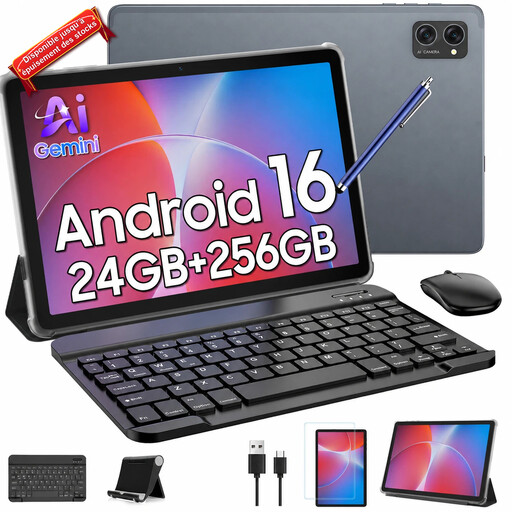
Why this choice suits this profile : this 10.1-inch Android model is designed for everyday use, including browsing the internet, enjoying multimedia content and viewing documents. The offer mentions a keyboard, mouse and stylus, so you do not need to purchase multiple extras.
The offer clearly distinguishes the internal storage capacity from the stated TF expansion. Even so, remember to check the details provided by the seller and the accessories’ compatibility before placing your order.
10.1-inch screen, stated 256 GB storage, octa-core T606 processor and keyboard, mouse and stylus set mentioned in the offer.
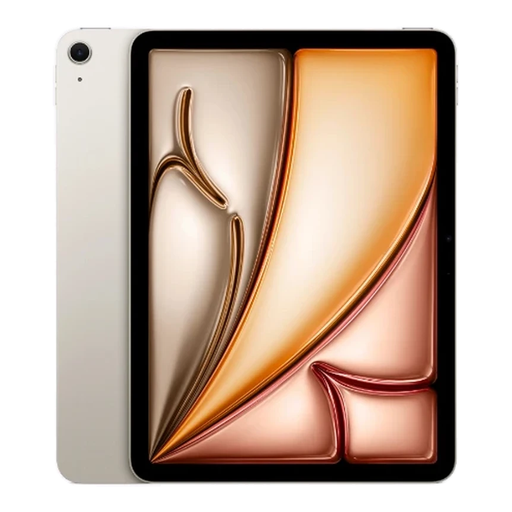
Why this choice suits this profile : the Apple M3 chip, 11-inch Liquid Retina display and 460 g weight make this a compelling companion for switching between work, creative tasks and mobility within the Apple ecosystem.
The listing clearly distinguishes the 128 GB of storage from the optional accessories. The mains charger is not included, so remember to factor it into your budget.
M3 chip, 2360 × 1640-pixel display, Wi-Fi 6E, Bluetooth 5.3 and compatibility with the Apple Pencil Pro and Magic Keyboard.
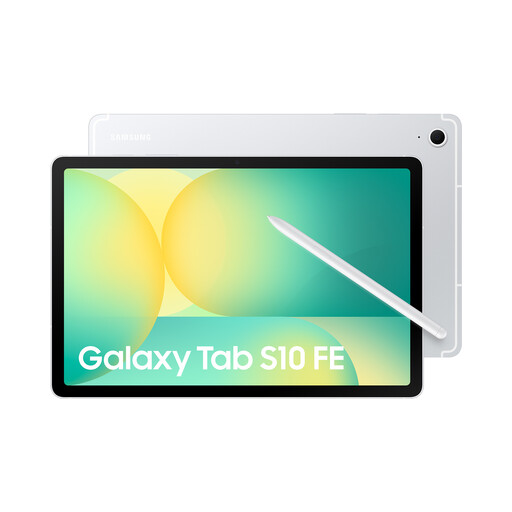
Why this choice suits this profile : students and professionals looking for a note-taking tablet benefit from the included S Pen, 90 Hz display and expandable storage.
The stylus is included, unlike some models that only claim compatibility. The keyboard remains optional, so you will need to add it separately if you want to work with physical keys.
S Pen included, 10.9-inch screen, brightness stated at up to 800 nits in high-brightness mode, Galaxy AI features and stated IP68 certification.
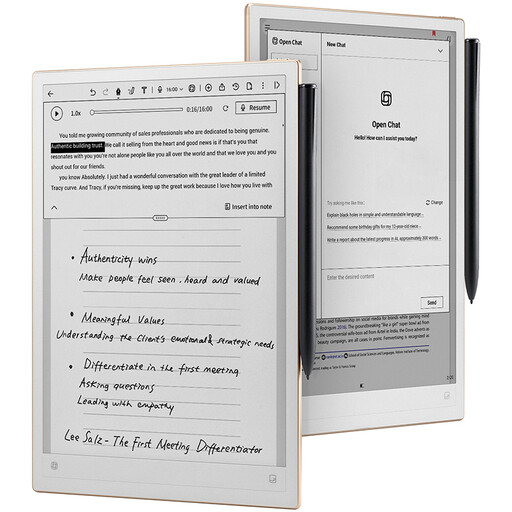
Why this choice suits this profile : its flexible e-ink screen, stylus and transcription tools are well suited to meetings, lessons and handwritten work.
It does not claim to replace a conventional multimedia tablet. Before buying, take into account the lack of a speaker, camera and reading light.
10.65-inch screen displaying 300 ppi, stylus included, Android 14, Google Play compatibility and transcription stated to support 16 languages.
We have put together a complete, real-time updated selection of products that meet these demanding criteria and European safety standards.
For lessons, choose a lightweight model with an included or compatible stylus, enough battery life to last a full day and sufficient storage for your documents. The Samsung Galaxy Tab S10FE, with its included S Pen, ticks all these boxes. An e-ink tablet is better suited to writing and reading than to videos or advanced graphics apps.
It can be perfectly suitable for email, video conferencing, viewing files and writing straightforward documents. For regular professional use, plan for a compatible keyboard and check that the software you need is available. More demanding tasks — video editing, managing complex files or using specialist applications — are often still more comfortable on a computer.
The advertised price represents only part of the overall cost. You may also need to add a case, keyboard, stylus, mains charger or memory card. Also compare connectivity options: a 5G tablet will generally require a mobile plan, while a Wi-Fi model avoids this subscription but depends on a wireless network or a smartphone’s hotspot.