
Livraison le jour même ou le lendemain

Qualité garantie

Débloquez vos offres de bienvenue: Livraison GRATUITE | Jusqu'à -80 % | 30 jours d'essai gratuits à JoyPlus
Téléchargez l'application
A tablet can be used to catch up on the news, attend lessons, watch videos, play games, work remotely or keep a child occupied during a journey. The problem is that specifications can sometimes be packed with wording that is difficult to compare. An amount of RAM described as ‘extended’, a large battery or a generously sized screen do not, on their own, guarantee an experience that suits your needs.
Before ordering an Android tablet, an iPad or a Samsung tablet, take the time to identify the specifications that really matter. Here are the most common pitfalls, the key criteria to check and a selection of models for several types of user in France.
Some specifications quote 12, 16 or 20 GB of RAM by adding physical memory to part of the storage that is used temporarily. Virtual memory can provide a boost in certain situations, but it does not replace the equivalent amount of RAM that is actually installed.
To compare two models, check these separately:
A tablet with 4 GB of actual RAM and 128 GB of storage will be suitable for web browsing and watching content. However, it will offer less flexibility than a model with 6 or 8 GB of physical RAM.
An 8,000 or 10,000 mAh battery may sound reassuring, but battery life also depends on brightness, the processor, refresh rate, Wi-Fi network and the apps being used. Figures provided by manufacturers are generally obtained under very specific conditions.
When choosing a tablet with long battery life, also consider:
An 11-inch tablet provides plenty of space for attending lessons, watching series or viewing documents. However, it will be more cumbersome than a 7- or 8-inch model. Resolution also deserves your attention: a 1,280 × 800-pixel panel will not display the same level of detail as a 1,920 × 1,200-pixel screen or higher.
Connectivity is another important consideration. A Wi-Fi tablet does not necessarily have a mobile connection. If you plan to work on the train, while travelling or in accommodation without fixed internet access, check whether it supports 4G or 5G.
A 128 GB tablet is a versatile choice for everyday apps, downloaded lessons and a reasonably sized photo library. If you plan to store lots of videos, games or work files, 256 GB will give you more breathing room.
A microSD card can reduce the cost of expanding storage, but it cannot always be used to install every app. So check the internal capacity first, rather than focusing on the maximum capacity quoted for the memory card.
For light office work, web browsing and video streaming, an octa-core processor with 4 or 6 GB of RAM may be sufficient. Photo editing, demanding games and intensive multitasking will require a more powerful chip and more physical memory.
References to ‘AI’, ‘Gemini’ or ‘smart acceleration’ describe software features. On their own, they do not indicate the tablet’s overall speed.
Android gives you access to a vast catalogue of apps and offers parental-control tools. iPadOS integrates naturally with the Apple ecosystem, but some accessories, such as the stylus or keyboard, are sold separately.
For school or professional use, check for a USB-C port, Bluetooth, a compatible keyboard and a suitable display mode. For a child, it is best to provide a reinforced case, activate parental-control settings and supervise use. Electronic devices equipped with a lithium-ion battery must be recharged with a compatible accessory and must not be dismantled by the user.
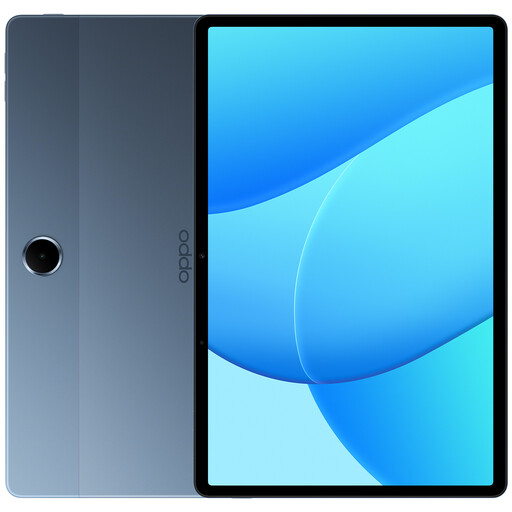
Why this choice suits this profile : Its 11-inch screen, 128 GB of storage and Wi-Fi connection cover the everyday needs of a first family tablet.
The storage capacity is clearly separated from the 4 GB of RAM, making it possible to compare configurations on a realistic basis.
Built-in 8,000 mAh battery, octa-core processor, Wi-Fi 802.11ac and Bluetooth.
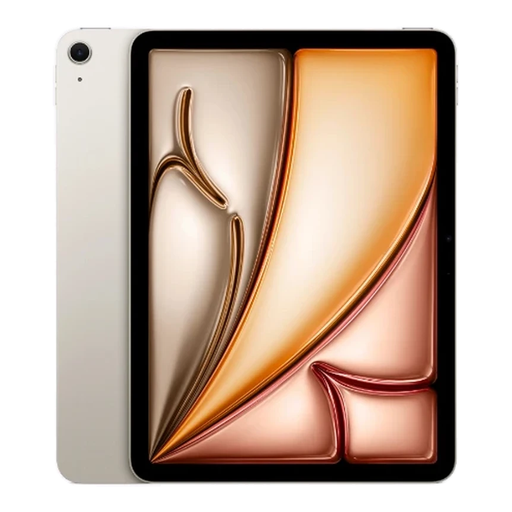
Why this choice suits this profile : This model is aimed at anyone looking for a lightweight tablet for creating, studying, managing documents and enjoying the Apple ecosystem.
The specifications clearly distinguish between the Apple M3 chip, 8 GB of RAM and 128 GB of storage.
11-inch screen displaying 2,360 × 1,640 pixels, stated weight of 460 g and compatibility with the Apple Pencil Pro and Magic Keyboard, sold separately.
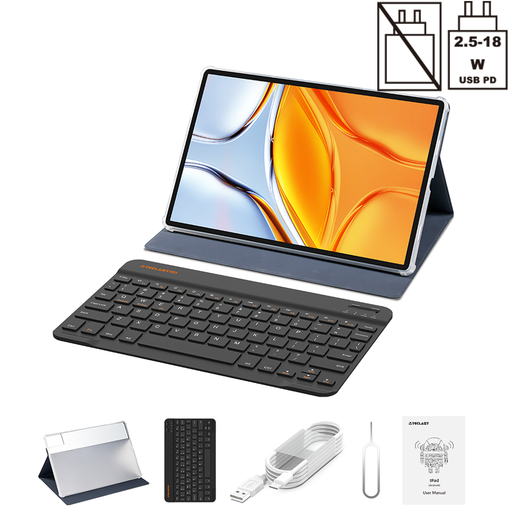
Why this choice suits this profile : Its large format is well suited to spreadsheets, documents, video content and any situation where a generous display area makes a difference.
The 14-inch diagonal is clearly stated, so you know straight away that the device will be less compact than an 11-inch tablet.
1,920 × 1,200-pixel screen, 256 GB of storage, dual 4G LTE SIM slot and Bluetooth keyboard included according to the specifications.
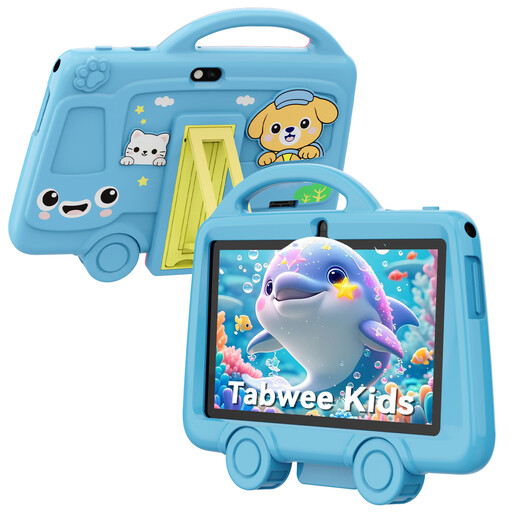
Why this choice suits this profile : Its compact size and stated weight of 285 g make it easy for a child to hold, under adult supervision.
The 7-inch format helps you avoid accidentally choosing a large tablet that is difficult for small hands to hold.
Stated protective case, 3.5 mm headphone jack, 2.4 GHz Wi-Fi and 3,000 mAh battery.
We have put together a complete, real-time updated selection of products that meet these demanding criteria and European safety regulations.
For attending lessons, look for a screen of at least 10 or 11 inches, 128 GB of storage if you download documents, good battery life and compatibility with a keyboard or stylus. A Wi-Fi tablet is sufficient if you mainly study at home or on campus.
Its lifespan depends on build quality, software support, battery condition and charging conditions. A case, screen protector and compatible charger can help prevent everyday damage. Before buying, also remember to check the manufacturer’s update policy.
A tablet is very well suited to messaging, video calls, viewing documents and light office work. For intensive professional use, check app compatibility, keyboard quality, available ports and support for multiple windows. A Samsung tablet with a desktop mode, or an iPad compatible with a keyboard, can provide a convincing mobile solution, although it will not replace every use case of a laptop.