
Livraison le jour même ou le lendemain

Qualité garantie

Débloquez vos offres de bienvenue: Livraison GRATUITE | Jusqu'à -80 % | 30 jours d'essai gratuits à JoyPlus
Téléchargez l'application
Copilot+ PCs have arrived, and with them, the promise to revolutionise our digital lives thanks to artificial intelligence integrated into the core of Windows. For professionals, students, and tech enthusiasts alike, this means massively boosted productivity and new ways to create. But faced with this wave of innovation, one question arises: which model should you choose? This guide is here to break down the lineup of Surface Laptop Copilot+ and other AI laptops, and help you make sense of it all.
By a Joybuy product expert, July 23, 2026.
Before diving into our selection, let's review the key technical points that will make all the difference. Understanding these elements is crucial for making the right choice—one that truly fits your everyday needs.
The true revolution of Copilot+ PCs lies in their architecture. At the heart of the machine is a processor equipped with a Neural Processing Unit (NPU): a chip entirely dedicated to accelerating AI-related calculations. A Snapdragon X Plus computer, for example, includes an NPU capable of performing billions of operations per second. What does this mean in practice? It means that AI functions like live translation, complex photo editing, or writing assistance run directly on the device itself. The result: no need for an internet connection, instant responsiveness, and better protection of your data.
The new ARM processors, like the Snapdragon X series, also stand out for their excellent power efficiency. For an AI laptop for students or a mobile professional, this means battery life that can last a full day away from a power outlet. The feather-light weight and slim chassis, as seen on a 13-inch Surface Laptop, are obviously just as crucial for those who carry their office in their backpack.
Opting for a Microsoft Copilot+ PC ensures you get the full benefit of the latest Windows 11 innovations. Exclusive tools like Recall (to find anything you've seen on your screen) or Cocreator (to generate images from a simple sketch) were designed for these machines. The question of software compatibility is also central. While more and more applications are available in native (ARM-optimised) versions, Windows has it all covered with Prism, a high-performance emulation layer that allows almost all traditional software to run smoothly.
Now let's move on to our selection of standout models, designed for different profiles: productivity, creativity, or studies.
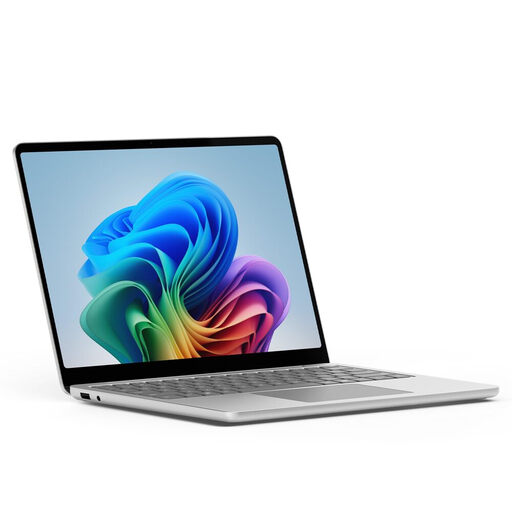
Why it stands out: The Surface Laptop 13" is the archetype of the Copilot+ PC in a classic and incredibly elegant ultrabook form factor. It combines a premium design, a superb touchscreen, and all the power of the Snapdragon X Plus processor. It's the balanced choice for anyone looking for a machine that is powerful, long-lasting, and easy to carry.
Advantages:
Who is it for? Professionals and students who prefer the classic laptop format but want to enjoy the best of AI and marathon battery life to work from anywhere.
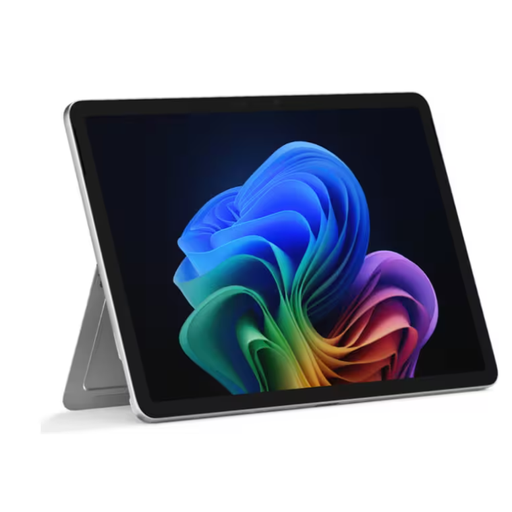
Why it stands out: The Surface Pro remains the undisputed benchmark for 2-in-1s. This new Copilot+ version retains its legendary versatility (part tablet, part PC) while injecting the power of the Snapdragon X Plus. Its light weight makes it the ideal companion for those who are always on the move.
Advantages:
Who is it for? Creatives, sales professionals, and anyone who loves the flexibility of a tablet for taking notes or drawing, without sacrificing the power of a real PC for their heavier tasks.
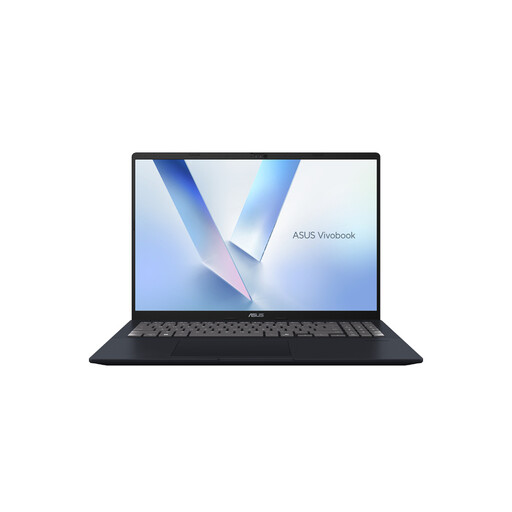
Why it stands out: For those who think big, the ASUS Vivobook 16 is an excellent alternative. It features a powerful AMD Ryzen AI 7 processor with a robust NPU and offers the comfort of a large 16-inch screen, perfect for multitasking, all in a comprehensive chassis.
Advantages:
Who is it for? More stationary users (office or remote work) who need a large workspace to juggle multiple windows: accountants, developers, or students who are heavy multitaskers.
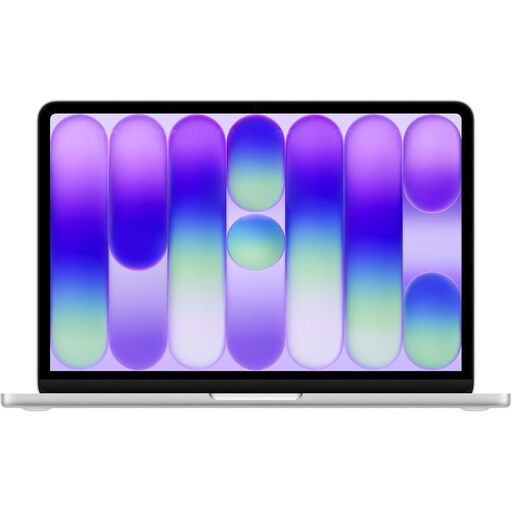
Why it stands out: For fans of the Apple ecosystem, the MacBook Neo and its A18 Pro chip are the obvious alternative. It bets everything on the efficiency of its own AI engine, Apple Intelligence, and on its ever-impressive integration with the iPhone and iPad.
Advantages:
Who is it for? Die-hard Apple fans or those looking for an alternative to Windows, geared more towards creativity, ease of use, and privacy.
The laptop market is an ever-changing jungle. If none of these models ticks all your boxes, don't panic: dozens of other configurations and brands exist.
Discover our complete selection of laptops to find the perfect one for you.
To earn the "Copilot+" label, a Windows PC must meet very strict hardware specifications set by Microsoft. It must include an NPU with a power of at least 40 TOPS (tera operations per second), as well as a minimum of 16 GB of RAM and 256 GB of SSD storage. This baseline requirement guarantees a perfectly smooth experience with the new AI features.
Yes, almost all of your Windows software will run without any issues on a Snapdragon-powered machine. Microsoft has developed a highly effective emulator, named "Prism," which handles running traditional (x86/x64) applications with very respectable performance. Furthermore, a growing number of developers are offering versions of their software compiled natively for the ARM architecture, which ensures optimal performance and power efficiency.
Absolutely. The Surface Laptop Copilot+ has all the makings of an ideal study companion. Its extra-long battery life is a decisive advantage for getting through back-to-back classes and library sessions without searching for an outlet. Its light weight makes it easy to carry from campus to home. Above all, the integrated AI functions are veritable superpowers for research, note-taking, writing papers, or translating documents. A real plus for academic success.