
Livraison le jour même ou le lendemain

Qualité garantie

Débloquez vos offres de bienvenue: Livraison GRATUITE | Jusqu'à -80 % | 30 jours d'essai gratuits à JoyPlus
Téléchargez l'application
A streaming microphone can significantly improve voice clarity, but not every model is suited to the same requirements. A computer streamer, a podcaster working at their desk and a videographer filming with a smartphone all work in different environments and have different needs.
Before placing your order, three common pitfalls are worth keeping in mind.
For a fixed computer setup, a USB microphone is generally the simplest solution. It is powered via the cable and recognised by the system, without the need for an additional audio interface in most setups. Even so, check which type of port is available: USB-A, USB-C or an adapter.
A wireless microphone is better suited to interviews, mobile livestreams and videos filmed while standing. Take a close look at what the kit includes: the number of transmitters, the type of receiver, the charging case and compatibility with a smartphone, camera or computer.
For a phone, a wireless lavalier microphone gives you plenty of freedom to move around. However, the stated connector must match your device. A model designed for USB-C will not work in the same way as a Lightning model, even though both are aimed at mobile content creation.
The polar pattern indicates which sounds the capsule prioritises. A cardioid, supercardioid or hypercardioid pattern will generally favour the voice coming from in front of the microphone, while limiting some sounds from the sides.
This feature is particularly useful for a gaming microphone positioned near a keyboard, but it requires precise placement. Point the front towards your mouth and avoid positioning the microphone too far away. In a reverberant room, moving the capsule closer will often be more effective than turning noise reduction up to the maximum.
Digital noise-reduction systems, such as multi-level DSP processing or one-click activation, can be useful outdoors. However, listen to your voice after adjusting the settings: overly aggressive processing can alter its tone or swallow certain syllables. The information on the product page should be viewed as stated specifications, not as a guarantee of identical results in every environment.
For a wireless device, compare a transmitter’s battery life with the usual length of your sessions. A charging case can extend usage time, but also consider how long it takes to recharge and check whether recording is still possible while charging.
Audio monitoring lets you listen to your voice through headphones while recording. It is a useful way to spot an excessively high volume, a poorly connected cable or unwanted noise before going live. A gain control, quick mute button and indicator light are also useful during a livestream.
Finally, features such as RGB microphone lighting are mainly about visual customisation. They can complement a streaming setup, but they will never replace good audio performance, suitable connectivity and well-designed ergonomics.
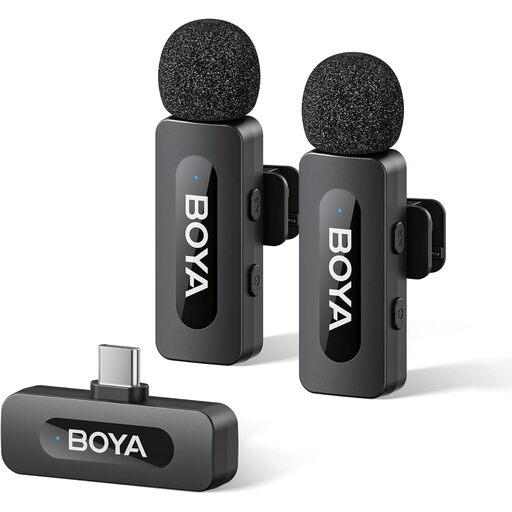
Why this choice suits this profile : With two transmitters and a USB-C receiver, this kit is aimed at beginners getting started with mobile video, interviews or livestreams using a compatible device.
The product listing states that noise reduction can be activated with one click and offers up to 9 hours of battery life. Simply check that your device has a compatible USB-C port before ordering.
Two transmitters, a USB-C connection and a practical wireless format for recording several speakers.
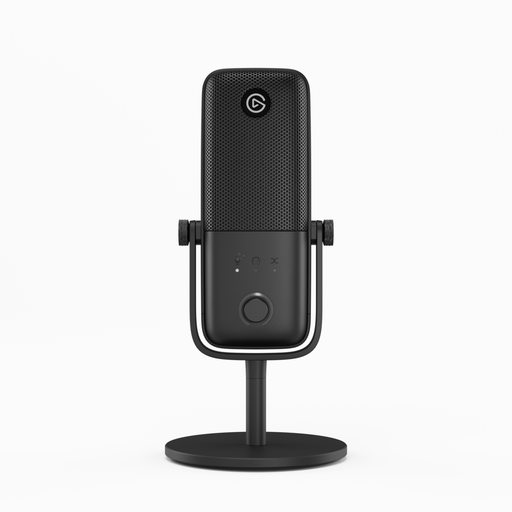
Why this choice suits this profile : This wired USB microphone will fit naturally on a desk dedicated to streaming, podcasting or recording voice on a computer.
Clipguard 2.0 is designed to limit clipping during volume peaks, while automatic gain helps maintain a consistent level.
Easily accessible volume, gain and mute controls, along with Wave Link software for managing the audio mix.
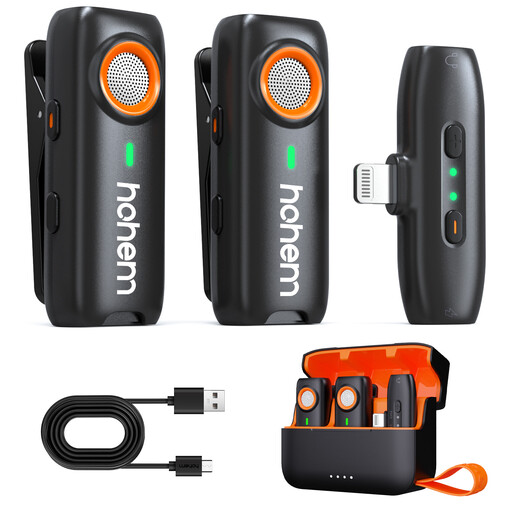
Why this choice suits this profile : This wireless lavalier microphone is aimed at videographers, trainers, interviewers and creators who record regularly, both indoors and outdoors.
Three levels of DSP noise reduction let you adapt the processing to your surroundings. The product listing also mentions backup recording to a TF card, sold separately.
Up to 20 hours of stated battery life with the case, a range of up to 100 m in open space and a remote shutter for smartphones.
We have put together a complete, real-time updated list of products that fully meet these strict selection criteria and European safety regulations.
Position the microphone at a consistent distance from your mouth, generally a few centimetres away for a desk model, without speaking directly into the capsule. A shock mount or boom arm can reduce vibrations transmitted through the desk and keyboard noise.
In your streaming software, select the correct audio source, then test it using your usual speaking volume. Avoid turning the gain up to maximum: a moderate level reduces the risk of clipping and leaves more headroom for audio processing.
With a wireless model, pair the transmitters with the receiver before going live. Check the battery level, the lavalier microphone’s attachment and the range in real filming conditions. Obstacles, walls and interference can reduce the distance stated by the manufacturer.
Yes, a USB microphone can be perfectly suitable for a podcast microphone used to record on a computer, particularly when ease of setup is the priority. Check its polar pattern, whether it has a headphone output and its compatibility with your software. To record several speakers, a kit with two transmitters or a suitable audio interface may be more practical.
Its lifespan depends on the battery, the number of charging cycles, storage conditions and maintenance. To help protect the device, avoid moisture, extreme temperatures and knocks. Recharge it using the recommended cable and store the transmitters in their case after each use.
It can be useful against certain continuous noises or wind, but it will not eliminate every distraction. A windscreen, close positioning and a preliminary test are still essential. Compare the different processing levels to preserve a natural voice for your videos, interviews or livestreams.