
Livraison le jour même ou le lendemain

Qualité garantie

Débloquez vos offres de bienvenue: Livraison GRATUITE | Jusqu'à -80 % | 30 jours d'essai gratuits à JoyPlus
Téléchargez l'application
Looking to supercharge your computer or console? Buying an SSD is the most effective upgrade you can make. But faced with an avalanche of technical jargon and marketing promises, it's easy to make the wrong choice. Is the advertised speed realistic? Does a larger capacity guarantee faster performance?
As the Head of Product Recommendations at Joybuy, my role is to guide you through this jungle. This guide breaks down the common pitfalls and highlights the criteria that truly matter, helping you find the perfect SSD for your needs—whether you're a gamer, a content creator, or simply looking for a more responsive PC.
The storage market is flooded with spec sheets designed to impress. Learning to read between the lines is the first step toward a smart purchase.
To navigate these pitfalls, focus on the key factors that truly define an SSD's performance and suitability.
It all comes down to your use case.
This is the potential bottleneck that dictates your drive's maximum throughput.
Choosing the right size is a balancing act between budget and needs.
Rather than an exhaustive list, here are targeted recommendations for specific profiles, taking performance and reliability into account.
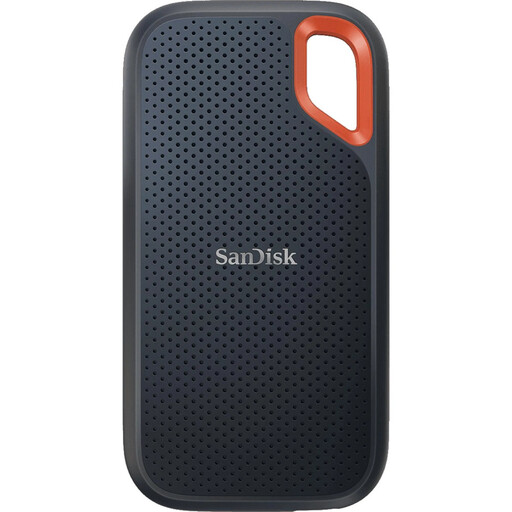
Why we chose it: This portable SSD is built for life on the go. Its rugged shell and IP65 rating protect it from dust, water, and drops. Its speeds (up to 1050 MB/s) via USB 3.2 Gen 2 are perfect for transferring and working on large files directly from the drive.
It doesn't over-promise on performance: it delivers reliable, consistent speeds for mobile use without trying to compete with internal SSDs. Its durability mitigates the risk of damage, a very real danger when traveling.
Drop resistance (up to 3m) and water resistance (IP65), combined with universal connectivity (includes a USB-C cable and USB-A adapter).
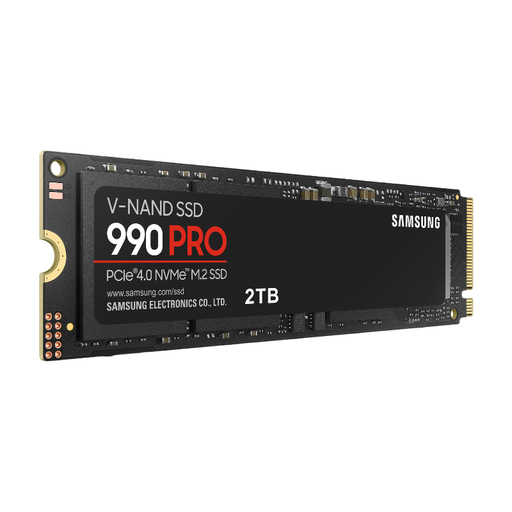
Why we chose it: This is THE benchmark for PC gaming and a top-tier choice for expanding your PS5's storage. Its PCIe 4.0 speeds (up to 7,450 MB/s read) obliterate loading times. The 2 TB capacity lets you store a vast game library without compromise.
It fully leverages the PCIe 4.0 interface, avoiding the bottleneck of slower models. Its M.2 2280 form factor ensures direct compatibility with modern motherboards and the PS5.
Stratospheric sequential speeds, optimised to load games and demanding applications in the blink of an eye. The reliability of a leading brand like Samsung.
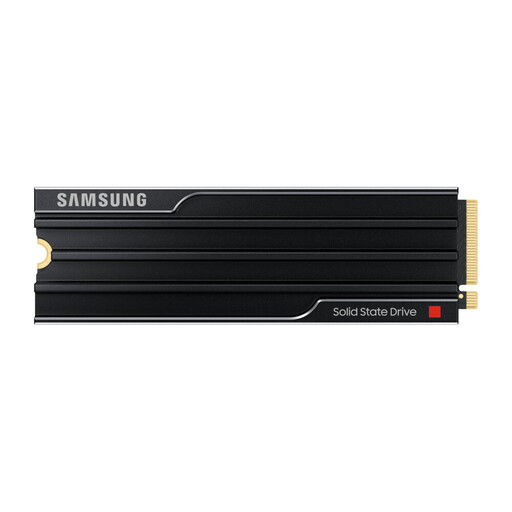
Why we chose it: This drive is at the cutting edge of technology with its PCIe 5.0 interface. It's aimed at workstations and powerhouse rigs used for 8K video editing, 3D modelling, or data analysis. The integrated heatsink is essential for maintaining extreme performance without overheating.
It doesn't just promise speed, it delivers it thanks to PCIe 5.0. The built-in heatsink actively prevents "thermal throttling," a common pitfall with ultra-fast SSDs.
Next-generation performance for the most intensive workflows. The heatsink ensures sustained speed and reliability under the heaviest workloads.
We've compiled a complete, up-to-date selection of products that meet our strict selection criteria.
An SSD's lifespan is measured in Terabytes Written (TBW). For example, a 1 TB SSD with a 600 TBW rating can handle 600 terabytes of data being written to it in total. For an average user, this translates to many, many years of use. Let's be clear: unless you're using it in a server or for continuous video recording, your SSD will be technologically obsolete long before it's physically worn out.
The answer is nuanced. You can store and run your PS4 games directly from an external SSD connected to your PS5. However, for PS5 games, which are designed to leverage the internal SSD's blazing-fast speed, an external drive can only be used as a storage library. You will need to copy the game to the console's internal SSD (or a compatible M.2 SSD you've installed) to play it.
For anyone comfortable with opening up their PC, the process is relatively simple.