
Livraison le jour même ou le lendemain

Qualité garantie

Débloquez vos offres de bienvenue: Livraison GRATUITE | Jusqu'à -80 % | 30 jours d'essai gratuits à JoyPlus
Téléchargez l'application
Buying a new Smart TV can quickly become a headache. Between obscure acronyms, promises of revolutionary picture quality, and "smart" features that are often just gimmicks, it's easy to feel lost and end up with buyer's remorse. Our mission: to help you see things more clearly and identify the criteria that truly matter for you, far from the marketing jargon.
Before you dive in, let's review the 3 most common traps that could ruin your experience.
To make the right choice, focus on these three pillars. They alone will determine 90% of your daily satisfaction.
This is the core component, the element that defines the entire picture quality.
A good OS guarantees smooth navigation and access to all your go-to apps. The main players on the market are:
The most important thing: check that the system offers YOUR essential apps (Netflix, Prime Video, Disney+, YouTube, etc.).
Often overlooked, connectivity is crucial for plugging in all your devices. Today, the gold standard is HDMI 2.1. If you're passionate about TV gaming with a latest-generation console (PlayStation 5, Xbox Series X), an HDMI 2.1 port is non-negotiable. It's the golden ticket to enjoying 4K TV at 120 frames per second (120Hz) and technologies like VRR (Variable Refresh Rate), which eliminates screen tearing. For more casual use, HDMI 2.0 ports will do the job. Also, remember to check for Wi-Fi (preferably Wi-Fi 6), Bluetooth, and a sufficient number of USB ports for your flash drives and hard drives.
Rather than an endless list of models, we've matched TVs to typical user profiles. The goal: to help you find the one that's right for you.
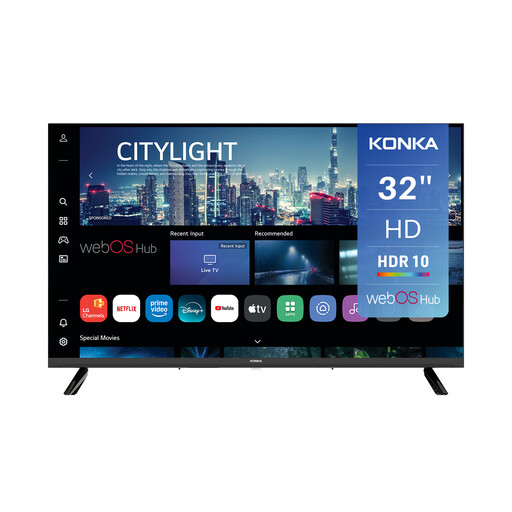
Why it's a match: Perfect for a bedroom, kitchen, or studio apartment, this 32-inch model gets straight to the point. It's the ideal solution for anyone looking for a simple, effective, and connected secondary TV.
It runs on webOS, a responsive and proven system (used by LG), which helps it avoid the "fake" Smart TV trap. Access to apps like Netflix or YouTube is perfectly smooth.
Its unbeatable value for money and its AirPlay compatibility for streaming content from an Apple device. A rare and valuable feature at this price point.
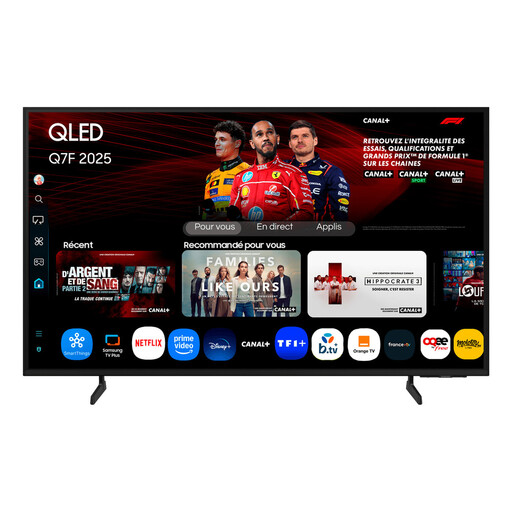
Why it's a match: With its large 65-inch screen and QLED technology, it has everything it takes to become the centerpiece of your living room. Perfect for family movie nights, it performs wonderfully even in a brightly lit room.
It represents an excellent compromise without the extra cost of OLED. The QLED technology brings tangible benefits (colours, peak brightness) that justify the investment for versatile family use.
The Quantum Dot technology ensures rich, vibrant colours, and its Tizen operating system is renowned for its fluidity and comprehensive catalogue of streaming apps.
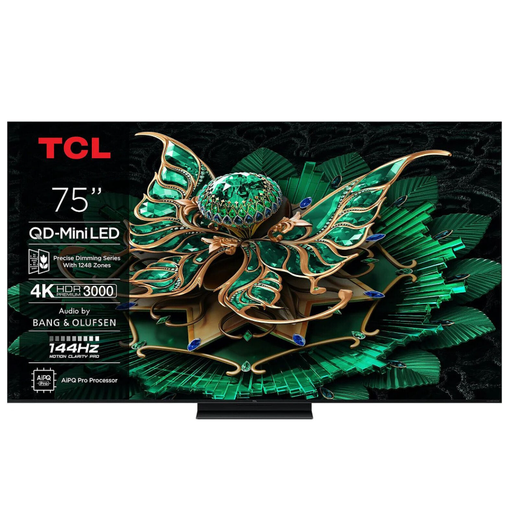
Why it's a match: This TV is a powerhouse. It combines a QD-Mini LED panel (for high contrast and brightness) with the full arsenal needed for high-level TV gaming, whether on a console or PC.
It doesn't just slap on a "gaming" label. It checks all the boxes (144Hz, VRR, ALLM, FreeSync Premium Pro), which fully justifies its positioning and helps it avoid the trap of a single, oversold marketing point.
Its HDMI 2.1 ports and native 144Hz refresh rate guarantee absolute fluidity in games. The Game Master mode and Game Bar are major assets for optimising settings on the fly.
Discover our full selection of televisions that meet our selection criteria and market standards.
On average, a Smart TV has a lifespan of 5 to 7 years with regular use. This duration depends on the panel technology (LED panels are known to be more durable than early-generation OLEDs in terms of maintaining brightness) and the overall quality of the components. Software support is also a key factor: a TV whose OS is no longer updated will become functionally "obsolete" long before any hardware failure.
Absolutely. To enjoy 4K Ultra HD streaming, a stable and fast internet connection is essential. Most platforms like Netflix or Disney+ recommend a minimum speed of 25 Megabits per second (Mbps) for a smooth 4K stream without interruptions or buffering. To be safe, especially if other devices are using the network at the same time, you should aim for a higher speed.
There's no one-size-fits-all answer; it all depends on your preferences and your existing ecosystem.
The best approach is to try these interfaces out in a store to form your own opinion and see which one you click with the most.