
Livraison le jour même ou le lendemain

Qualité garantie

Débloquez vos offres de bienvenue: Livraison GRATUITE | Jusqu'à -80 % | 30 jours d'essai gratuits à JoyPlus
Téléchargez l'application
Replacing your TV with a 100-plus-inch image is the dream! But the thought of installing a giant screen in your living room can be daunting. This is where the modern smart projector comes in: a flexible and surprisingly powerful solution capable of turning any blank wall into a true home cinema. Gone are the headaches of complex installations and trailing cables. Today's models come with their own operating system, automatic adjustments, and wireless connectivity for a nearly instantaneous experience.
To help you make sense of it all, we'll break down the key criteria and present our selection of the best models available today, designed for every need and every space.
Before you take the plunge, let's review a few technical points that will make all the difference in your daily use.
Image quality rests on two pillars: native resolution and brightness.
The revolution of recent smart projectors lies in their simplicity. Look for these features for an effortless setup:
A smart projector needs to be self-sufficient. The presence of an OS (operating system) like Android TV or Google TV is crucial. It provides direct access to thousands of apps (Netflix, YouTube, Prime Video, etc.) without needing a computer or an external streaming stick. Paired with WiFi 6, it ensures smooth, lag-free streaming. Bluetooth is also a major plus for connecting a soundbar or wireless headphones.
Here are three models that caught our eye for their excellent balance of features, performance, and simplicity.
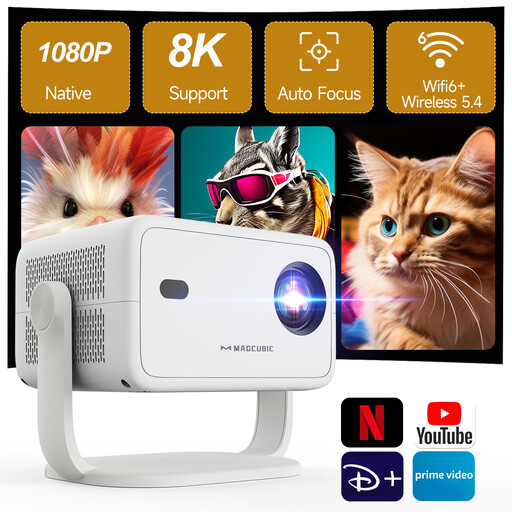
Why it stands out: The Magcubic L018 is all about simplicity. Its fully automatic adjustment features (auto focus, keystone correction, obstacle avoidance) make it a top choice for those who want a "zero-hassle" solution. Its built-in Android TV 14 offers direct access to a huge catalogue of content.
Highlights:
Who is it for? Ideal for those looking for an all-in-one solution that's easy to set up and move from room to room for impromptu movie nights.
See the Magcubic L018 Smart Projector
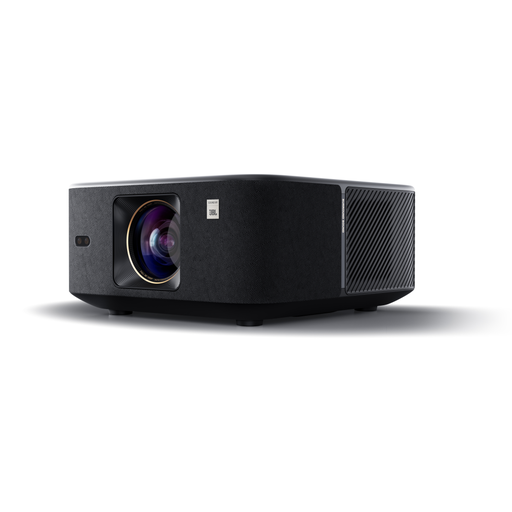
Why it stands out: The Yaber K3 steps things up a notch by focusing on a more advanced audiovisual experience. Its high brightness and JBL sound system make it a serious contender for anyone seeking immersive audio without adding external equipment. According to the brand, its NovaGlow optical technology enhances clarity even in the presence of ambient light.
Highlights:
Who is it for? For cinephiles and families who demand superior image and sound quality to recreate a true home cinema atmosphere in their living room.
See the Yaber K3 Smart Projector
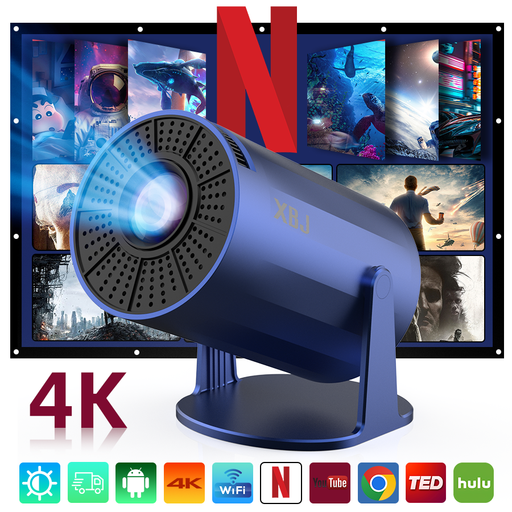
Why it stands out: This portable projector stands out for its compact design and 180-degree rotating base, which allows you to project on a wall or even the ceiling. Its WiFi 6 connectivity and quiet operation make it a discreet and versatile portable entertainment companion.
Highlights:
Who is it for? Perfect for students or for outfitting a small space. Its portable nature and flexibility make it ideal for a bedroom, a get-together with friends, or even for projecting movies in a tent.
See the XBJ Portable Blue Smart Mini Projector
The projector market is booming, with new models constantly appearing for every budget and use case. If our selection doesn't check all your boxes, don't worry.
Feel free to explore our complete collection of remote-controlled projectors to find the hidden gem that will light up your evenings.
A native 1080p projector has a display matrix of 1920x1080 pixels. This guarantees a pure Full HD image with no tricks. A model that "supports 4K" can read a 4K video source (a Netflix movie, a 4K Blu-ray, etc.), but it will compress it (a process called downscaling) to display it in 1080p. The gain in detail is often noticeable compared to a standard 1080p source, but don't be fooled: it's not true 4K.
Not necessarily. To get started, a simple, smooth, matte white wall works perfectly well. However, a real projection screen will significantly improve the result: it's designed to optimize light reflection, enhance contrast, and ensure a perfectly flat surface, which is ideal if your wall isn't flawless.
Absolutely. Many modern portable projectors are surprisingly impressive and fully capable of delivering a great home cinema experience, especially in a dark room. Their main advantage is their flexibility and ease of storage. For a large living room or a room that's difficult to darken, a brighter, conventional model (with more ANSI lumens) will remain a more sensible choice.