
Livraison le jour même ou le lendemain

Qualité garantie

Débloquez vos offres de bienvenue: Livraison GRATUITE | Jusqu'à -80 % | 30 jours d'essai gratuits à JoyPlus
Téléchargez l'application
A smart portable projector can transform a living room, bedroom or terrace into a genuine home cinema. But with brightness, actual displayed resolution and connected features all to consider, technical specifications do not always make comparisons easy. To find the right model for your everyday life in the UK, focus on the features that really matter for the way you intend to use it.
A device advertised as “4K compatible” does not necessarily produce a native image of 3,840 × 2,160 pixels. Some models accept a 4K signal and then display it at a lower resolution. For a sharp image, particularly when using a games console or displaying subtitles, look specifically for native 1080p resolution or native 4K UHD.
Lumens, ANSI lumens and ISO lumens do not always refer to the same measurement method. A high figure without a clearly specified unit therefore does not allow for a reliable comparison. In a dark room, a mini projector with moderate brightness may be perfectly suitable. In a living room with the curtains open, you will need a higher light output, although you should not expect the same results as a television in broad daylight.
Having Wi-Fi or Android does not guarantee direct access to Netflix. Digital rights restrictions may prevent streaming from a phone, or require a certified app, an update or an external device. If you are looking for a projector with Netflix, check the licence or compatibility details listed for the model.
For films, TV series and presentations, a 1080p projector generally offers a good balance between sharpness and price. 4K can display more detail on a large screen, but it also requires a compatible source and a sufficient viewing distance.
The stated size, for example 40 to 200 inches, refers to a theoretical range. The result depends on the projection distance, the surface used and the ambient brightness. Measure the available space before ordering and check the throw ratio. A short-throw model can produce a larger image in a small room.
For a home cinema session, choose a darkened room and a light-coloured wall or suitable screen. In the garden, the image will generally be much easier to see after sunset. An outdoor portable projector should also be easy to carry and power, but it must never be exposed to rain or moisture.
Brightness figures should only be compared when they are based on the same unit of measurement. Contrast and HDR support can improve the appearance of dark and bright scenes, but the result also depends on the source and projection conditions.
Autofocus saves you from manually adjusting the sharpness after every move. Automatic keystone correction straightens an image projected at an angle, but a perpendicular installation is still preferable to preserve the best possible definition. An adjustable model can project onto a wall, ceiling or screen without requiring a multitude of accessories.
For connections, check for dual-band Wi-Fi, Bluetooth, HDMI and USB. A Wi-Fi and Bluetooth projector makes wireless casting and connecting to a speaker easier. Bluetooth is generally used for audio rather than video transfer, however. For gaming, also check the refresh rate, low-latency mode and whether there is a suitable HDMI input.
The models below meet different needs. Their specifications are taken from the product listings and should be checked at the time of purchase, particularly details about apps, accessories and warranty terms.
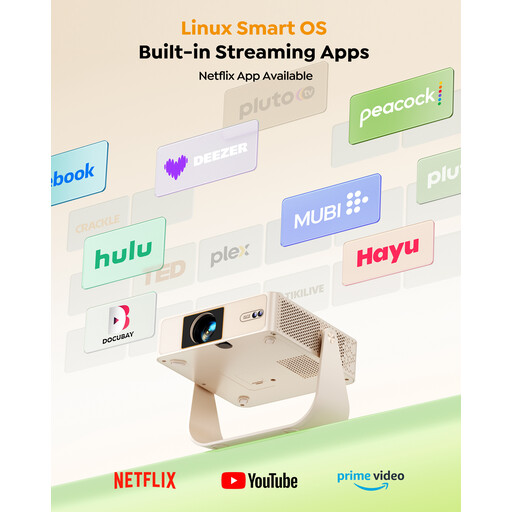
Why it suits this profile : Its native 1080p resolution, built-in stand and rotation of up to 330° make it easy to set up in a bedroom or small living room. The listing mentions a Linux system with licensed Netflix and Prime Video.
The native resolution is clearly stated, avoiding confusion between decoding and display. With 180 ANSI lumens, its brightness is nevertheless best suited to a dimly lit room.
Native 1080p, built-in stand and direct access to the services listed on the product page.
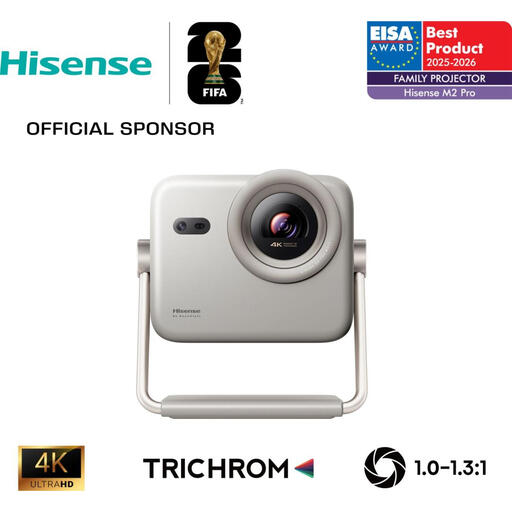
Why it suits this profile : According to the manufacturer’s listing, this home cinema projector combines up to 4K UHD resolution with an RGB TriChroma laser light source, plus HDR10+, Dolby Vision and 3D compatibility.
The listing distinguishes between 4K Ultra HD resolution, brightness of up to 1 300 ANSI lumens and the automatic focus and correction features.
HDMI 2.1 with eARC and ALLM, dual-band Wi-Fi, Bluetooth, AirPlay 2 and built-in 2 × 10 W audio.
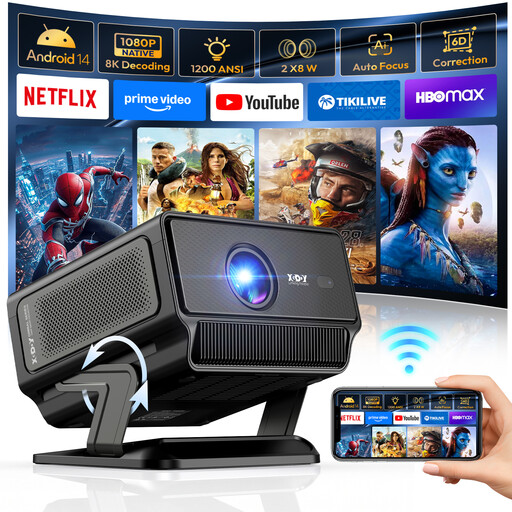
Why it suits this profile : With native 1080p resolution, a stated brightness of 1 200 ANSI lumens, an integrated Android system and a refresh rate of up to 240 Hz in Full HD, it is aimed at both film nights and console gaming. Actual latency should nevertheless be checked.
The listing separates native 1080p resolution from 4K/8K decoding. Autofocus, 6D correction and automatic alignment reduce the adjustments needed after moving the projector.
Wi-Fi 6, Bluetooth 5.4, HDMI, USB, two 8 W speakers and an adjustable stand from 0 to 90°.
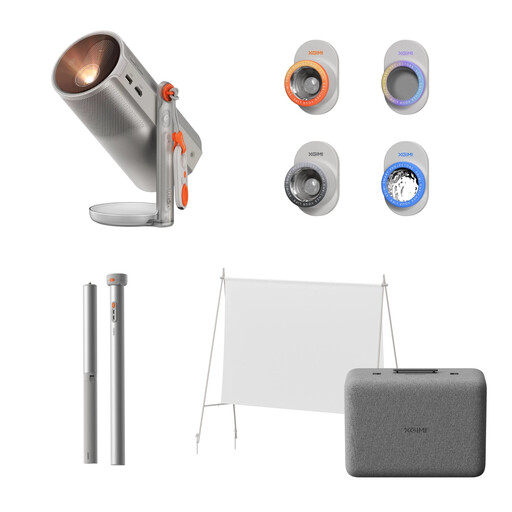
Why it suits this profile : According to the listing, its built-in battery provides up to 2.5 hours of use, while Google TV and licensed Netflix make it easy to watch content while travelling or during an outdoor evening.
Battery life is stated separately from the PowerBase stand, which is sold separately. This distinction helps you plan for access to a socket or the purchase of an additional accessory.
1080p, 450 ISO lumens, Google TV, Harman Kardon audio and a built-in 360° adjustable stand.
We have put together a comprehensive, real-time selection of products that meet these demanding criteria as well as European safety standards.
Yes, with an HDMI source, a compatible USB stick or certain Bluetooth-connected devices for audio. Streaming apps, on the other hand, generally require an internet connection.
It depends on the technology used, the brightness mode, ventilation and frequency of use. Product listings may state several tens of thousands of hours for an LED or laser light source, but this estimate is still linked to the settings and environment. Consult the manual for usage limits and maintenance recommendations.
Consumption varies according to the light output, selected mode and active features. A compact model may help limit consumption, while a brighter device intended for the living room will generally require more energy. To reduce costs, activate the economy mode when the room is dark and switch the device off completely after the session.