
Livraison le jour même ou le lendemain

Qualité garantie

Débloquez vos offres de bienvenue: Livraison GRATUITE | Jusqu'à -80 % | 30 jours d'essai gratuits à JoyPlus
Téléchargez l'application
Controlling your devices remotely while keeping an eye on your electricity bill is no longer a luxury, but a necessity. The smart plug with energy monitoring is the easiest tool to turn any electrical appliance into a smart device. It not only allows you to turn it on or off from your smartphone but, most importantly, helps you hunt down the most power-hungry devices in your home.
But with an overwhelming number of options on the market, it's hard to know where to start. This guide breaks down the essential criteria and presents a selection of the best current models to help you make the right choice without drowning in technical jargon.
Before you take the plunge, a few key points deserve your attention to ensure the product will integrate seamlessly into your daily life and your home setup.
A smart plug's main advantage is its integration into a smart home ecosystem. While most models work via a dedicated app (like Tuya Smart or Smart Life), compatibility with voice assistants is an almost essential convenience. If you already use Amazon Alexa or Google Home, check that the plug can connect to them. An Alexa smart plug or one compatible with Google Home will allow you to control your devices with your voice, radically simplifying your daily routine.
Not all electrical appliances are created equal when it comes to power consumption. A bedside lamp is far less demanding than a space heater or a washing machine. For power-hungry appliances, it is imperative to choose a 16A (amp) smart plug. This capacity, which corresponds to about 3680?W, ensures safe operation without any risk of overheating. The rule of thumb?: always check the maximum power rating of the plug before connecting a heavy-duty appliance.
Where you plan to use the plug is a key factor.
Here are a few options that stand out for their features and suitability for specific uses.
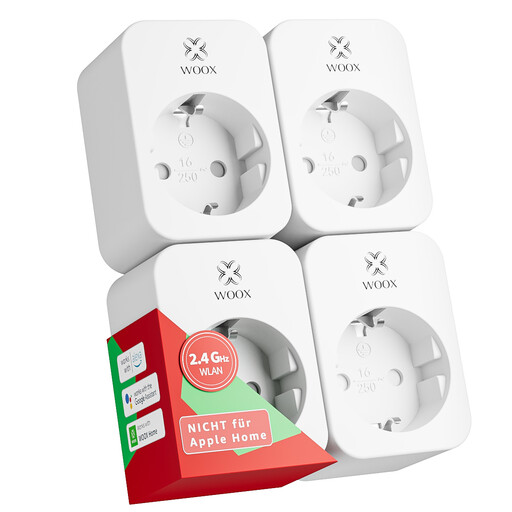
Why it stands out?: This four-pack is an excellent entry point for outfitting multiple rooms at once. It offers unbeatable value for money to get started with home automation or expand your setup cost-effectively.
Advantages?:
Who is it for?? Ideal for those who want to connect multiple devices (lamps, chargers, small appliances) and start analysing their overall consumption in a simple and budget-friendly way.
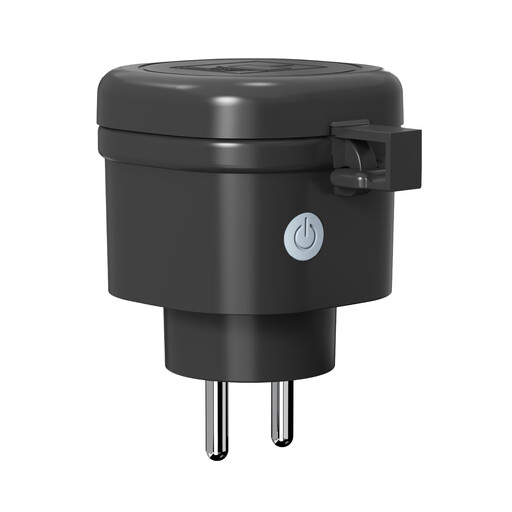
Why it stands out?: Specifically designed for the outdoors, this plug combines ruggedness, waterproofing, and a high load capacity. It's perfect for powering the most demanding garden and patio equipment.
Advantages?:
Who is it for?? Perfect for homeowners with a garden, patio, or pool who want to control and monitor the consumption of powerful outdoor appliances, in any weather.
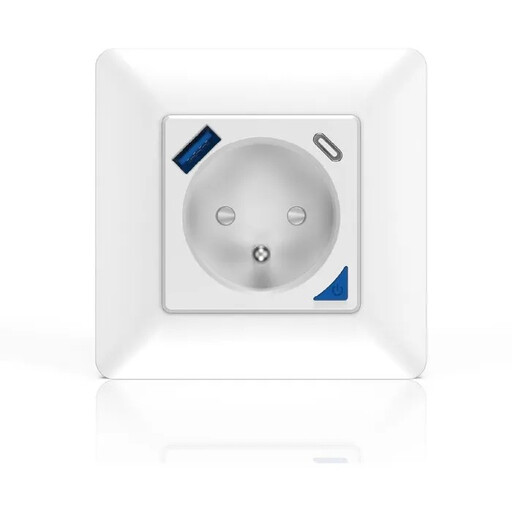
Why it stands out?: This in-wall outlet is the ultimate integrated and discreet solution. It replaces an existing outlet for a flawless finish, while adding connectivity and modern charging ports.
Advantages?:
Who is it for?? For those planning a renovation or looking for a permanent, aesthetic, and all-in-one smart home solution that combines a power outlet, energy monitoring, and USB chargers. Warning?: Installation must be carried out by a qualified electrician.
If a single outlet isn't enough for your setup (TV area, home office...), a smart power strip is the most practical solution. It allows you to control each connected device individually or manage everything with a single click.
For this type of use, take a look at our selection of flat multi-outlet power strips, which offers various configurations for all needs.
No, its standby power consumption is negligible, typically less than 1 watt. The savings you'll make by truly turning off devices on standby (instead of letting them draw phantom power) far outweigh this minimal energy requirement.
It's simple?: the plug contains a mini energy meter. It measures the current passing through it in real time and sends this data via Wi-Fi to your smartphone. The app then translates this information into power (watts) and cumulative consumption (kWh), giving you a clear, quantified report.
No, for most current Wi-Fi smart plug models, no additional hub is required. They connect directly to your internet router (usually on the 2.4?GHz frequency band). This makes setup a breeze?: just plug it in, download the app, and follow the few steps to connect it to your network.