
Livraison le jour même ou le lendemain

Qualité garantie

Débloquez vos offres de bienvenue: Livraison GRATUITE | Jusqu'à -80 % | 30 jours d'essai gratuits à JoyPlus
Téléchargez l'application
With the widespread adoption of remote work, our homes have transformed into full-fledged offices. In this new reality, the sit-stand desk has emerged as an essential companion for comfort and well-being. But with an overwhelming number of options, how do you avoid the common pitfalls that can turn a good investment into a daily regret? As a Product Specialist at Joybuy, my mission is to guide you through the key features to help you make an informed, and above all, lasting choice.
Before you start, here are the 3 most common pitfalls to avoid:
To avoid any disappointment, focus on objective criteria. They are the best guarantee of the quality and durability of your future desk.
A few technical specifications are all you need to distinguish a high-performance model from one that won't go the distance. Here are the points you absolutely must check.
The sturdiness of a sit-stand desk depends on its frame. A wood and metal desk with an industrial style is highly sought after, but aesthetics shouldn't come at the expense of solidity.
The motor is the core of your adjustable desk. Its quality directly impacts your user experience.
The size and quality of the desktop are crucial for your comfort and the organisation of your home office desk.
To help you see how these criteria apply in practice, here are a few models suited to different user profiles.
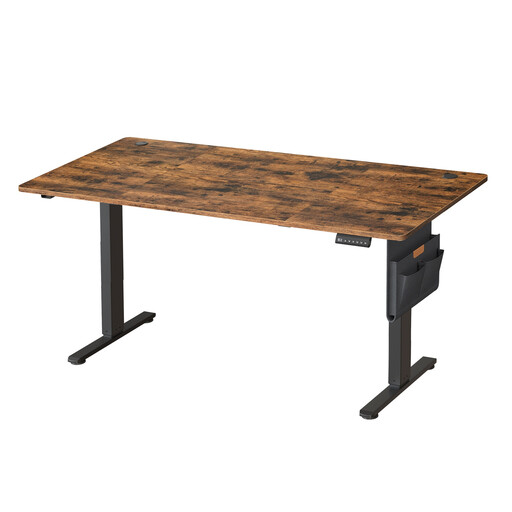
Why it's a great fit: Ideal for power users who juggle multiple screens, files, and large-scale projects. Its immense desktop provides a workspace without compromise.
Its sturdy steel frame and premium motor ensure perfect stability even at maximum height, directly addressing concerns about wobbling and motor failure.
Very large 180 x 80 cm desktop, 4-height memory function, integrated USB-C port, and organisational accessories (cable grommets, storage pouch).

Why it's a great fit: It's the perfect balance for a home office. Large enough to be comfortable, yet compact enough to fit into most living spaces.
The manufacturer highlights its steel frame and silent motor, which provides peace of mind regarding stability and noise levels.
Versatile 140 x 60 cm size, 4 memory presets, USB-C port, and a reminder function to alternate positions—a real ergonomic bonus.
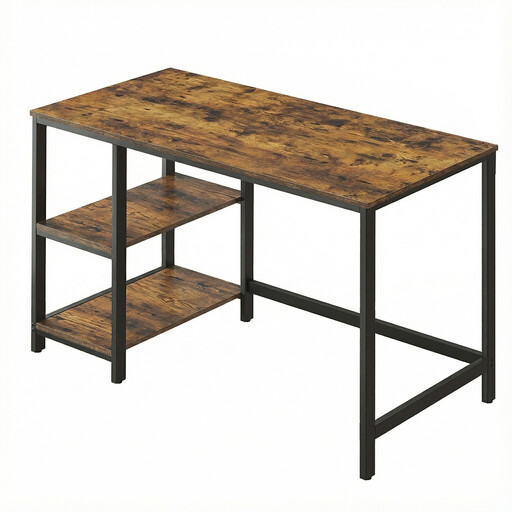
Why it's a great fit: A fixed, functional, and stylish option for those who want a quality workspace without the budget for an electric model. Ideal for a first setup.
As a fixed desk, it eliminates the risk of motor failure. It focuses on the essentials: a quality steel frame and adjustable feet that guarantee excellent stability.
Excellent value for money, flexible and removable storage shelves, and a solid structure with a load capacity of 50 kg.
We have selected a full range of products that meet our quality criteria and current safety standards.
A motor's longevity depends on its quality and frequency of use. A high-quality motor, used for 2 to 4 adjustments per day, is designed to last for many years. A good indicator is the presence of overheating protection: on some models, this activates after 2 minutes of continuous use and requires an 18-minute pause. This simple yet effective mechanism protects the motor from premature wear.
Most current models are designed for quick and easy assembly. Manufacturers typically provide illustrated instructions and numbered parts to simplify the process. Quick assembly (often in under 30 minutes) is a selling point, proving that the process has been made as simple as possible.
This information varies considerably from one model to another. You must check the maximum static load capacity specified by the manufacturer. Common electric models generally support around 70 kg, which is more than enough for a standard remote work setup (computer, two monitors, accessories). Some fixed desks, thanks to their simple and reinforced structure, can support much heavier loads than electric models. Be sure to estimate the total weight of your equipment before making your choice.