
Livraison le jour même ou le lendemain

Qualité garantie

Débloquez vos offres de bienvenue: Livraison GRATUITE | Jusqu'à -80 % | 30 jours d'essai gratuits à JoyPlus
Téléchargez l'application
Working from home, studying, gaming... we spend hours glued to our desks. The result? Back tension, neck pain, and creeping fatigue. To break up this sedentary routine, the sit-stand desk has emerged as the ideal solution to re-energise our days.
Alternating between sitting and standing not only improves comfort but also boosts concentration. The problem? The market is flooded with models, making it easy to get lost. This guide is designed to get straight to the point: giving you the keys to choosing the perfect height-adjustable desk for your needs and budget, without all the marketing jargon.
Before you pull out your credit card, let's review the key technical points that will make all the difference in daily use.
This is the crucial point. Manual, crank-operated models are certainly more affordable, but they require a bit of elbow grease for each adjustment. In contrast, an electric desk with memory presets is a bigger investment, but the convenience is unparalleled. A single button press is all it takes to raise or lower the desktop. The memory function is a major plus, allowing you to save your ideal heights (e.g., for sitting and standing) for precise, split-second adjustments. For a home office desk used daily, this feature is a must-have.
The size of the desktop should fit your room, but more importantly, your setup. A 160?cm wide desktop, for example, is ideal for comfortably accommodating two monitors, a laptop, and a few files without feeling cramped. For depth, aim for 60 to 80?cm to maintain a healthy viewing distance from your screens. Stability is another non-negotiable point. A robust steel frame is a guarantee of durability and prevents the desk from wobbling, especially at its highest setting. Be sure to check the maximum load capacity to ensure it can support all your equipment without flinching.
A good ergonomic desk does more than just go up and down. It's often the details that make a difference in daily use:
To help you take the next step, we've found an adjustable work table that ticks all the boxes, along with storage solutions for a flawless setup.
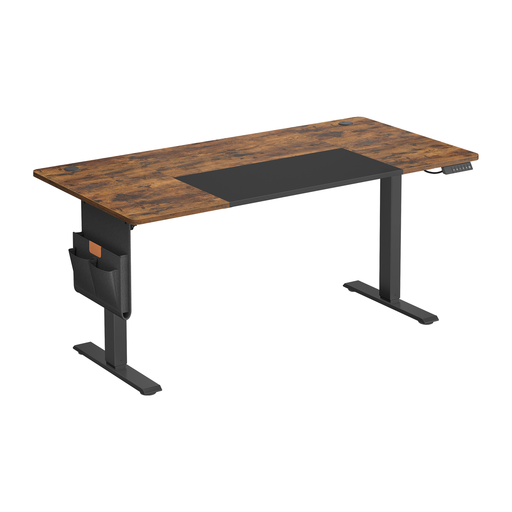
Why It Stands Out
This model brings together the most sought-after features in a generous size. Its quiet motor ensures smooth transitions, while its smart control panel makes operation intuitive. With its integrated USB-C port and included storage accessories, it forms an excellent foundation for a modern, well-organised workstation.
Pros
Who Is It For?
Perfect for remote workers, creatives, or gamers looking for a large, versatile workspace. Its ease of use and practical features make it an excellent long-term investment for anyone prioritising ergonomics and comfort.
A tidy desk leads to a clearer mind. To keep your desktop uncluttered, a side storage unit is often the perfect solution.
Ochama Metal Storage Cabinet with Adjustable Shelf
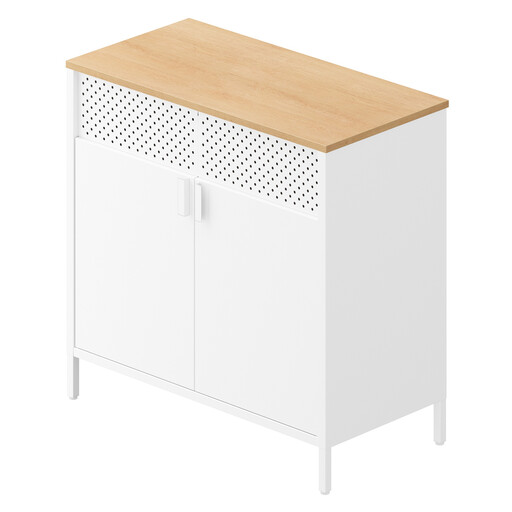
This metal cabinet offers flexible storage thanks to its adjustable shelf. It's perfect for storing files, supplies, or computer hardware, all with a touch of industrial style. Its top surface can even hold a printer or a few decorative items.
Ochama Double Garment Rack with Wheels
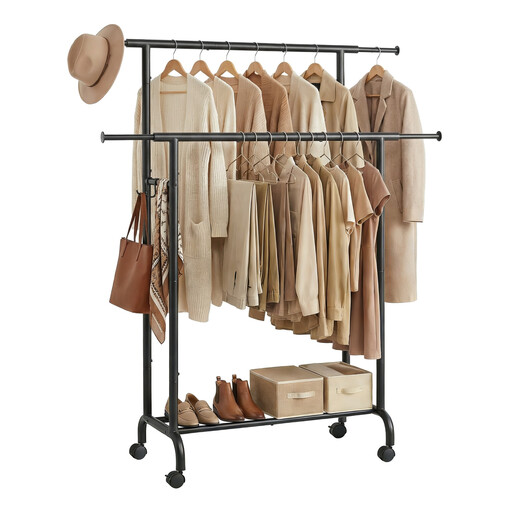
When your office is in the bedroom or living room, this mobile rack is a truly clever solution. No more jackets or bags cluttering up your chair! Use it to keep your workspace tidy and move it wherever you like thanks to its wheels.
While you're in the process of optimising your home, why not look at other improvements? For solutions that combine security and design, check out our selection of steel doors, for example.
1. What is the ideal height for a sit-stand desk? The golden rule is simple. When sitting, your forearms should rest flat on the desk, forming a 90-degree angle with your upper arms. The same applies when standing: the desktop should be at the same height as your elbows when your arms are relaxed at your sides. Rest assured, most electric desks offer a wide enough adjustment range to suit all body types.
2. Is an electric desk energy-intensive? Not at all. The motor only draws power during the few seconds it takes to adjust the height. In standby mode, its energy consumption is negligible, comparable to a smartphone charger left plugged in.
3. Is assembling an adjustable desk complicated? Generally, no. Most models are designed for simple assembly, with clearly labelled parts and straightforward instructions. However, it's advisable to have two people, especially for safely handling the heavy desktop and attaching it to the frame. On average, you can expect assembly to take between 30 and 60 minutes.