
Livraison le jour même ou le lendemain

Qualité garantie

Débloquez vos offres de bienvenue: Livraison GRATUITE | Jusqu'à -80 % | 30 jours d'essai gratuits à JoyPlus
Téléchargez l'application
Back pain, stiff necks, fatigue... Remote work or long study sessions can quickly take a toll on the body. Prolonged static posture is the enemy of our well-being. To combat this, one solution is gaining more and more traction: the sit-stand desk.
Thinking of making the switch? This guide is here to help you make an informed decision. We'll review the key points to consider before you buy and present a selection of models that perfectly blend ergonomics, design, and functionality for your home office.
Before you pull out your credit card, let's go over a few technical details that will make a real difference day-to-day.
This is the starting point: how much space do you have, and what will you use it for? For a laptop and a single monitor, a 120?cm wide desktop is usually sufficient. If your setup includes multiple monitors or you also work with paper files, you should aim for a 140 or 160?cm model. Don't forget to consider the desktop depth (typically 60 or 70?cm) to maintain a comfortable viewing distance from your screen.
The motor is the engine of your sit-stand desk. Opting for an electric model ensures unparalleled ease of use. Here are the features that really make a difference:
A good standing desk must be rock-solid, even at its maximum height. A robust steel frame is often a sign of durability. Check the maximum load capacity (in kg). A capacity of around 70?kg, for example, is more than enough for a complete computer setup (monitors, tower, peripherals). The ultimate test: the desk shouldn't wobble when you're typing vigorously.
To put theory into practice, we've selected two models that tick all the boxes for a modern and comfortable desk for remote work.
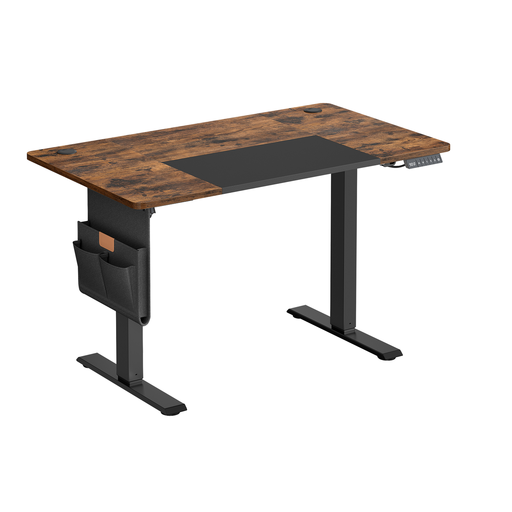
Highlights
This model is an excellent choice for anyone looking to optimise their workspace without breaking the bank. Its height adjustment range (from 72 to 120?cm) makes it easy to alternate between sitting and standing. The control panel features a memory function to save your favourite heights, as well as a reminder to encourage you to move. The motor is designed for quiet operation, and practical accessories like a storage bag, hooks, and a cable management system are included to help you maintain a pristine desk.
Advantages
Who is it for?
Perfect for smaller spaces, like a student dorm or a dedicated office nook in a living room. Its 120 x 60?cm surface easily accommodates a laptop and an external monitor.
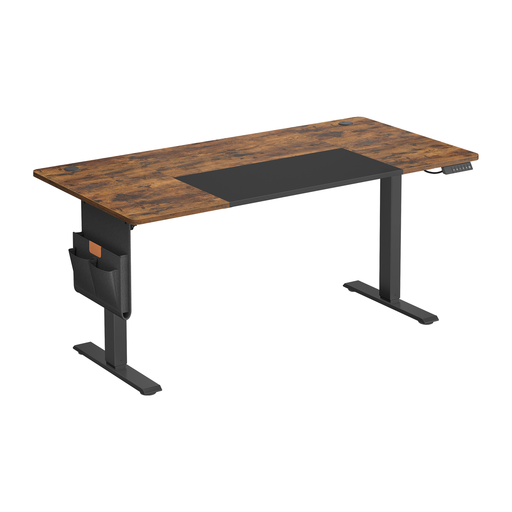
Highlights
This larger version offers all the great features of its smaller counterpart but with a generous 160 x 70?cm desktop. It provides ample room to comfortably set up two monitors and all your gear without feeling cramped. The electric adjustment system, memory function, quiet motor, and USB-C port are all included. Its sturdiness is guaranteed by a steel frame and a 70?kg load capacity.
Advantages
Who is it for?
This desk is aimed at professionals who work from home full-time, creatives, developers, and anyone managing a substantial equipment setup. It's the perfect choice for building a serious primary workstation for your remote work.
An ergonomic desk is the first step. But to create a workspace where you truly feel comfortable, every detail matters. A large mirror can work wonders to create an illusion of space, boost brightness, or simply add a touch of style.
If that idea appeals to you, take a look at our selection of gym-style mirrors?— you might just find the inspiration for an office that reflects your personality.
1. What is the ideal height for a sit-stand desk? When seated, your elbows should form a 90-degree angle when your forearms are resting on the desk. Your feet should be flat on the floor. When standing, the same 90-degree rule for your elbows applies. Most desks, with an adjustment range of 72 to 120?cm, can accommodate the vast majority of users.
2. Is an electric height-adjustable desk noisy? Fortunately, modern models are very discreet. A quality motor generates less than 50 decibels, which is about the same as a quiet conversation. This is more than quiet enough to avoid disrupting your concentration or disturbing others nearby.
3. How much weight can a sit-stand desk support? This varies by model, but most are very robust. The desks we feature can support up to 70?kg, which is more than enough for a standard setup (one or two monitors, a PC, a lamp, and various accessories). However, you should always check this specification before purchasing to ensure it meets the needs of your equipment.