
Livraison le jour même ou le lendemain

Qualité garantie

Débloquez vos offres de bienvenue: Livraison GRATUITE | Jusqu'à -80 % | 30 jours d'essai gratuits à JoyPlus
Téléchargez l'application
Cockpit, force-feedback wheel, responsive pedal set: you have the winning trifecta for a high-performance sim racing setup. Yet, one often-underestimated detail can ruin the entire experience: your screen's positioning. A monitor vibrating on a wobbly desk, placed too far away, or poorly angled, and the entire illusion of racing falls apart.
Investing in a dedicated sim racing monitor stand isn't a luxury; it's the cornerstone that will complete your rig. It ensures rock-solid stability, even through the tightest corners, and allows for millimeter-perfect placement for a perfect field of view (FOV).
This guide is here to help you navigate your options. We'll review the essential criteria before presenting our selection of the best models on the market in 2026.
Before pulling out your credit card, let's go over a few crucial technical points to ensure perfect compatibility and a flawless experience.
The VESA standard is simply the distance in millimeters between the four mounting holes on the back of your screen (e.g.,?100x100?mm, 200x200?mm). Your stand must be compatible with your monitor or TV's VESA pattern. Also, check the maximum supported weight. The weight of your screen, especially a large one, must never exceed this limit. This is a fundamental safety measure for both your equipment and yourself. A good VESA gaming mount will always clearly display both of these specifications.
There are two main types: stands integrated into the cockpit chassis and completely freestanding stands. The freestanding simulation monitor stand is the gold standard for users with powerful Direct Drive wheels. Completely separate from the cockpit, it absorbs force feedback vibrations without flinching, protecting your screen and guaranteeing an absolutely stable image. Integrated models are more compact and perfect for saving space, but be aware: they can transfer some of the vibrations to the monitor.
In sim racing, immersion is all about a perfectly dialed-in Field of View (FOV). Your stand must therefore offer precise adjustments for height, tilt, and ideally, depth (the distance between the screen and your eyes). Think about the future, too! If you're considering a multi-monitor setup, choose an upgradable model from the start. Some allow you to add side arms to convert to a triple monitor sim racing stand for an ultra-immersive peripheral view.
Our editors have scoured the market to find reliable solutions suited for every type of virtual driver.
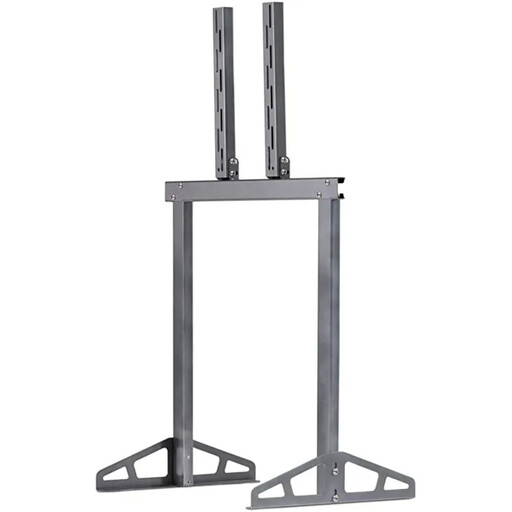
Why it stands out: Designed from the ground up for sim racing, this stand exudes a competitive spirit. Its massive metal structure and freestanding design make it a top-tier choice for drivers who make no compromises. It's engineered to be positioned as close as possible to the wheel, allowing for placement that most classic TV stands can't achieve. But its real strength is its incredible upgrade potential:?it can be transformed into a triple, quintuple, or even septuple screen setup with optional expansion kits.
Key strengths:
Who is it for? For the enthusiast who already owns a cockpit (Playseat or another brand) and is looking for a durable, ultra-stable, and upgradable solution, especially for a future triple-screen setup.
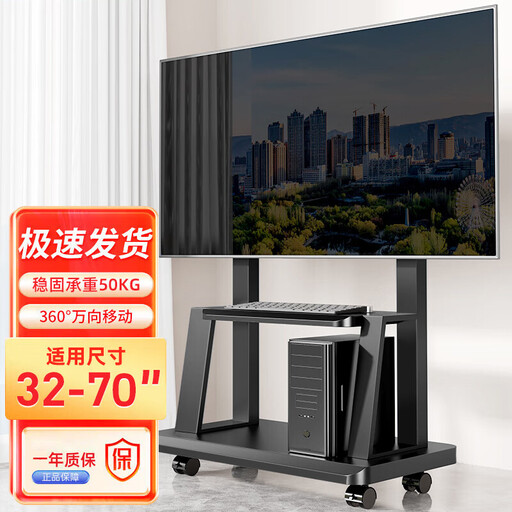
Why it stands out: Its key feature:?versatility. Mounted on casters, it offers incredible mobility. You can move your sim racing setup in an instant or effortlessly repurpose the TV in the living room. It's the ideal TV stand for a cockpit when your gaming space doubles as your living room or office.
Key strengths:
Who is it for? The smart choice for gamers whose simulator is in a living space. If you need to put away your setup after each session or if your large TV is used for both racing and Netflix, this mobile stand will make your life easier.
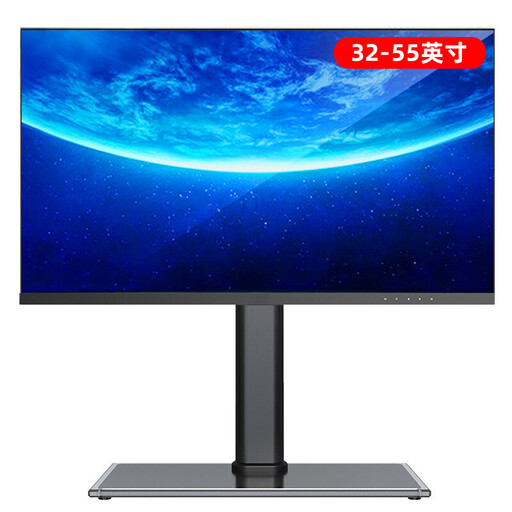
Why it stands out: This is the quintessential simple, smart, and effective solution. Forget large floor stands:?this is a reinforced tabletop base that replaces your TV's original, often flimsy or poorly designed, stand. Its low, wide design ensures impeccable stability for a screen placed on a low-profile media unit, right in front of the cockpit.
Key strengths:
Who is it for? For sim racers on a tighter budget, or those whose setup doesn't require a freestanding stand. If your cockpit faces a low media unit and you simply want to stabilize your screen while being able to adjust its height, this is the most relevant option.
If none of these models check all the boxes for your setup—perhaps you need a wall mount or a solution for an unconventional screen size?—don't worry.
Explore our complete collection of TV mounts with fastening systems to discover a much larger catalog and find the hidden gem for your gaming space.
For owners of Direct Drive wheels, the answer is an emphatic yes. A freestanding stand is the only way to completely isolate the screen from the motor's intense vibrations. It's the best way to protect your monitor's electronics and ensure an image that never shakes. For less powerful belt- or gear-driven wheels, a chassis-integrated stand can suffice, provided it has a very rigid design.
Virtually all modern monitors and TVs are VESA-compatible. To be sure, take a look at the back of your device:?you'll find four screw holes in a square or rectangular pattern. Simply measure the horizontal and then the vertical distance (in millimeters) between these holes to determine your standard (e.g.,?100x100?mm, 400x400?mm). This information is also, of course, listed in the user manual.
In theory, yes, as long as it's perfectly stable and adjustable. In practice, it's often more complicated. A dedicated sim racing monitor stand like the Playseat TV Stand Pro is specifically designed for the very low driving position of a cockpit. It allows you to place the screen right behind the wheel, at the correct height and distance. This is a level of adjustability that most consumer-grade TV stands, designed for viewing from a sofa, struggle to provide.