
Livraison le jour même ou le lendemain

Qualité garantie

Débloquez vos offres de bienvenue: Livraison GRATUITE | Jusqu'à -80 % | 30 jours d'essai gratuits à JoyPlus
Téléchargez l'application
A silent wireless mouse compatible with Bluetooth and 2.4 GHz can make working from home, studying and everyday computer use much more enjoyable. But a product listing does not always tell the whole story. A connection described as versatile may require a USB receiver, some models may be Bluetooth-only, and a compact mouse may not suit every hand.
Before placing your order, there are three pitfalls to avoid:
A multi-device Bluetooth mouse connects directly to a compatible device without taking up a USB port. This is particularly convenient with a laptop, tablet or certain Android devices. On the other hand, the initial pairing process may require a few steps in the system settings.
A 2.4 GHz connection with a USB receiver generally follows a ‘plug and play’ principle. It is convenient on a computer with a USB-A port, but the small receiver can easily get lost. An adaptor may also be essential for some devices.
Dual-mode models, such as the HOFOTEK M311, let you switch between the two options. Its listing states that it supports Bluetooth 5.1 and 2.4 GHz connectivity, with the option to switch between up to three devices. However, check the available ports and the stated compatibility with Windows, macOS and Android.
In a shared space, a silent office mouse helps limit audible clicks during meetings or long working sessions. The term ‘Silent Touch’ indicates a design intended to make clicks quieter, not complete soundproofing of the mouse.
A wireless ergonomic mouse should also suit the way you rest your hand. Compare its length, width and height with a model you already use. Very convenient to carry, a flat mouse generally provides less palm support. Conversely, a taller mouse may prove more comfortable over time, at the cost of taking up more space in your bag.
DPI measures cursor sensitivity. An adjustable-DPI wireless mouse lets you adapt its speed to different uses:
Weight also affects how much control a mouse feels to offer. The HOFOTEK M308 is listed at approximately 55 g, compared with approximately 62 g for the M311. These figures may suit anyone looking for a lightweight, portable mouse. Also remember to check the type of battery supplied, whether there is a power switch and the stated battery life. An AA battery and an AAA battery are not the same size and are not used in the same way.
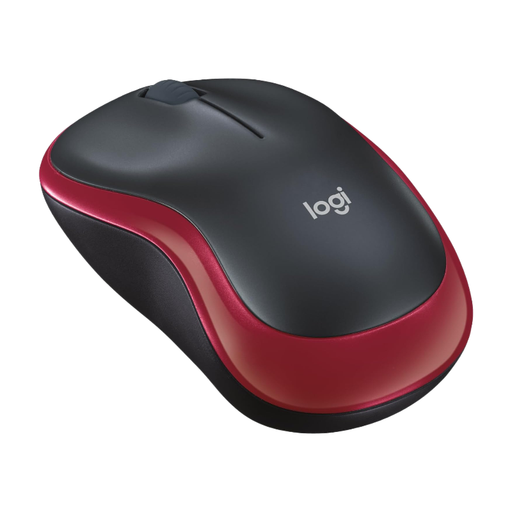
Why this choice suits this profile : This ambidextrous model focuses on straightforward installation using its 2.4 GHz USB nano receiver. It is suitable for everyday tasks on PC, Mac, Chromebook and Linux.
The listing details the connection type, number of buttons and 1,000 DPI resolution. That means you avoid paying for unnecessary features for office work.
USB nano receiver, ambidextrous shape, two AA batteries included according to the listing, and battery life of up to 12 months as stated by the manufacturer.
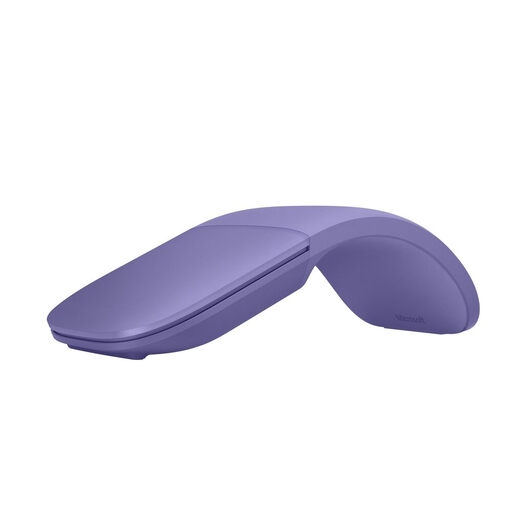
Why this choice suits this profile : Its foldable design and tactile scrolling surface are aimed at users who value style and portability.
The listing specifies that the mouse uses Bluetooth Low Energy and that no dongle is supplied. You therefore know what to expect before buying, with no surprises regarding the USB receiver.
Ultra-slim design, folds flat for storage, Bluetooth compatibility listed from 4.0 to 5.0, and vertical or horizontal scrolling via the tactile surface.
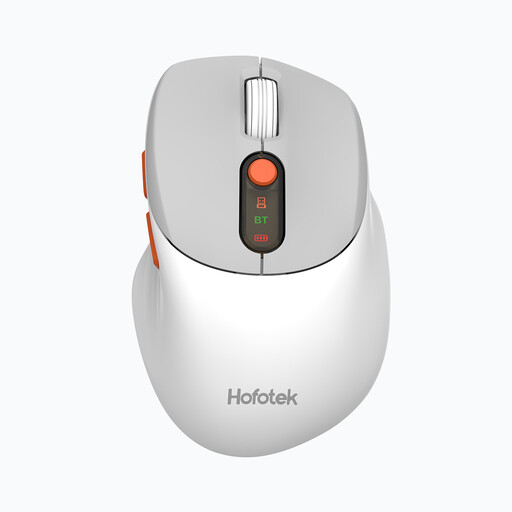
Why this choice suits this profile : Designed for office use, this wireless mouse combines two transmission modes, optical tracking and five stated DPI levels, from 800 to 4,000.
Dual connectivity means you do not have to rely on just one type of port. The listing also states compatibility with Windows, macOS and Android, which should be confirmed for each device before buying.
Supports up to three devices according to the listing, weighs approximately 62 g, has discreet-click buttons and comes with a pre-installed AA battery.
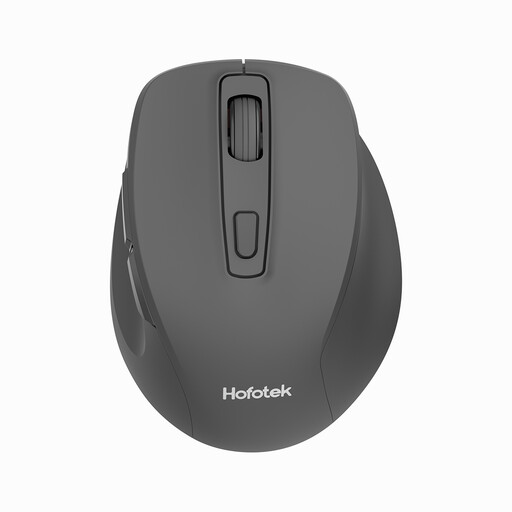
Why this choice suits this profile : With its compact design, 2.4 GHz connection and stated weight of around 55 g, this model is equally at home on a shared workstation or in a carry bag.
The stated DPI levels are clearly listed and remain suitable for office work. The USB receiver and AA battery are also included in the package.
Stated weight of 55 g, optical tracking, four DPI levels from 800 to 1,600, and compatibility listed with Windows, macOS and Android.
With a mouse that uses a USB receiver, plug the dongle into a compatible port, then switch on the mouse. If your computer only has USB-C ports, use a suitable adaptor. For a Bluetooth connection, enable the function on your computer or tablet, hold down the pairing button if necessary, then select the model name.
A few simple habits can help extend its lifespan:
No. The computer must have Bluetooth built in and support the required profile. If it does not, choose a mouse with a USB receiver or add a compatible adaptor. Also remember to check the Windows, Mac or Android compatibility stated on the product listing.
For emails, documents and browsing, a range of 800 to 1,600 DPI is generally sufficient. An adjustable-DPI mouse lets you adapt the cursor speed to your screen size and preferences, rather than imposing a single setting.
It depends on how often you use it, its sleep mode and the type of battery. A power switch helps limit consumption during transport. Check whether batteries are supplied and whether the manufacturer states a battery life: this figure is indicative and varies according to usage conditions.