
Livraison le jour même ou le lendemain

Qualité garantie

Débloquez vos offres de bienvenue: Livraison GRATUITE | Jusqu'à -80 % | 30 jours d'essai gratuits à JoyPlus
Téléchargez l'application
Protecting your home, family, and property is a natural concern. The security camera market is flooded with options, but it's also riddled with marketing traps. To ensure you don't regret your purchase, here are the three most common mistakes to avoid.
To avoid these pitfalls, it's best to focus on objective technical criteria. These are what will determine the true day-to-day effectiveness of your equipment.
Image clarity is the most critical factor. Instead of focusing solely on resolution (e.g., 1080p, 2K), scrutinise the quality of the sensor and lens.
A crucial point that will impact your budget and the privacy of your data.
The type of connection and power source dictates the location and complexity of the installation.
Here are a few models that meet specific needs while avoiding the most common pitfalls.
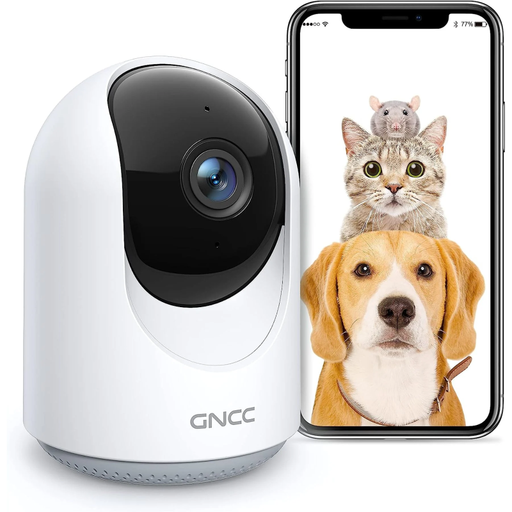
Why it stands out : Perfect for renters or as a first-time setup. Installation is a breeze (just plug it in), and its 360° panoramic view covers an entire room without any hassle. A very practical solution for keeping an eye on the living room or your pets.
This model supports microSD card storage, freeing you from mandatory cloud subscriptions. Its 360° coverage often proves more useful than a fixed high-resolution view for complete indoor monitoring.
The combination of 360° motorised coverage and two-way audio makes it a versatile tool for remote interaction, whether with children or pets.
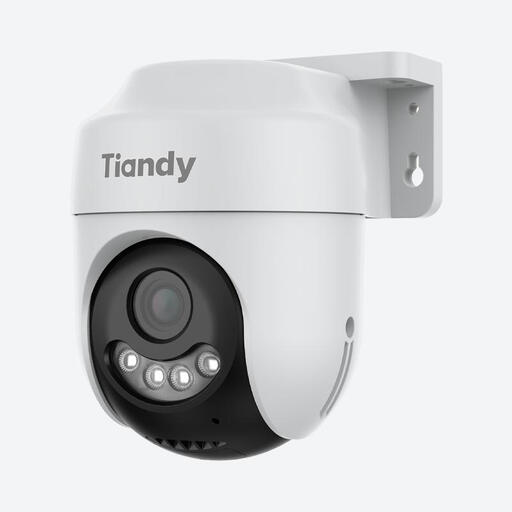
Why it stands out : Designed for homeowners who demand robust, no-compromise outdoor surveillance (garden, driveway, entrance). Its weatherproof design and advanced features ensure reliable protection in any season.
It bypasses the poor night vision trap with its Starlight sensor, which delivers crisp colour images even in very low light. Its AI detection filters out false alerts, a major source of frustration with outdoor cameras.
The Starlight colour night vision and IP66 certification guarantee reliable, high-quality surveillance, even in harsh outdoor conditions, day or night.
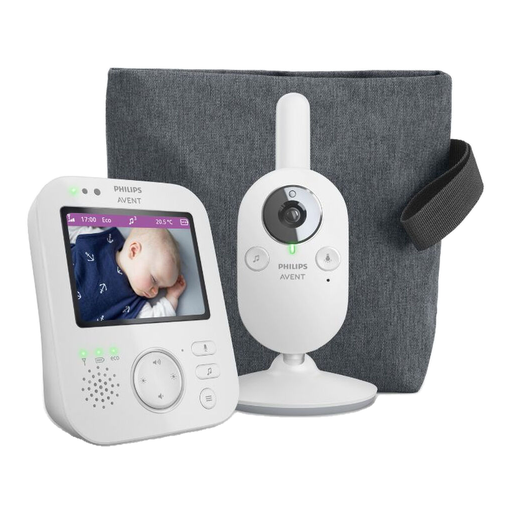
Why it stands out : Ideal for parents looking for a reliable, dedicated video baby monitor without the complexities or security risks of a Wi-Fi-connected system. It offers true peace of mind thanks to its closed-loop operation.
It relies on a direct, secure wireless connection between the camera and the parent unit, making it independent of your Wi-Fi network and sometimes-fickle apps. This closed system inherently eliminates any risk of hidden subscription fees.
The dedicated 3.5-inch screen and private connection ensure immediate, secure access without needing a smartphone. The temperature sensor and built-in lullabies are very welcome additions for the baby's room.
Discover our complete, up-to-date selection of products that meet our demanding selection criteria and current safety standards.
It all depends on its build quality and environment. A well-maintained indoor model can operate without issues for 5 to 10 years. For an outdoor security camera, its weather resistance (the IP rating) is the key factor. Note that the batteries in wireless models have a limited lifespan and will need to be replaced after a few years (typically 2 to 4 years, depending on usage).
No, its consumption is generally very low. A standard IP camera uses between 3 and 6 watts, which only amounts to a few dollars on your annual electricity bill. Models equipped with floodlights or motors consume slightly more, but the impact remains negligible.
Yes, you generally have the right to film the interior and exterior of your own private property. However, laws vary by country and region, but it is almost universally illegal to film public spaces or areas where people have a reasonable expectation of privacy, such as a neighbour's property. If you employ domestic staff (e.g., a nanny or cleaner), you are often required to inform them of the presence of cameras. Always check your local laws to ensure you are compliant and not infringing on anyone's privacy.