
Livraison le jour même ou le lendemain

Qualité garantie

Débloquez vos offres de bienvenue: Livraison GRATUITE | Jusqu'à -80 % | 30 jours d'essai gratuits à JoyPlus
Téléchargez l'application
Buying an SD card? It seems simple enough. Yet, the wrong choice can quickly turn into a nightmare: choppy 4K videos, lagging apps on your smartphone, or worse, the loss of crucial footage from your dashcam. The market is a jungle of technical acronyms and marketing promises that make the decision difficult.
As the head of product recommendations at Joybuy, my mission is to demystify the landscape for you. Here are the pitfalls to avoid and the essential criteria for choosing the perfect memory card for your needs.
The 2 Classic Pitfalls to Avoid When Buying a Memory Card:
To avoid these traps, you just need to understand a few technical concepts. Don't worry, it's much less complicated than it sounds.
The first criterion is purely physical. There are two main formats:
Most microSD cards are sold with an SD card adapter, making them highly versatile and compatible with standard SD devices. Also, remember to check capacity compatibility: older devices may only support the SDHC format (up to 32 GB), while newer ones require the SDXC format (from 64 GB to 2 TB).
Speed is arguably the most crucial criterion, but also the most confusing. It's indicated by several symbols:
For a microSD card for a dashcam or a security camera, which records and rewrites data in a loop, endurance is more important than peak speed. Look for models explicitly labelled "High Endurance". These cards are built to withstand thousands of hours of recording and extreme temperature conditions, guaranteeing rock-solid reliability.
To help you see more clearly, here's how these criteria translate into practice with a few models tailored to each profile.
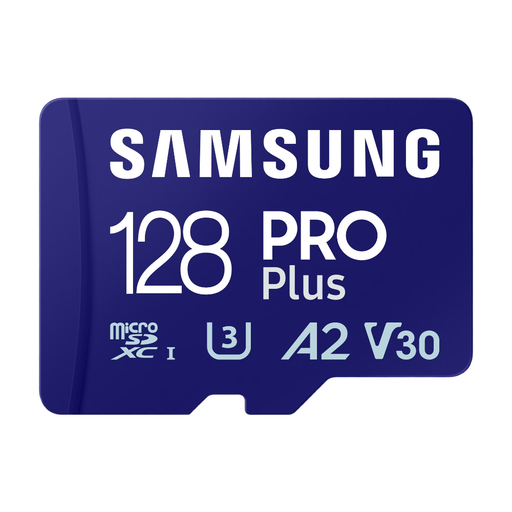
Why this choice? This card offers an excellent balance for versatile use. It's fast enough to record 4K video, and its A2 certification ensures a smooth experience for the apps installed on it. The included SD adapter makes it very flexible.
It doesn't sacrifice speed for capacity. The U3, V30, and A2 classes ensure solid performance for video and apps, preventing the frustrating slowdowns of entry-level cards.
The A2 certification makes all the difference on Android smartphones: apps and their data load much faster from the card.
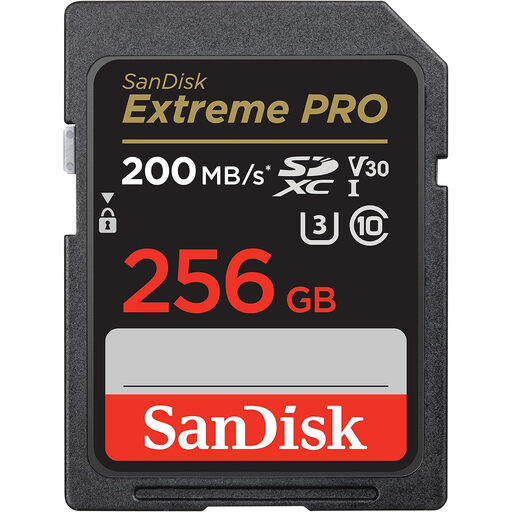
Why this choice? Tailored for photographers and videographers, this SD card offers high write speeds (up to 140 MB/s advertised) to handle continuous burst shooting without lag and record 4K UHD video with no dropped frames.
It provides the sustained write speed (U3, V30) essential for demanding formats, where a standard card would give up, stopping the recording or bogging down burst mode.
Its read speeds (up to 200 MB/s) drastically reduce the time it takes to transfer files to a computer. A real time-saver for any post-production workflow.
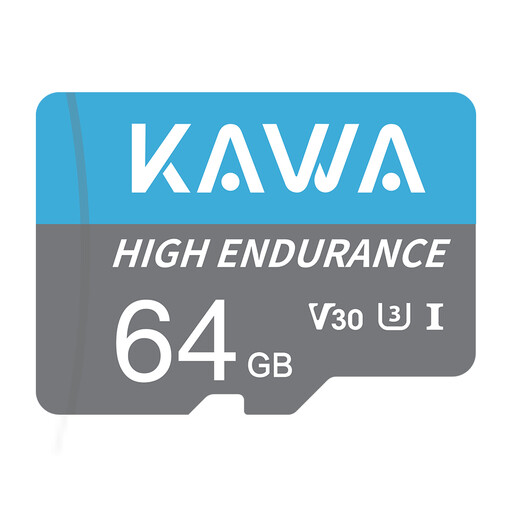
Why this choice? This card is specifically designed for video surveillance. Its key strength is its heavy-duty endurance, allowing it to handle intensive 24/7 write and rewrite cycles, even in extreme temperature conditions.
It directly addresses the limited lifespan of standard cards under intensive use. Its reinforced design prevents premature failures and the loss of crucial video footage.
Its reliability in the harshest conditions. Designed to be waterproof, shockproof, X-ray proof, and temperature-proof, it's perfect for a dashcam that stays in a vehicle, summer or winter.
We've put together a complete, up-to-date selection of products that meet our rigorous selection criteria.
It all depends on the device and how you use it:
Yes, it's essential. Formatting prepares the card for your device, which prevents compatibility errors or data corruption. The best practice is to always format the card directly in the device that will use it (camera, console, etc.) rather than on a computer.
The only difference is their physical size. The SD card is the standard format (32 x 24 mm), while the microSD card is its miniature version (15 x 11 mm). Their performance (speed, capacity) can be exactly the same. Thanks to an SD card adapter, a microSD card can be used in a standard SD slot, making it a more versatile solution.