Households that schedule cleaning by room
You want to schedule when the robot starts and choose which rooms it cleans to fit your routine. Check that the model really lets you create and edit these schedules in its app.


To schedule floor cleaning, first choose navigation that suits the rooms you want to clean. Mapping is useful if you want to target specific areas and vary your routines. A dock can mean you need to empty the robot less often, but it doesn’t eliminate maintenance. Mopping is mainly for light upkeep on compatible hard floors. Check how each model performs on your flooring, along with its app and consumables.
You want to schedule when the robot starts and choose which rooms it cleans to fit your routine. Check that the model really lets you create and edit these schedules in its app.
You have a mix of carpets, tiles or wooden flooring. UFC-Que Choisir assesses these floor types separately, so check how the model performs on the surfaces in your home rather than relying on a single advertised feature.
You’re considering a dock so you don’t have to empty the robot’s small dustbin as often. You’ll still need space for the dock and time to maintain the brushes, filters, tanks or other relevant accessories.
For a scheduled cleaning routine, start with the rooms and floor types you need to cover. Simple navigation may be enough for a general clean, while mapping lets you look for room-by-room control. A dock and mopping address other needs, but neither replaces this first consideration.
| Criterion | What to check | Who it matters to |
|---|---|---|
| Scheduling and coverage | Check the schedules, room selection and app compatibility for the exact model. | I want to clean certain rooms at different times without starting every cycle myself; around 31% of consumers prioritise this kind of targeted scheduling. |
| Carpets and hard floors | Compare the model’s test results on your floor types and check how it handles thresholds and gets under furniture. | At home, the robot needs to move from hard floors to carpets without missing tricky areas; around 25% of consumers prioritise this compatibility. |
| Maintenance and support | Look into dock maintenance, consumables, and the model’s support and update arrangements. | I want to empty the bin less often, but also keep the robot maintained over time; around 25% of consumers prioritise this. |
| Mopping hard floors | Check that your flooring is compatible, and find out how to maintain the pads or rollers and tanks. | A damp clean between manual washes appeals to me for my compatible hard floors; around 19% of consumers put this need first. |
UFC-Que Choisir tests carpets, tiles, wooden flooring, edges and corners separately. So a result on one type of flooring doesn’t tell you how the robot will perform in every room.
Make a note of your carpets, thresholds, low furniture and delicate floors, then look for tests of the model on the surfaces that matter in your home.
UFC-Que Choisir’s tests show mixed mopping results, particularly on dried-on dirt. Its findings on tiles shouldn’t automatically be applied to other materials.
Use the damp-cleaning function for compatible hard floors, and keep a manual option for stains or a more thorough clean.
Depending on the model, you’ll also need to clean the pads or rollers and water tanks.
An emptying dock can collect dust from the robot’s bin, but the brushes, filters and dock components still need regular attention.
Check the model’s maintenance requirements and consumables, and allow for an accessible spot for its dock.
Maps, schedules and updates depend on the features available for the particular series. For example, iRobot distinguishes models that work with Roomba Home from those that use iRobot Home Classic.
Check which app works with your phone, the Wi-Fi requirements and the update instructions in the support information for the exact model.
The Roomba range is worth exploring if scheduling and app control are important to your cleaning routine.
Compare the X-PLORER range if you’re looking for navigation and maintenance features suited to your home.
The DEEBOT range includes several series, with mapping, dock and mopping features varying by model.
Roborock is among the robot vacuum brands mentioned by UFC-Que Choisir.
Dreame is also among the brands in the French market mentioned by UFC-Que Choisir.
These robot vacuums are worth considering for your floor-care routine. Mopping and dock features vary by model, so check the scheduling options for each one and make sure they’re suitable for your home.
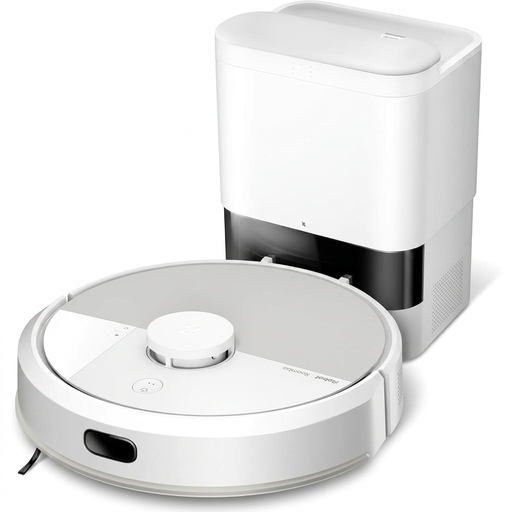 Image unavailable
If you want to combine vacuuming with damp cleaning in your routine, check how this model works on your compatible floors.
The product name indicates a mopping function. Check the scheduling options and maintenance requirements before choosing.
 Image unavailable
If mopping and a dock are among your priorities, compare how they work on this model and what maintenance they involve.
The product name mentions an OMNI dock and mop washing at 75 °C; this advertised figure alone doesn’t tell you how well it will clean your floors.
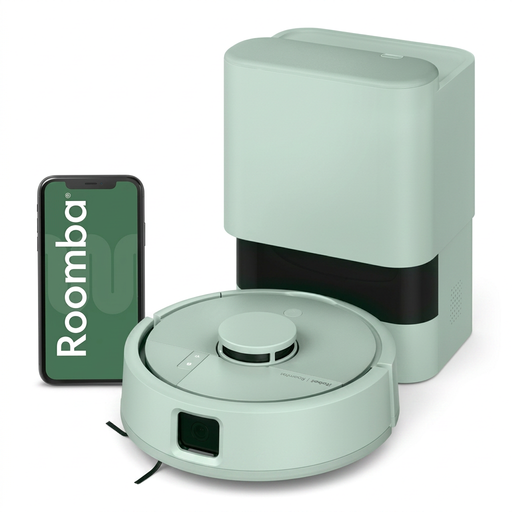 Image unavailable
To include this Roomba Mini in a room-by-room routine, check the schedules and controls available for reference F155440.
Compare its dimensions with the clearance under your furniture and check which app is compatible with this series.
 Image unavailable
If your routine includes damp cleaning, consider how much space the dock needs and how to maintain its mopping system.
The product name mentions an OZMO Roller 2.0 roller and an Omni dock. Check separately how it handles your carpets and thresholds.
 Image unavailable
To schedule cleaning and empty the robot’s bin less often, check the app settings and the maintenance required for this dock.
The product name lists LiDAR navigation, Wi-Fi connectivity and a stated runtime of 200 min. Check that the app and your home network are suitable.
Mapping is useful if you want to target specific rooms or set different routines for different areas. For a general cleaning cycle, simpler navigation may be enough, provided the model offers the schedules you need.
Not always: UFC-Que Choisir reports mixed results on dried-on dirt. Think of robot mopping as light upkeep for compatible hard floors, and check the care instructions for your flooring, particularly if you have solid wood.
No. It can mean you need to empty the robot’s bin less often, but the dock, brushes and filters still need maintenance. A model with a mopping function also requires you to look after its water-related components.
Check which app works with the series and your phone, then look up the connection and update requirements for the exact model. For example, Ecovacs support notes that some updates require the robot to be on its dock, charged and connected to a sufficiently strong Wi-Fi signal.
Check the stated availability period and the part and consumable references for the model sold in France; don’t assume the same applies to another range. For one specific model, Rowenta states that the X-PLORER Série 60 RR7447WH is repairable for 15 years.