
Livraison le jour même ou le lendemain

Qualité garantie

Débloquez vos offres de bienvenue: Livraison GRATUITE | Jusqu'à -80 % | 30 jours d'essai gratuits à JoyPlus
Téléchargez l'application
With a vast array of models available, selecting a SanDisk 64GB USB drive can seem complex. Between the different standards, connectors, and form factors, it's essential to make an informed decision to meet your specific needs, whether for professional or personal use. As a Product Recommendation Manager at Joybuy, my role is to provide clear guidelines to help you identify the most suitable 64GB external storage solution for you, without unnecessary technical jargon.
Before diving into our top picks, here are a few key criteria to consider to guide your decision.
The connector type is the primary factor for compatibility.
The numbers indicate the USB standard's generation and, consequently, its theoretical transfer speed.
It's important to note that the speeds advertised by manufacturers ("up to X MB/s") represent peak performance achieved under specific conditions. The actual speed will also depend on the performance of your device's USB port.
The shape of the drive matters. An ultra-compact model like the SanDisk Ultra Fit is designed to stay plugged into a laptop or console almost permanently, without the risk of snagging it. A model with a durable metal casing like the SanDisk Ultra Flair prioritises durability for frequent transport.
Here are three models that stand out for their features and cater to different needs.
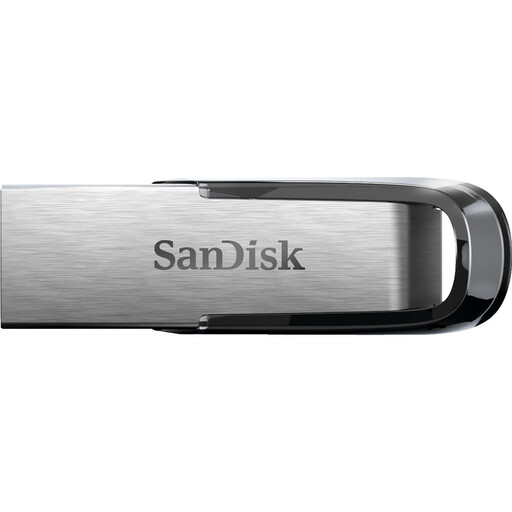
Why we recommend it: The SanDisk Ultra Flair strikes an excellent balance between performance, durability, and price. Its metal casing protects it from everyday knocks, while its USB 3.0 interface ensures fast transfers for common tasks.
Pros:
Who is this for?: This is a versatile option, ideal for students and professionals looking for a reliable and high-performing USB drive for PC for daily use (documents, presentations, photos).
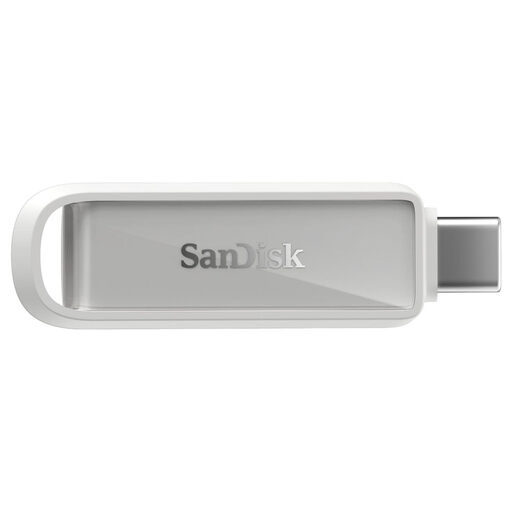
Why we recommend it: This model is the go-to solution for the modern mobile ecosystem. With its dual USB-C and USB-A connectors, it bridges the gap between your smartphone/tablet and your computer, dramatically simplifying smartphone photo backups and file transfers.
Pros:
Who is this for?: This is the ultimate USB drive for phones. It's perfect for users who want to free up space on their smartphone, secure their memories, or easily transfer files between their mobile devices and computer.
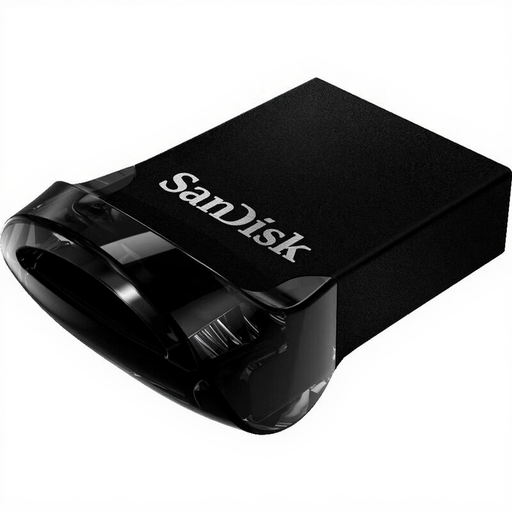
Why we recommend it: The SanDisk Ultra Fit stands out with its "plug-and-stay" design. Extremely compact, it allows you to add 64GB of storage to a laptop, game console, or car stereo almost invisibly and permanently.
Pros:
Who is this for?: Ideal for laptop users running low on space, console gamers (PS4, PS5, Xbox) looking to expand their game storage, or anyone who needs discreet, permanent 64GB external storage.
A 64GB capacity is an excellent compromise, but your needs may differ. If you're looking for higher storage capacity, specific designs, or other brands, we invite you to explore our full category. There you'll find a wider range of options for every budget and use case.
? Discover our entire selection of USB Flash Drives
1. What's the difference between a USB 3.0 and 3.1 drive? The main difference lies in the theoretical transfer speed. USB 3.0 (or USB 3.2 Gen 1) offers a maximum speed of 5 Gbit/s, while USB 3.1 (or USB 3.2 Gen 2) can reach 10 Gbit/s. In practice, a USB 3.1 drive will generally be faster for transferring very large files, provided your device's port is also compatible with that standard. For everyday use, a USB 3.0 drive is often sufficient.
2. Can I use a SanDisk 64GB USB drive with my phone? Yes, provided you choose the right model. You'll need a drive equipped with a USB-C connector, like the SanDisk Phone Drive. It plugs directly into the ports of recent Android smartphones and the iPhone 15. For older phone models that use a micro-USB port, an adapter (sold separately) will be required.
3. How many photos or videos can a 64GB USB drive hold? The storage capacity depends on the quality and size of your files. As a rough guide, a 64GB drive can hold approximately: