
Livraison le jour même ou le lendemain

Qualité garantie

Débloquez vos offres de bienvenue: Livraison GRATUITE | Jusqu'à -80 % | 30 jours d'essai gratuits à JoyPlus
Téléchargez l'application
For any self-respecting gamer, every millisecond and every pixel counts. Noticeable latency, distracting motion blur, or colours that lack accuracy: these are the things that often separate victory from defeat. The Samsung Odyssey line of gaming monitors promises to meet these demands, but navigating the different models and technologies can quickly become overwhelming.
This guide is here to break down the advantages of flagship models like the Samsung Odyssey G8 and G9. We'll give you everything you need to identify the PC gaming monitor that's tailored to your playstyle and ambitions, whether you're an esports competitor or a fan of deeply immersive experiences.
Before diving into comparisons, it's essential to understand the technologies that make a difference. Here are three criteria to examine closely.
The choice of size and resolution depends on your desk setup and your preferred games. A 27 or 32-inch 4K screen offers impressive pixel density, ideal for crisp, detailed graphics. On the other hand, a 49-inch curved screen like the one on the Samsung Odyssey G9 provides a panoramic field of view that plunges you into the heart of the action in simulation or strategy games. Be warned, however: a high resolution like 4K requires a powerful graphics card to avoid sacrificing smoothness.
Panel technology is the crucial element when it comes to image quality. A QD-OLED monitor (Quantum Dot OLED) merges the best of both worlds: the deep, inky blacks and infinite contrast of OLED with the brilliance and richness of Quantum Dot colours. In-game, the result is undeniable: more vibrant scenes and increased legibility in dark areas. Paired with a 0.03?ms response time (GtG), this technology almost completely eradicates motion blur—a decisive advantage in fast-paced games.
A high refresh rate is non-negotiable for competitive gaming. A 4K 240Hz screen can display up to 240 frames per second, delivering exceptional smoothness and motion clarity. To say goodbye to screen tearing and micro-stuttering, adaptive sync technology is crucial. FreeSync Premium Pro compatibility ensures perfect coordination between the graphics card and the monitor, keeping the action smooth under all circumstances.
Let's take a closer look at three flagship models from the Odyssey range, each tailored for a specific type of player.
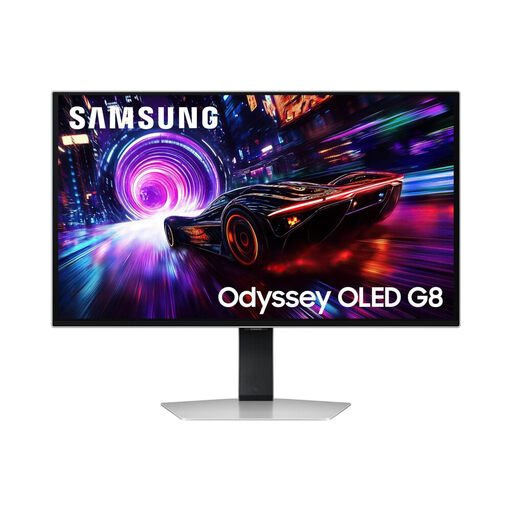
Why it stands out: This model combines a QD-OLED panel with a 240?Hz refresh rate and a 0.03?ms response time. Its 27-inch format is the preferred standard in the esports scene, as it allows you to scan the entire play area at a glance.
Highlights:
Who is it for? Born competitors, fans of FPS and fighting games, for whom every millisecond counts.
See details for the Odyssey OLED G8 27"
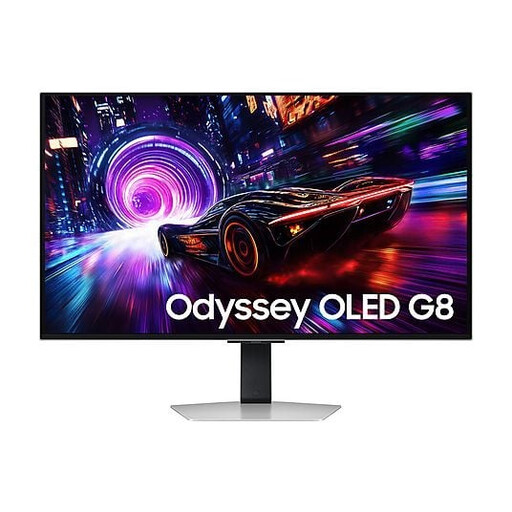
Why it stands out: This 32-inch version takes the explosive spec sheet of its smaller sibling (240?Hz, 0.03?ms) and pairs it with a 4K UHD resolution. The immersion is amplified, while its matte panel drastically reduces reflections—a real bonus for those who play in bright rooms.
Highlights:
Who is it for? Demanding gamers who want the best of both worlds: the immersion of 4K for RPGs and adventure games, without compromising on responsiveness.
Discover the Odyssey OLED G8 32"
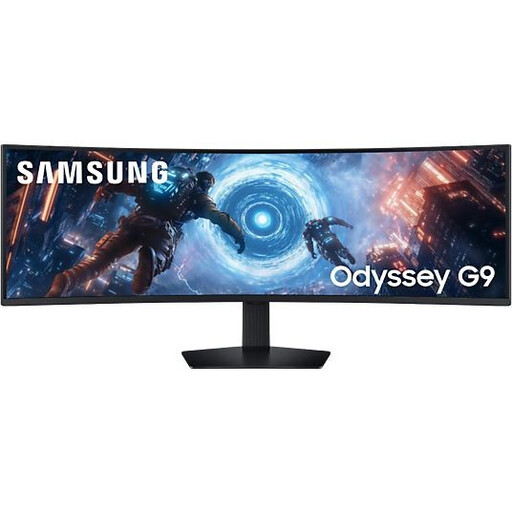
Why it stands out: The Samsung Odyssey G9 is in a league of its own. Its 49-inch ultra-wide format and 1000R curvature are designed to match the human field of view. Its DQHD resolution (5120 x 1440), equivalent to two 27-inch QHD monitors side-by-side, offers an unparalleled space for both gaming and productivity.
Highlights:
Who is it for? Simulation enthusiasts, MMO players, and content creators who can take full advantage of this massive playground (and workspace).
Your setup is more than just your monitor. And because a gamer's style doesn't stop at their rig, we also explore other worlds. For a casual look outside of your gaming sessions, for example, take a look at our selection of black casual tennis shoes.
Burn-in is a long-standing concern associated with OLED technology. Rest assured, modern monitors like those in the Odyssey range integrate multiple protection mechanisms. Samsung highlights dedicated features: logo and taskbar detection, a dynamic cooling system, and a smart screen saver. Everything is designed to preserve the panel's lifespan. As a precaution, it is still advisable to vary the displayed content and avoid leaving a static image on the screen for extended periods.
It's all a matter of format and philosophy. The Samsung Odyssey G8 line focuses on raw performance in a classic 16:9 format (27 and 32-inch), leveraging QD-OLED technology and an ultra-fast 240?Hz refresh rate. In contrast, the Samsung Odyssey G9 line bets on absolute immersion with its massive 49-inch 32:9 format and enveloping curve. It's a radical choice, designed for specific uses like simulation.
Yes, and not just any card. To take full advantage of a 4K 240Hz screen, a top-of-the-line graphics card isn't an option—it's a requirement. Hitting 240 frames per second in 4K on recent games demands phenomenal computing power. It is therefore crucial to pair such a monitor with a PC equipped with the fastest components on the market, otherwise you risk creating a massive bottleneck and not getting the most out of your investment.