
Livraison le jour même ou le lendemain

Qualité garantie

Débloquez vos offres de bienvenue: Livraison GRATUITE | Jusqu'à -80 % | 30 jours d'essai gratuits à JoyPlus
Téléchargez l'application
The tablet market is flooded with promises: cutting-edge performance, limitless creativity, and rock-solid durability. Yet, disappointment is often just around the corner with a device that doesn't live up to its claims. Before you splurge on a model like the Samsung Galaxy Tab S10 FE, it's crucial to know how to decode the marketing jargon to make the right choice.
As a product expert at Joybuy, my mission is to help you objectively analyse the features that truly matter. Here are the points to watch closely.
To objectively evaluate a tablet like the Samsung Galaxy Tab S10 FE, you need to focus on tangible criteria that directly impact daily use.
For students and creatives alike, the quality of the screen interaction is paramount. Beyond simple resolution, check these three points?:
A water-resistant tablet with an IP68 certification offers real peace of mind. This rating means the device is protected against dust and can withstand immersion in fresh water up to 1.5 metres deep for 30 minutes. It's robust protection against everyday mishaps (a spilled glass, a sudden downpour), far superior to simple splash protection.
A tablet is a long-term investment. A model running a recent version of the operating system, like Android 15, guarantees access to the latest security and productivity features. The manufacturer's commitment to providing several years of software updates is an equally essential criterion. This ensures that your Samsung tablet for students or professionals will remain high-performing and secure for years to come.
Rather than providing an endless list, we've matched specific models to clear user profiles, based on the objective criteria we've just discussed.
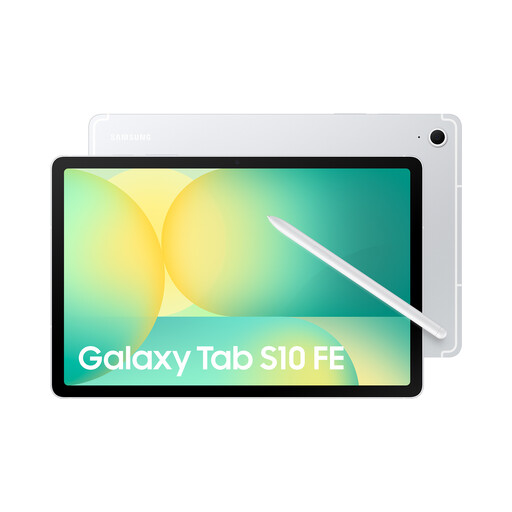
Why it's perfect for this profile : It strikes an excellent balance between portability (10.9-inch screen), performance, and creativity. The included S Pen and AI features make it a powerful ally for taking notes in class, annotating documents, and creative projects.
The S Pen offers a precise and responsive writing experience, far from a simple gimmick. The IP68 certification is a tangible guarantee of durability for use on the go.
S Pen included for immediate productivity. Smooth and bright 90 Hz screen. Integrated AI features to simplify searches and tasks.
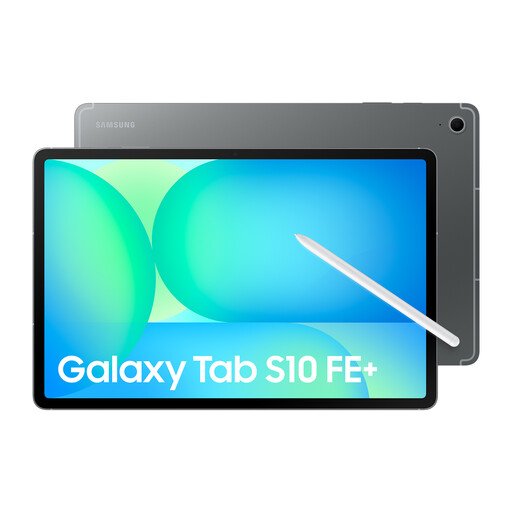
Why it's perfect for this profile : Its large 13.1-inch screen offers unparalleled viewing comfort for multitasking, precision drawing, or video editing. It's the ideal tool for professionals who need a large, mobile workspace.
Unlike other large-format tablets that sacrifice fluidity, the Galaxy Tab S10 FE+ maintains a 90 Hz screen and the excellent responsiveness of the S Pen, ensuring a premium experience.
Extra-large 13.1-inch screen for maximum productivity. Optimised performance for multitasking. Same benefits (S Pen, IP68) as the standard model.
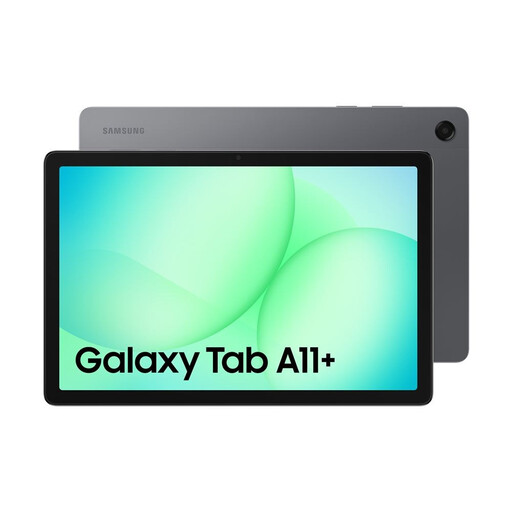
Why it's perfect for this profile : It's a reliable and affordable option for entertainment, web browsing, and light, everyday use. Its large screen and quad speakers make it an excellent choice for watching movies as a family.
This model focuses on a solid core experience (quality screen, immersive sound) without overselling advanced features. It's an honest tablet that delivers on its promises, plain and simple.
Excellent value for money for multimedia use. Quad speakers with Dolby Atmos support. 90 Hz screen for good fluidity.
We have compiled a comprehensive and up-to-date selection of products that meet our strict selection criteria and comply with local regulations.
The main difference is the screen size. The Galaxy Tab S10 FE has a 10.9-inch screen, making it more compact and portable. The Galaxy Tab S10 FE+ offers a more generous 13.1-inch panel, ideal for those who prioritise a large workspace for multitasking or creative work. However, both models share a solid shared foundation?: the S Pen, IP68 certification, and a high-performance processor.
Absolutely. For many students, the S Pen transforms the tablet into a powerful digital notebook. It allows you to take handwritten notes directly on the screen, annotate PDFs (lectures, articles), draw diagrams, or solve equations. It can replace several notebooks and binders, all while offering the benefits of digital organisation and search. Student reviews for the Galaxy Tab S10 FE very often highlight this asset.
No, and this is a crucial point. The IP68 certification guarantees protection against accidental and temporary immersion in fresh water (up to 1.5 metres for 30 minutes). It is not designed for intentional and prolonged use underwater, such as for swimming or filming while diving. It's also important to know that the protection does not cover seawater or chlorinated pool water, which are corrosive and can damage the seals. Think of it as excellent insurance against accidents, not a feature for aquatic use.