
Livraison le jour même ou le lendemain

Qualité garantie

Débloquez vos offres de bienvenue: Livraison GRATUITE | Jusqu'à -80 % | 30 jours d'essai gratuits à JoyPlus
Téléchargez l'application
An RTX 5060 gaming laptop can be used for gaming, work, studying or content creation. However, two models equipped with an NVIDIA GeForce RTX 5060 can deliver very different experiences depending on their display, processor, cooling system or the power allocated to the GPU.
Before comparing gaming laptop prices, it is therefore worth looking beyond the graphics card name. Here are the criteria to consider to avoid choosing a configuration that is not suited to your needs.
A 144 Hz, 165 Hz or 240 Hz display can show more frames per second. That does not necessarily mean that every game will run at the corresponding refresh rate. The result also depends on the resolution, graphics settings, processor and electrical power allocated to the GPU.
A QHD+ display puts more demand on the graphics card than a Full HD display. For competitive games, Full HD at 144 or 165 Hz remains a sensible choice. If you prioritise image sharpness, QHD+ delivers more detailed visuals, but requires a more balanced configuration.
The RTX 5060 Laptop GPU is used in computers with very different form factors and power limits. Check the technical specifications carefully, particularly the stated graphics power, cooling system and charger supplied. Even with the same graphics card on paper, performance can vary depending on whether it is installed in a compact chassis or a larger model that is better equipped to dissipate heat.
A 512 GB SSD ensures fast loading times, but free space quickly disappears after installing Windows 11, several games and creative software. A 1 TB SSD offers much more breathing room, especially if you have a sizeable game library or regularly work with video files.
The RTX 5060 with 8 GB of GDDR7 memory is the common feature shared by the models presented here. For a good gaming experience, pair it with a processor suited to how you plan to use your laptop:
A Full HD 1920 × 1080 display reduces the graphics workload and is perfectly suited to 15.6- or 17.3-inch laptops. QHD+ 2560 × 1600 shows more detail, while its 16:10 aspect ratio provides useful extra workspace. On the other hand, it may require some adjustments in newer games.
A refresh rate of 144 Hz or higher makes motion smoother, provided the frame rate keeps up. 240 Hz is mainly aimed at competitive gamers and users who can make full use of this refresh rate.
In France, check that the laptop has a backlit French AZERTY keyboard. It is also worth checking the connections: HDMI, USB-C with video output, USB-A, Ethernet and a headphone jack can save you from having to buy an adapter or docking station.
Weight, battery life and the charger also deserve your attention. When gaming, a gaming laptop generally needs to remain plugged in to deliver its full power. Place it on a hard, unobstructed surface so that the vents are not blocked.
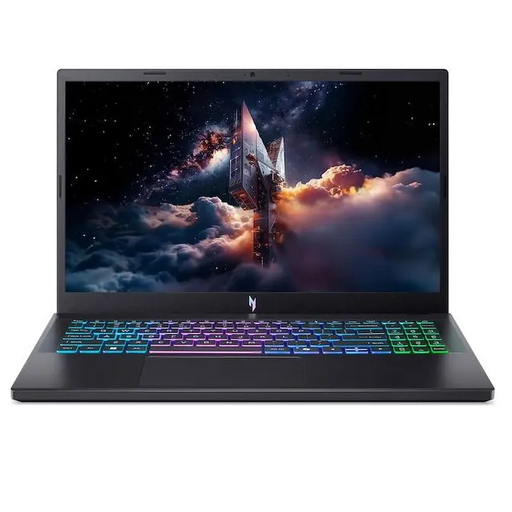
Why this model is a good fit : This 15.6-inch format combines an RTX 5060, 16 GB of DDR5 memory and a Full HD 165 Hz display: a versatile foundation for gaming and studying.
The specifications clearly detail the resolution, refresh rate, RAM and 512 GB SSD: all the essential information is available before purchase.
Full HD 165 Hz IPS display, backlit French AZERTY keyboard, Wi-Fi 6E and Windows 11 Home.
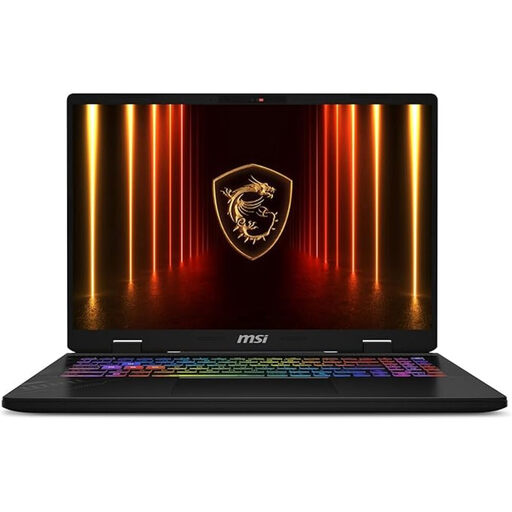
Why this model is a good fit : Its QHD+ 240 Hz panel, 32 GB of RAM and 1 TB SSD are aimed at gamers and creators who want a capable setup with minimal compromises.
With 32 GB of memory and 1 TB of storage, it goes beyond the usual 16 GB and 512 GB configuration, giving you more flexibility for multitasking.
Intel Core Ultra 7 255HX, 32 GB of DDR5, 1 TB NVMe SSD and a 16-inch display with a resolution of 2560 × 1600 at 240 Hz.
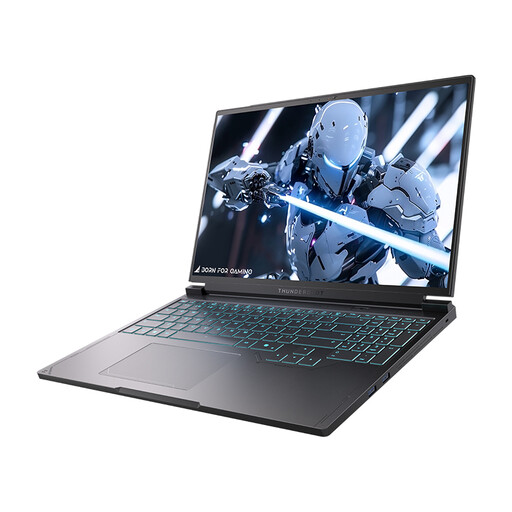
Why this model is a good fit : Its 16-inch QHD+ display and 1 TB SSD suit those who switch between gaming, visual work and storing large amounts of data locally.
The specifications clearly combine the RTX 5060 with 16 GB of DDR5, a 1 TB SSD and a QHD+ 240 Hz display: the configuration is clear and well balanced on paper.
Intel Core i7-13650HX, 16-inch QHD 240 Hz display, RGB keyboard and HDMI, USB-C, Mini DisplayPort and Ethernet connectivity.
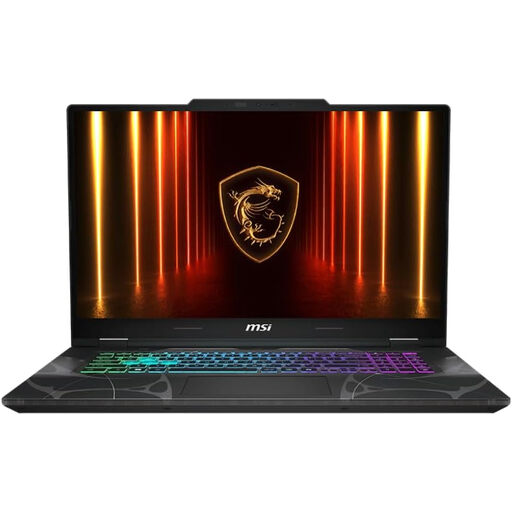
Why this model is a good fit : Its 17.3-inch Full HD panel provides plenty of room for gaming, watching content or working from home.
Full HD is less demanding than QHD+, making it a good match for the RTX 5060 and the advertised 144 Hz refresh rate.
17.3-inch 144 Hz display, 16 GB of DDR5, 512 GB SSD, Wi-Fi 6E, Ethernet and French AZERTY keyboard.
We have put together a complete, real-time updated selection of products that meet these demanding criteria and European safety standards.
Yes, but performance depends on the game, settings, processor, cooling system and power allocated to the GPU. To maintain a high frame rate, you may sometimes need to lower certain graphics settings or enable compatible upscaling technology.
16 GB is enough for many games and office tasks. 32 GB provides greater comfort for video editing, streaming, using several software applications at once and working on large projects. Before placing your order, also check whether the memory can be replaced or upgraded.
Power consumption depends on the charger’s wattage, how long you spend gaming, the selected performance mode and your electricity tariff. A gaming PC generally uses more power when it is plugged in and running at maximum load. To reduce your bills, use a balanced profile outside gaming sessions, lower the brightness and unplug the charger when the laptop is not in use.