
Livraison le jour même ou le lendemain

Qualité garantie

Débloquez vos offres de bienvenue: Livraison GRATUITE | Jusqu'à -80 % | 30 jours d'essai gratuits à JoyPlus
Téléchargez l'application
Buying a gaming laptop equipped with an RTX 5060 is about more than simply spotting “NVIDIA GeForce RTX 5060” on a specification sheet. The processor, the actual graphics power available, the display, the cooling system and the keyboard will all have a direct impact on your everyday experience.
Whether you are a PC gamer, student or young professional, your choice will also depend on your needs for portability, multitasking and content creation, as well as your budget. Here are the criteria to examine to avoid disappointment and compare genuinely well-balanced configurations.
Two computers equipped with an NVIDIA GeForce RTX 5060 Laptop GPU can deliver very different performance depending on their thermal envelope, cooling system and power supply. The 8 GB of GDDR7 video memory is a useful reference point, but it is not enough to assess the machine as a whole.
Where the information is available, check the advertised graphics power, charger capacity and cooling design. The MSI Cyborg A15 AI B2HWFKG-010FR, for example, specifies graphics power of up to 55 W with Dynamic Boost. This is a figure that should be considered alongside the price and intended use.
A 240 Hz gaming laptop can be worthwhile for competitive gaming, but a high refresh rate does not automatically make the image more detailed. For many uses, a Full HD display at 144 or 165 Hz is more than sufficient. Conversely, a QHD+ panel running at 240 Hz requires more graphics power.
Resolution, aspect ratio, brightness and panel technology are just as important as the refresh rate. For working on documents, for example, a 16:10 display with a resolution of 1920 × 1200 provides more vertical space than a standard Full HD panel.
A gaming laptop with 16 GB of RAM provides a versatile foundation for gaming, studying and using several applications at once. However, modern games, editing software and numerous browser tabs can quickly fill this memory.
A 512 GB SSD allows Windows 11 and applications to launch quickly, but its capacity may soon feel limited after installing several games. With a 1 TB SSD, you will have more room for your game libraries and video files.
The RTX 5060 is suitable for Full HD gaming and can also power a QHD+ display, depending on the games and settings selected. For multitasking, also consider the processor: the number of cores, advertised clock speeds and its position within the range.
A system with two fans, heat pipes and customisable performance profiles can help maintain stable performance. In all cases, place the laptop on a hard, unobstructed surface, avoid using it on a bed or sofa, and use the supplied charger during long sessions.
A 16-inch gaming laptop often offers a good balance between comfortable viewing and portability. A 15.6-inch model will generally fit into a bag more easily, while a 17.3-inch model provides a more comfortable working area, usually at the cost of increased weight.
For use in France, make sure the laptop has a French AZERTY keyboard. Also check the USB, USB-C, HDMI and Ethernet ports, the Wi-Fi standard and whether you can connect an external display. Weight, battery capacity and charger power also deserve your attention: when gaming, maximum performance is generally achieved when connected to mains power.
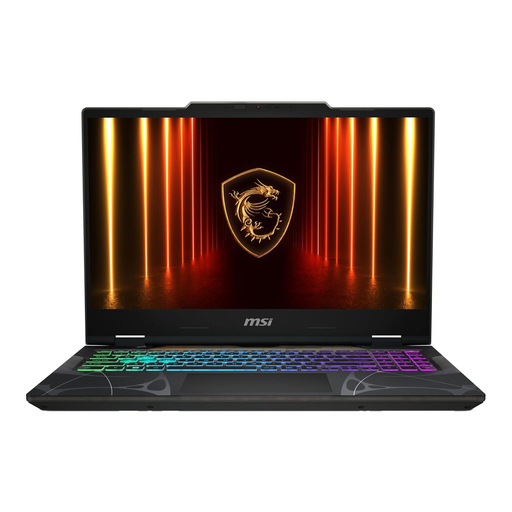
Why this choice suits this profile : Its 15.6-inch format, 144 Hz Full HD display, 16 GB of RAM and 512 GB SSD provide a straightforward, effective foundation for both gaming and studying.
The listing clearly mentions the RTX 5060 with 8 GB of GDDR7, DDR5 memory and a French AZERTY keyboard, rather than relying on a vague marketing promise.
Intel Core 7 240H processor, Wi-Fi 6E, Ethernet, HDMI and Windows 11 Home pre-installed.
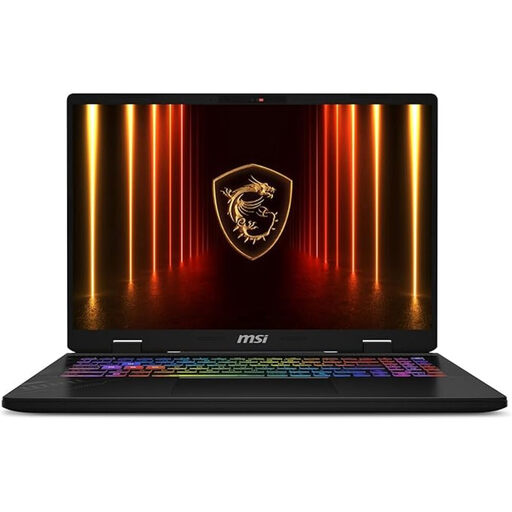
Why this choice suits this profile : Its 240 Hz QHD+ display, 32 GB of RAM and 1 TB SSD are suited to demanding gamers and creators working with several applications open at once.
The resolution and refresh rate are specified together, making it easier to assess the graphics power required and the necessary budget.
Intel Core Ultra 7 255HX, 8 GB RTX 5060, 32 GB DDR5, 1 TB PCIe Gen4 NVMe SSD and Windows 11 Pro.
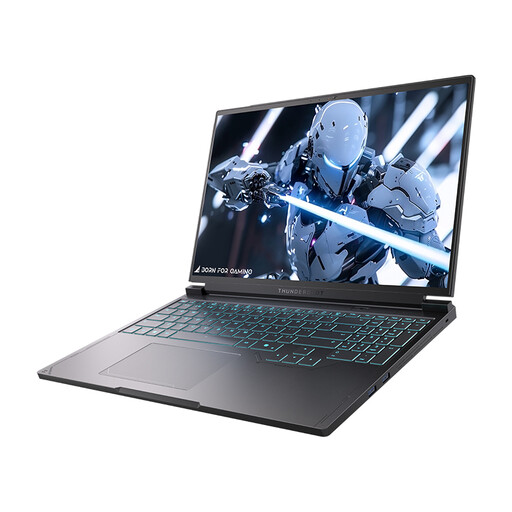
Why this choice suits this profile : Its 16-inch QHD+ display running at 240 Hz is ideal for those who prioritise image detail and smoothness. The 1 TB of storage also leaves room for large projects.
The listing explicitly combines the RTX 5060, Core i7-13650HX, 240 Hz QHD+ panel, 16 GB of DDR5 and 1 TB SSD.
Two USB-A ports, two USB-C ports, HDMI, mini DisplayPort, Ethernet and an RGB backlit keyboard.
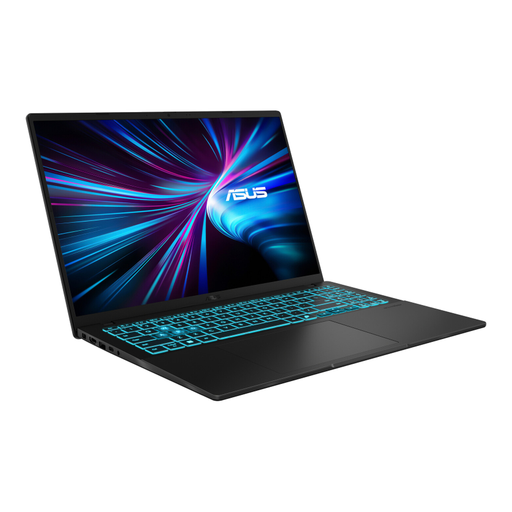
Why this choice suits this profile : With its 16-inch chassis weighing approximately 1.95 kg, RTX 5060, 1 TB SSD and 144 Hz WUXGA display, it focuses on a good balance between portability and versatility.
The 16:10, 1920 × 1200 panel is not focused solely on refresh rate: it also provides useful vertical space for lectures and work.
Intel Core 5 210H, 16 GB of DDR5, Wi-Fi 6, Bluetooth 5.3, AZERTY keyboard and Windows 11 Home.
We have brought together a complete, real-time updated selection of products that meet these demanding criteria while complying with European safety regulations.
It is designed for gaming laptop configurations, but the result also depends on the processor, the graphics power actually configured, the cooling system and the settings used. For many gamers, a 144 or 165 Hz Full HD display provides a well-balanced combination.
16 GB of RAM is enough for gaming, studying and everyday multitasking. 32 GB provides greater comfort for video editing, content creation, virtual machines or using many pieces of software simultaneously.
Power consumption depends on the processor, RTX 5060, display brightness and selected mode. Gaming sessions place heavy demands on the charger. To reduce consumption outside gaming, choose a balanced profile, lower the brightness and unplug unused peripherals.