
Livraison le jour même ou le lendemain

Qualité garantie

Débloquez vos offres de bienvenue: Livraison GRATUITE | Jusqu'à -80 % | 30 jours d'essai gratuits à JoyPlus
Téléchargez l'application
A RTX 5060 QHD 240 Hz gaming laptop is aimed at a very specific audience: demanding PC gamers, e-sports competitors, content creators, and users who switch between gaming, video editing, and multitasking. However, a packed spec sheet doesn't always guarantee a balanced experience.
When buying a RTX 5060 gaming laptop, three common pitfalls keep cropping up:
QHD resolution typically means 2560 × 1440 pixels, while QHD+ can reach 2560 × 1600 pixels in a 16:10 aspect ratio. This format offers a bit more vertical space, but also puts more demand on the graphics card.
To get the most out of a QHD 240 Hz gaming laptop, make sure to check:
A high refresh rate really comes into its own in competitive games, provided the processor and graphics card can keep up. In the most demanding titles, you may need to lower the detail level, enable a compatible upscaling technology, or settle for a lower frame rate.
The processor affects frame rate stability, compile times, and multitasking performance. Among the most sought-after configurations, you'll find the Intel Core Ultra 7 255HX, the Intel Core i7-14650HX, and the AMD Ryzen 7 7745HX.
For versatile use:
Also check whether the RAM and storage can be replaced or upgraded. The MSI Crosshair 16 HX comes with 32 GB of DDR5-5600, while the THUNDEROBOT models featured here have 16 GB of DDR5 and a 1 TB PCIe NVMe SSD.
A powerful gaming laptop generally performs at its best when plugged into the mains. However, the charger's wattage doesn't equate to constant power draw: a 240 W adapter indicates the maximum power supply capacity, not a continuous electrical consumption.
Weight and dimensions are also worth considering. A 16-inch gaming laptop will often be easier to carry around than a 17-inch model, while a 17-inch gaming laptop offers a more comfortable display area.
For daily use in the UK, certain details make all the difference:
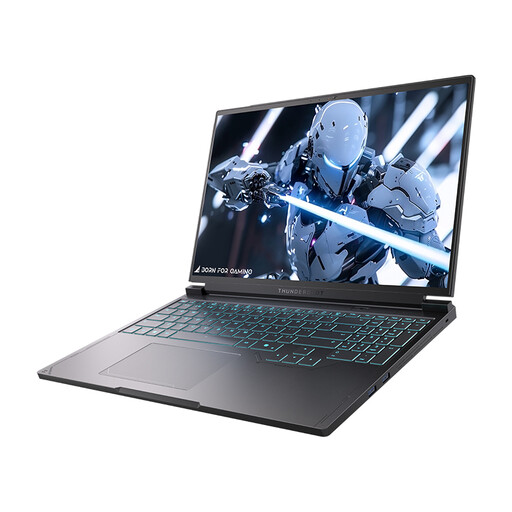
Why this choice suits this profile: This 16-inch model pairs an RTX 5060, a QHD 240 Hz display, 16 GB of DDR5, and a 1 TB SSD in a configuration ready for both gaming and work.
The spec sheet clearly details the QHD resolution, 240 Hz refresh rate, GPU, and storage capacity, rather than summarising the product by its display frequency alone.
Intel Core i7-13650HX processor, RTX 5060 Laptop GPU, 16-inch QHD 240 Hz display, 1 TB PCIe NVMe SSD, and RGB keyboard.
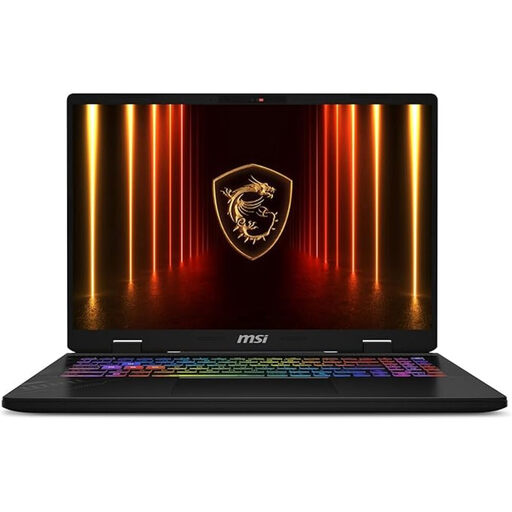
Why this choice suits this profile: Users who want headroom for creative applications and multitasking benefit from 32 GB of memory and an Intel Core Ultra 7 255HX processor.
With 32 GB of RAM, the risk of needing an upgrade when several pieces of software are running simultaneously is minimised.
16-inch QHD+ 2560 × 1600 240 Hz display, 32 GB DDR5-5600, 1 TB NVMe PCIe Gen4 SSD, Windows 11 Pro, and Wi-Fi 6E.
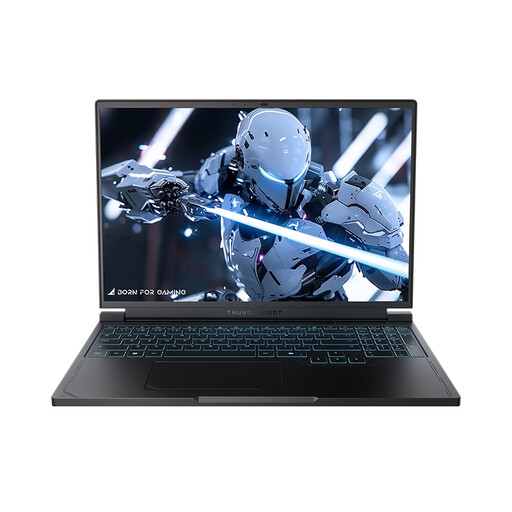
Why this choice suits this profile: This variant targets gamers who prefer an AMD Ryzen 7 7745HX processor and connectivity suited to a desk setup with an external monitor or peripherals.
The USB-C, USB-A, HDMI, RJ-45, and Mini DisplayPort ports make it easy to integrate the machine into a fixed setup.
Ryzen 7 7745HX, RTX 5060, QHD 240 Hz display, 1 TB NVMe SSD, RGB keyboard, and Wi-Fi 6 connectivity.
A 16-inch gaming laptop offers a particularly practical compromise for moving between home and travel. With its 16:10 aspect ratio, the MSI Crosshair 16 displays 2560 × 1600 pixels and gains a bit of height, which is noticeable in everyday use.
A 17-inch gaming laptop, such as the MSI Katana 17 HX B14WFK-007FR, focuses primarily on visual comfort at a desk. The trade-off is that it weighs 2.7 kg and measures nearly 28 mm thick, not including the charger. Its 17.3-inch QHD IPS panel runs at 240 Hz and, according to the manufacturer, covers 100% of the DCI-P3 colour space.
For competitors, an external monitor can effectively complete the setup. The MSI MAG 274QP QD-OLED X24 monitor offers QHD resolution at 240 Hz, while the iiyama G-Master G2771QS-B1 reaches 2560 × 1440 pixels and 200 Hz. Remember to check the video output you're using and the cable compatible with your desired refresh rate.
We've put together a comprehensive, real-time updated list of products that fully meet these strict selection criteria and European safety regulations.
It can aim for this target, but the result depends on the game, graphics settings, processor, and the power allocated to the GPU. Less demanding e-sports titles will more easily achieve a high frame rate than games that make heavy use of ray tracing. So you should see 240 Hz as the display's maximum capability, not a guarantee of a constant frame rate.
16 GB DDR5 is still suitable for many gaming uses. 32 GB RAM becomes more worthwhile for video editing, streaming, photo editing, and extended multitasking. Before you decide, also check whether the memory can be replaced or upgraded.
Power consumption varies depending on the game, screen brightness, the performance mode selected, and any peripherals connected. The 240 W charger supplied with some models doesn't mean the laptop consumes 240 W continuously. To estimate the cost in the UK, use the formula: average power in watts × hours of use ÷ 1,000 × the kilowatt-hour rate on your energy contract.