
Livraison le jour même ou le lendemain

Qualité garantie

Débloquez vos offres de bienvenue: Livraison GRATUITE | Jusqu'à -80 % | 30 jours d'essai gratuits à JoyPlus
Téléchargez l'application
An RTX 5060 gaming laptop can suit PC gamers just as well as students and young professionals looking for a versatile machine. The problem is that specifications sometimes highlight just one figure — the screen refresh rate, SSD capacity or amount of RAM — without explaining the compromises involved.
Before buying a gaming laptop, there are three pitfalls to watch out for:
The laptop RTX 5060 is designed for Full HD gaming, and potentially higher resolutions depending on the settings and configuration selected. To compare two machines effectively, check in particular:
For a machine intended for content creation, video editing or multitasking, a more powerful processor and 32 GB of RAM may be more useful than an ultra-fast screen. A configuration with 16 GB of RAM remains sufficient for many uses, but leaves less headroom with demanding applications.
A 144 Hz screen displays smoother images than a standard panel in compatible games. 240 Hz is mainly aimed at regular players of fast-paced titles, provided the configuration can generate enough frames per second.
Resolution should also be appropriate for the screen size:
A 16-inch gaming laptop is easier to fit into a bag than a 17-inch model. The larger format is nevertheless appealing if you mainly play at home.
In France, check that the exact reference comes with an AZERTY keyboard and Windows 11. Two laptops in the same range may have a different keyboard layout or software version.
Connectivity also matters if the laptop is to replace a desktop PC: HDMI, USB-C, USB-A, an RJ45 network port and an audio output make it easier to connect a monitor, mouse, headset or external storage device. As for the battery, its high capacity does not guarantee long battery life while gaming. Powerful components consume more energy, and intensive sessions generally take place with the supplied charger connected.
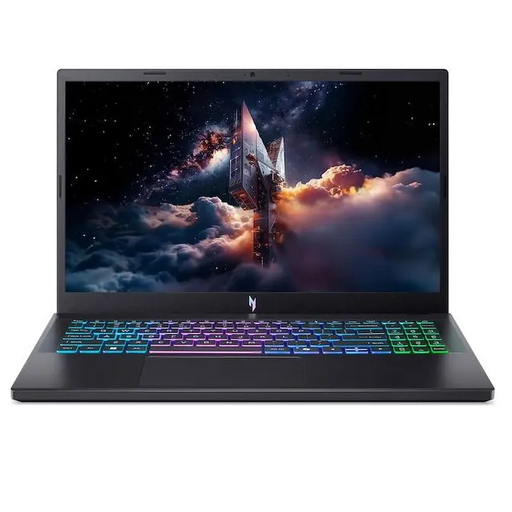
Why this choice suits this profile: its 15.6-inch Full HD screen makes it a versatile machine for students and gamers alike, with Windows 11 Home and a French keyboard.
The specification clearly lists the RTX 5060 with its 8 GB of GDDR7, 16 GB of RAM and 165 Hz screen, rather than focusing solely on the refresh rate.
Ryzen 7 170, 165 Hz IPS Full HD screen, 512 GB SSD and an advertised two-year warranty.
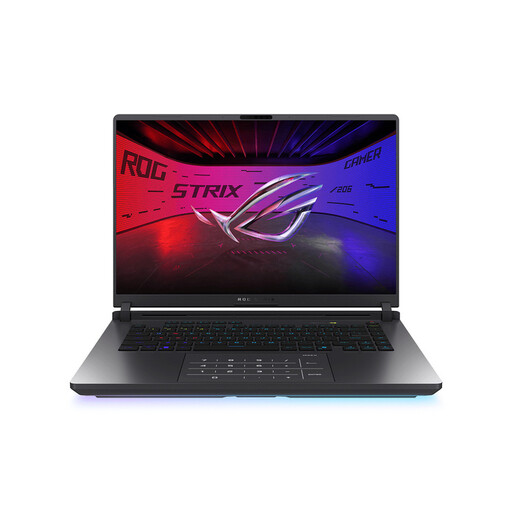
Why this choice suits this profile: this configuration is aimed at gamers and creators who prioritise processing power, RAM and highly detailed visuals.
The specification does not stop at 240 Hz: it also mentions the WQXGA resolution, 32 GB of RAM and 1 TB SSD, giving you a more complete overview of the configuration.
RTX 5070 Ti with 12 GB of GDDR7, Core Ultra 9 275HX, 16-inch screen at 2560 × 1600 and 240 Hz, plus Wi-Fi 7.
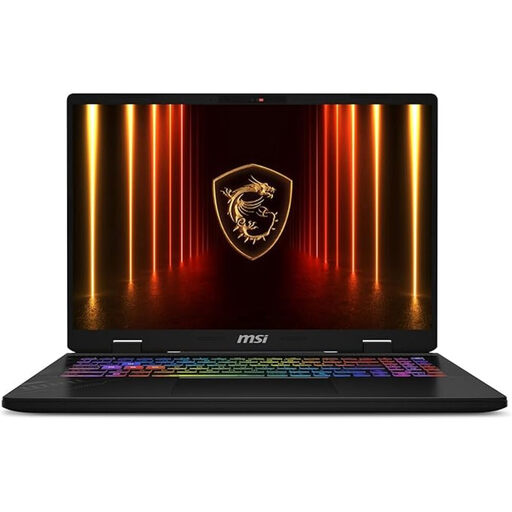
Why this choice suits this profile: with its 16-inch screen and powerful components, this model is suitable for users who switch between gaming, multitasking and demanding applications.
With 32 GB of RAM and a 1 TB SSD, this machine reduces the compromises associated with intensive multitasking and limited storage.
RTX 5060 with 8 GB of GDDR7, QHD+ 240 Hz screen, Core Ultra 7 255HX, Windows 11 Pro and AZERTY keyboard.
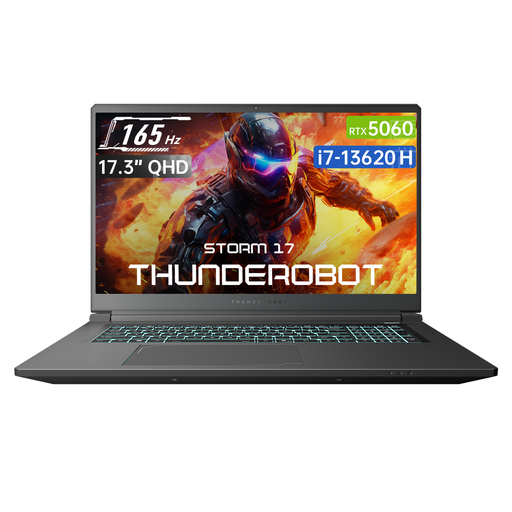
Why this choice suits this profile: with its 17.3-inch panel, this model is designed mainly for stationary use and provides plenty of screen space for gaming or watching content.
The specification details the QHD resolution, 165 Hz refresh rate, 16 GB of RAM and 1 TB SSD, rather than reducing the choice to the RTX 5060 alone.
17.3-inch QHD screen at 165 Hz, Core i7-13620H, 1 TB SSD, Wi-Fi 6 and backlit keyboard.
We have put together a complete, real-time-updated selection of products that meet these demanding criteria while complying with European safety regulations.
Always compare the full reference, not just the series — whether it is an ASUS ROG Strix, MSI Cyborg, MSI Crosshair, Thunderobot Radiant or Acer Nitro. Then check:
The models featured pair the RTX 5060 with Full HD, QHD or QHD+ screens. The result depends on the graphics settings, processor, configured power and technologies supported by the game. It is therefore better to compare the full specification rather than relying solely on the component name.
16 GB of RAM is enough for gaming and everyday office and multimedia use. 32 GB of RAM provides greater comfort for video editing, streaming, virtual machines and intensive multitasking. The right choice therefore depends on the software you use and whether the memory can be upgraded on the model in question.
Power consumption varies depending on the processor, graphics card, screen brightness, power mode and battery. When gaming, connecting to mains power is generally essential to make full use of the components. To preserve battery life during lessons or while travelling, activate balanced mode, reduce the brightness and close any unused applications.