
Livraison le jour même ou le lendemain

Qualité garantie

Débloquez vos offres de bienvenue: Livraison GRATUITE | Jusqu'à -80 % | 30 jours d'essai gratuits à JoyPlus
Téléchargez l'application
The arrival of the new NVIDIA GeForce RTX 50 series graphics cards in 2026 has the gaming and creator communities buzzing. On paper, an RTX 5060 gaming laptop promises a massive boost in firepower and AI capabilities. But in the jungle of spec sheets and marketing promises, it's easy to get lost. One wrong choice, and a significant investment can quickly turn into a huge disappointment.
At our publication, our mission is to help you decode these spec sheets and make the right choice. Here are the most common pitfalls to avoid and the criteria that truly matter.
Marketing loves big numbers, but real performance is often hidden in technical details that are glossed over.
Two laptops equipped with the same card, an NVIDIA GeForce RTX 5060, can show night-and-day performance differences. The reason? The TGP (Total Graphics Power), which defines the maximum electrical power allocated to the graphics processor. A low TGP (e.g., 60?W) will throttle the card, while a high TGP (115?W and above) will allow it to unleash its full potential. Unfortunately, manufacturers are often very quiet about this crucial figure.
A super-powered processor and a cutting-edge graphics card are useless if the chassis can't dissipate the heat they generate. An undersized cooling system inevitably leads to thermal throttling: to avoid overheating, components throttle their performance, causing catastrophic framerate drops mid-game. Be wary of ultra-thin chassis that sacrifice ventilation at the altar of design.
A 240?Hz gaming laptop screen always looks impressive, but smoothness isn't everything. A record-high refresh rate on a panel with dull colors, weak brightness, or an unsuitable resolution will completely ruin your experience. Color accuracy (sRGB, DCI-P3 coverage) and brightness (in nits) are just as important.
To ensure your future gaming laptop lives up to your expectations, here are the three pillars to examine closely.
The synergy between the processor (CPU) and the graphics card (GPU) is the cornerstone of any gaming setup. The RTX 5060 is a card built for gaming in Full HD (1920x1080) and QHD (2560x1440) with maxed-out details. To avoid bottlenecking it, you need a processor that can keep up.
New generations like Intel Core Ultra or AMD Ryzen processors (8000 series and beyond) are excellent candidates. They not only pack high-performance cores for gaming but also include a dedicated NPU (Neural Processing Unit) for AI. This specialized chip gives a major boost to tasks like video editing, streaming, and of course, in-game AI technologies like NVIDIA's DLSS.
The choice of display depends entirely on your gamer profile:
Rather than chasing the elusive "best gaming laptop of 2026," the key is to find the machine that perfectly matches your profile.
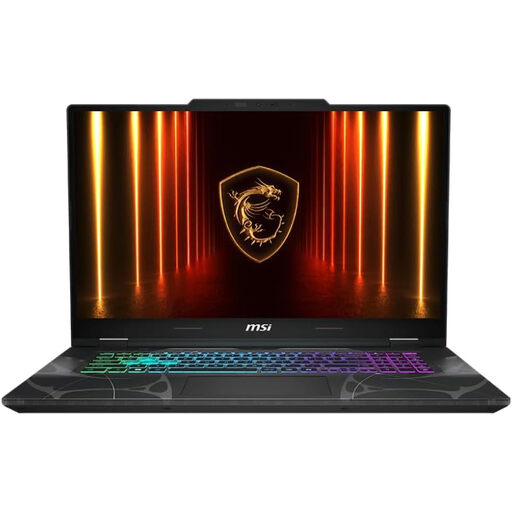
Why it's a good match: Perfect for the gamer who wants a large screen (17.3-inch) and solid performance with the RTX 5060, without breaking the bank. The Full HD 144 Hz display and RTX 5060 combo is ideal for maxing out the FPS counter in esports titles.
This model plays the balance card. It avoids the trap of an overpowered screen by pairing the RTX 5060 with a perfectly matched FHD 144 Hz panel. The MSI-engineered cooling ensures stable performance over the long haul.
Its large 17.3-inch screen offers a level of immersion rarely seen in this price range. Its cyberpunk-inspired design with translucent accents gives it a unique personality.
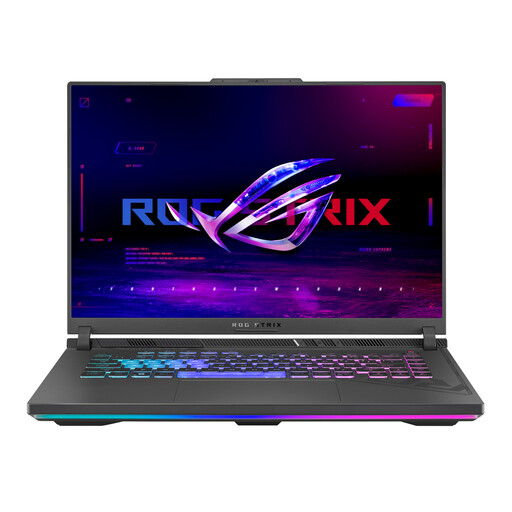
Why it's a good match: For those who refuse to make any compromises. The AMD Ryzen 9 processor and RTX 5060 combo serves an exceptional display: a 240 Hz ROG Nebula WQXGA (2560x1600) panel covering 100% of the DCI-P3 color space. A true powerhouse, built for both high-level gaming and content creation.
This model checks all the boxes: it features cutting-edge ROG Intelligent Cooling, guarantees maximum power to the RTX 5060 (with a MUX Switch), and offers a display that excels on all fronts (resolution, refresh rate, color accuracy).
The ROG Nebula display is its killer feature, offering breathtaking image quality and smoothness. The Ryzen 9 8940HX processor ensures top-tier performance, whether in-game or in the most demanding applications.
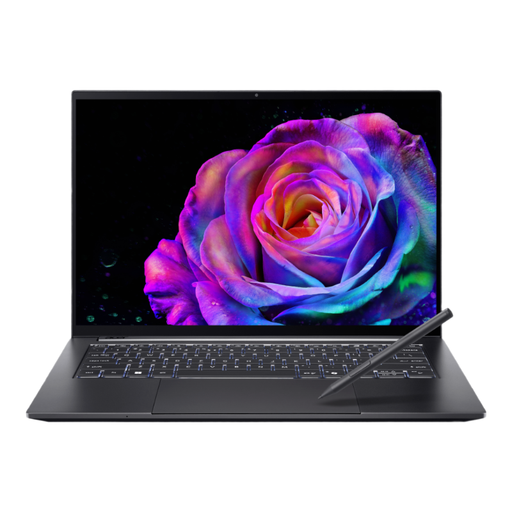
Why it's a good match: The perfect ally for the student or mobile professional looking for a compact, high-performance machine to work, create, and game on the side. Its 14.5-inch form factor and aluminum chassis make it a featherlight and portable companion.
This model makes the smart choice of integrating an RTX 5050 instead of a 5060. This trade-off allows it to maintain a thin and light chassis while still offering very respectable graphics performance for casual gaming and creation, all without risking overheating.
Its gorgeous WQXGA+ OLED touchscreen is a feast for the eyes, whether for watching shows or photo editing. The Intel Core Ultra 7 processor and its integrated NPU make it a formidable machine for productivity and AI-accelerated tasks.
We have compiled a complete, up-to-date list of products that meet our strict selection criteria for performance and reliability.
The mobile RTX 5060 is designed to excel at Full HD (1080p) and QHD (1440p). While 4K gaming is technically possible, you'll have to make major compromises on graphics settings to maintain smooth gameplay. For a no-compromise 4K experience, upgrading to a more powerful card (RTX 5070 or higher) is essential.
A gaming laptop has a functional lifespan of about 4 to 5 years. In terms of performance, you can expect to play the latest titles at high settings for 2 to 3 years. After that, you'll need to gradually lower the graphics quality to maintain a good framerate. Regular maintenance (cleaning fans, etc.) is key to preserving its long-term performance.
In 2026, both Intel and AMD offer excellent processors for gaming. The real deciding factor is the overall balance of the machine. Intel Core Ultra chips stand out with their highly efficient NPU (Neural Processing Unit) for AI, a real plus for streaming or creative applications. Meanwhile, the latest AMD Ryzen CPUs offer phenomenal raw power, ideal for gaming and heavy multitasking. Our advice: don't focus on the brand, but check reviews for the specific laptop model you're interested in.