
Livraison le jour même ou le lendemain

Qualité garantie

Débloquez vos offres de bienvenue: Livraison GRATUITE | Jusqu'à -80 % | 30 jours d'essai gratuits à JoyPlus
Téléchargez l'application
The arrival of the NVIDIA GeForce RTX 50 Series graphics cards is a game-changer for gamers and creators. At the heart of this new generation, the RTX 5060 stands out as the sweet spot: it promises access to cutting-edge technologies like DLSS 4 and enhanced ray tracing, all at a more accessible price point.
But be aware, choosing an RTX 5060 gaming laptop is about more than just the GPU. The processor, memory, screen quality, and cooling are just as crucial to the final experience. Our guide is here to help you navigate the complex world of configurations and find the perfect machine for your needs and budget.
Before diving into our top picks, let's review the key factors to ensure you make the right choice.
An RTX 5060 is great, but its power is wasted without a display that can keep up. Two features are essential:
A powerful graphics card needs components that can keep pace. To avoid any bottlenecks, the processor (CPU) and RAM must be up to the task. Today, 16 GB of DDR5 RAM on a gaming laptop provides a solid foundation, ensuring excellent fluidity in both gaming and multitasking. On the processor side, the latest generations of Intel Core and AMD Ryzen are perfectly suited to support the RTX 5060.
Power is great, but without proper cooling, performance can plummet. A gaming laptop's performance is directly tied to its ability to dissipate heat. Brands like MSI and Acer understand this well, developing complex systems (heat pipes, multiple fans) to keep components cool, even during hours of gameplay. The chassis design, weight, and connectivity should also be factored into your decision, depending on whether you'll be mostly on the go or at a desk.
Now for our selection of three machines that particularly caught our eye.
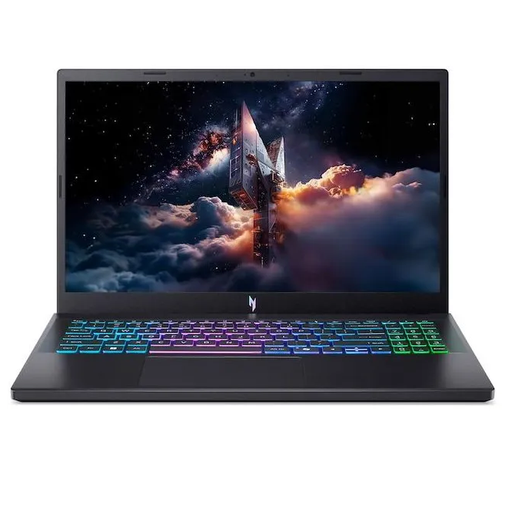
Why It Stands Out
The Acer Nitro V 15 is the top pick for gamers looking for the best performance-to-price ratio. It combines the NVIDIA GeForce RTX 5060 graphics card with an AMD Ryzen 7 processor and a 165Hz Full HD display, delivering a very smooth gaming experience on a 15.6-inch form factor.
Pros
Who Is It For?
For gamers who want excellent 1080p performance and a versatile machine (gaming, daily use) without breaking the bank.
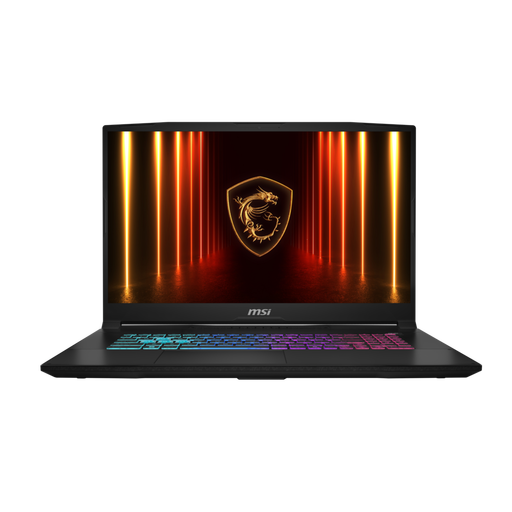
Why It Stands Out
The MSI Katana 17 takes things to the next level with its large 17.3-inch QHD+ (2560x1440) display at 240?Hz. Powered by an Intel Core i7 processor and the RTX 5060, it's built for uncompromising immersion and performance.
Pros
Who Is It For?
This MSI gaming laptop is aimed at demanding gamers and creators who want the best of high-definition visuals and absolute fluidity. Its large screen makes it an excellent desktop replacement.
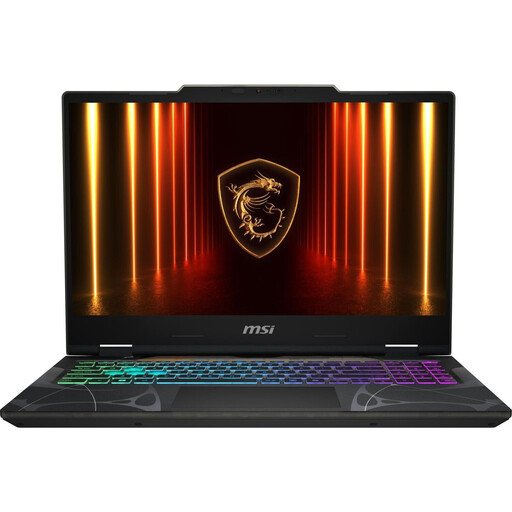
Why It Stands Out
The MSI Cyborg A15 stands out from the crowd with its bold design and partially translucent chassis. Under the hood, it features a solid configuration for Full HD gaming: a 144?Hz screen and a latest-generation AMD Ryzen 5 processor, all in a fairly compact 15.6-inch format.
Pros
Who Is It For?
For gamers who want an RTX 5060 gaming laptop with a unique design, solid Full HD performance, and good portability.
The models in our selection are tailor-made for gaming. If you have broader needs (studies, graphic design, mobile office work), feel free to explore other types of configurations.
To discover a wider range of machines suited for various uses, check out our selection of laptops for education and versatility.
Yes, without a doubt. The RTX 5060 is designed to deliver an excellent gaming experience on AAA titles. In Full HD (1080p), you can play with high graphics settings and a very comfortable framerate. It also performs very well in QHD (1440p) on many games, provided you make a few concessions on certain graphic details or activate NVIDIA's DLSS.
The refresh rate (in Hertz, or Hz) is the number of images your screen can display per second. A 144?Hz screen displays up to 144 frames per second, providing much greater fluidity than a standard 60?Hz screen. A 240?Hz model goes even further, offering a significant responsiveness advantage in shooters or competitive games. The difference is most noticeable to experienced gamers.
Absolutely. For a gaming laptop, 16?GB of RAM (especially DDR5) remains a solid and more than sufficient foundation for the vast majority of current and upcoming games. It's enough to play without slowdowns, even with Discord or a browser open in the background. For heavier uses like high-quality streaming or advanced video editing, 32?GB can be useful. But for pure gaming, 16?GB is the smartest and most balanced choice in 2026.