
Livraison le jour même ou le lendemain

Qualité garantie

Débloquez vos offres de bienvenue: Livraison GRATUITE | Jusqu'à -80 % | 30 jours d'essai gratuits à JoyPlus
Téléchargez l'application
The arrival of the NVIDIA GeForce RTX 50 Series graphics cards is a game-changer for gamers and creators. At the heart of this new generation, the RTX 5060 gaming laptop is already shaping up to be the go-to choice for anyone looking to combine high performance, cutting-edge technology, and portability. But with an overwhelming number of options on the market, finding the perfect model can quickly become a headache.
This guide is here to help you navigate the choices. We'll break down the essential technical specs and present our selection of the machines that stand out from the crowd in 2026.
Before you jump on a specific model, let's review a few key criteria to ensure you make the right choice.
A graphics card as powerful as the RTX 5060 needs a processor that can keep up to unleash its full potential. An underpowered CPU would create a bottleneck, holding back your GPU's in-game performance. For a high-end gaming laptop, prioritise recent, high-speed processors like the latest generation AMD Ryzen 9 or Intel Core Ultra 7 and i7 HX series. These chips are designed to handle the most demanding games as well as heavy tasks like streaming or video editing.
Raw power isn't everything: without a good screen, it's wasted. For a smooth and responsive gaming experience, a high refresh rate is essential. A 240 Hz laptop ensures impeccable motion clarity, a decisive advantage in competitive games. The 16-inch gaming laptop format with a QHD+ or WQXGA resolution (around 2560 x 1600 pixels) is currently the sweet spot, offering the best compromise between viewing comfort, detail sharpness, and screen real estate. If you're also into content creation, pay attention to colour gamut coverage (like DCI-P3).
Powerful components generate a lot of heat. An RTX 5060 laptop will get very hot during intense gaming sessions. An effective cooling system is therefore crucial to maintain stable performance over time and preserve the longevity of your machine. Manufacturers like ASUS and MSI are competing with ingenious, advanced solutions: multiple fans, oversized heat pipes, vapour chambers, and even liquid metal for optimal thermal dissipation. Also, be sure to check that the chassis is well-designed to allow for proper airflow.
Let's get down to specifics with three machines that perfectly embody the potential of this new generation of laptops equipped with the NVIDIA GeForce RTX 5060.
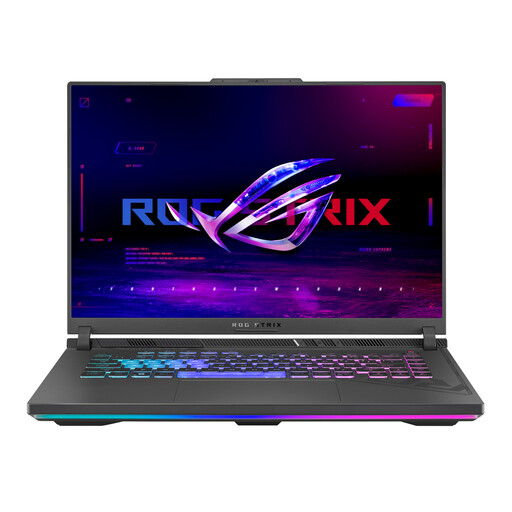
Key Features
This ASUS ROG Strix G16 model shines with its well-balanced configuration, built around an AMD Ryzen 9 processor and a superb ROG Nebula display. It's designed to deliver an immersive and fluid gaming experience with no compromises on display quality.
Highlights:
Who is it for? This laptop is aimed at demanding gamers and creators looking for a versatile machine with one of the best displays on the market and a hardware configuration with no weak links.
See details for the ASUS ROG Strix G16 G614PM-DRS5045W
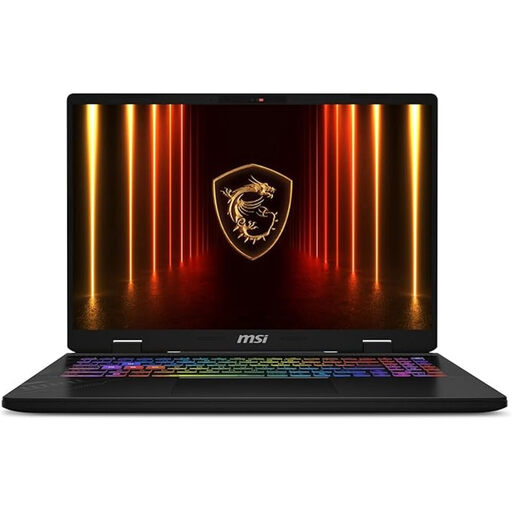
Key Features
The MSI Crosshair 16 stands out with its generous amount of RAM and the inclusion of an Intel Core Ultra processor, optimised for AI-driven tasks. With Windows 11 Pro, it appeals to both passionate gamers and professionals.
Highlights:
Who is it for? Ideal for users who juggle gaming, streaming, and demanding professional applications. The 32 GB of RAM make it a solid investment for the future.
See details for the MSI Crosshair 16 HX AI
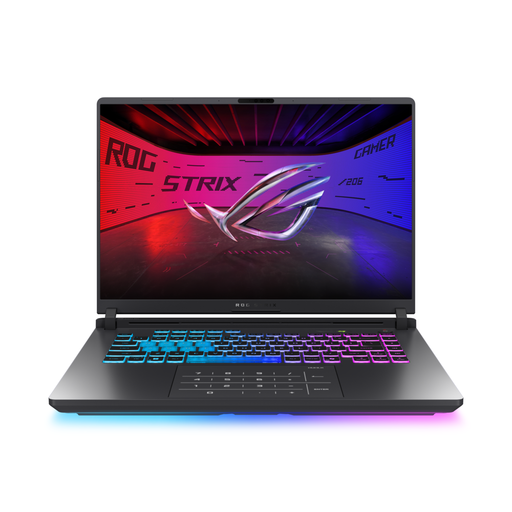
Key Features
This other variant of the ASUS ROG Strix G16 is distinguished by its particularly sophisticated cooling system and the integration of the very latest connectivity technologies. The addition of Wi-Fi 7 and a vapour chamber makes it a machine at the cutting edge of technology.
Highlights:
Who is it for? Aimed at tech enthusiasts and competitive gamers who want to take full advantage of the latest networking advancements and benefit from flawless thermal performance, even under the most extreme conditions.
See details for the ASUS ROG Strix G16 G615JMR-DR5114W
Our selection highlights high-end configurations. If you're on a tighter budget or have different needs, rest assured: the selection is vast. To discover other configurations, browse our budget gaming laptops category.
Yes, absolutely. The laptop version of the GeForce RTX 5060 is designed to deliver a very comfortable gaming experience at 1440p (QHD) resolution. According to NVIDIA, technologies like DLSS 4, which use AI to boost performance, make it possible to achieve high framerates, even with demanding graphical effects like ray tracing enabled.
Both processor families offer top-tier performance, perfectly suited for an RTX 5060 gaming laptop. The choice often comes down to specific optimisations in certain games or software. Intel Core Ultra chips focus on a hybrid architecture (Performance-cores and Efficient-cores) and dedicated AI capabilities, while AMD Ryzen 9 processors are renowned for their raw multi-core power, which is highly effective for simultaneous gaming and streaming. In any case, the processors in our selection are perfectly calibrated to avoid bottlenecking the RTX 5060.
For the vast majority of current and upcoming games, 16 GB of DDR5 RAM remains a solid and sufficient baseline. However, for more intensive use cases (high-quality streaming, multiple background applications) or simply to stay ahead of the requirements of future titles, opting for 32 GB is a smart bet for the future. A model like the MSI Crosshair 16 offers this advantage right out of the box, while the ASUS ROG Strix models remain upgradable for the future.