
Livraison le jour même ou le lendemain

Qualité garantie

Débloquez vos offres de bienvenue: Livraison GRATUITE | Jusqu'à -80 % | 30 jours d'essai gratuits à JoyPlus
Téléchargez l'application
The next generation of NVIDIA graphics cards is here! Featuring the NVIDIA Blackwell architecture, the GeForce RTX 50 series is set to redefine the standards for PC gamers, creators, and professionals. But with the powerhouse GeForce RTX 5080, the well-balanced RTX 5070 Ti, and the more accessible RTX 5060 Ti, how do you make the right choice? Don't worry, this guide is here to help you make sense of it all and find the perfect graphics card for your needs and budget.
Before you splurge on one of these new performance beasts, there are a few key points to check to ensure you make the right decision.
This is the number one question: what will you mainly be using your new card for?
A next-gen graphics card is great. A card that fits in your PC and actually works is even better!
Displays are evolving quickly, and your graphics card needs to keep up. Connectivity is a point not to be overlooked. Most RTX 50 cards feature DisplayPort 2.1b and HDMI 2.1b ports. If you're eyeing a 4K monitor with a refresh rate over 120 Hz or if the 8K adventure tempts you, DisplayPort 2.1b is simply essential.
To help you finalise your choice, here are three models from the RTX 50 lineup that caught our eye, each catering to a specific user profile.
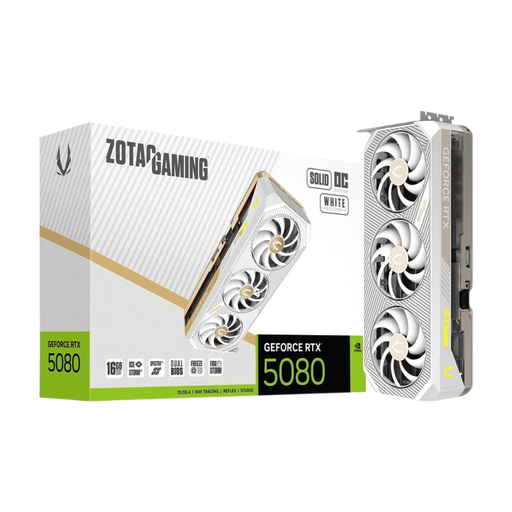
Why it stands out: This ZOTAC model makes no compromises: it combines the immense power of the GeForce RTX 5080 with a pristine white design and an ultra-high-performance cooling system. The SOLID OC edition is aimed at meticulous builds that demand the best, featuring a factory overclock to squeeze out a few extra frames per second and a colossal heatsink to keep temperatures in check.
Key Features:
Who is it for? Enthusiasts building a no-compromise PC gamer rig, content creators who can't afford to wait, and anyone who wants the absolute best for 4K gaming and dipping their toes into 8K, with style to boot.
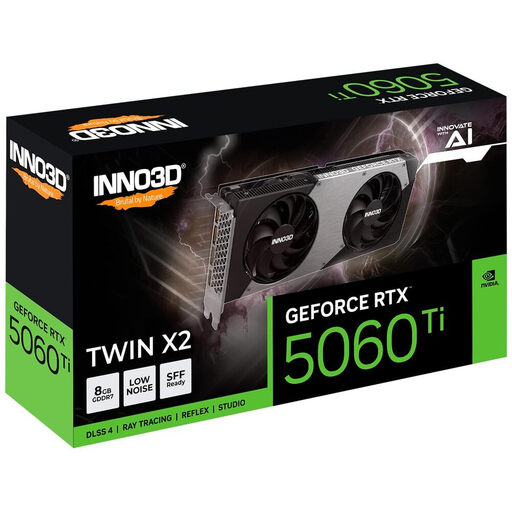
Why it stands out: Efficiency above all. The INNO3D RTX 5060 Ti gets straight to the point: delivering excellent performance for 1080p and 1440p gaming. Its compact dual-fan design is a real bonus, allowing it to fit into most cases, even more compact ones.
Key Features:
Who is it for? The smart gamer who wants to enjoy the Blackwell architecture and ray tracing without breaking the bank. It's the perfect card for building or upgrading a well-balanced and high-performance 1440p PC gamer.
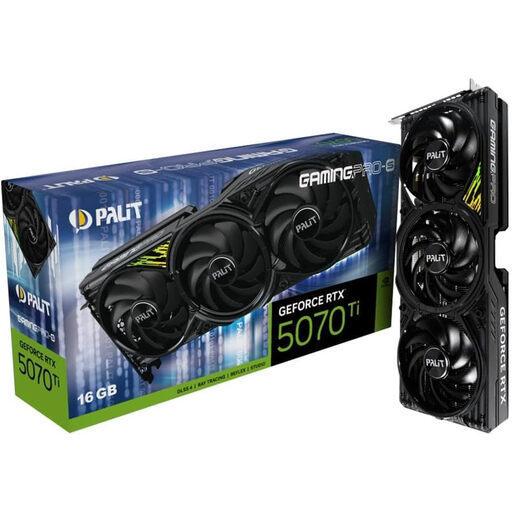
Why it stands out: This is the ultimate sweet spot. The Palit RTX 5070 Ti GamingPro-S positions itself as the sensible choice for those seeking more power than a 5060 Ti without wanting to invest in a 5080. Its 16 GB of VRAM is a real asset, making it very comfortable for 4K and creative software.
Key Features:
Who is it for? The all-rounder: the gamer aiming for a flawless 4K experience, the creator who needs VRAM for their projects, and the tinkerer who will love the flexibility of the dual BIOS and customisation options.
Of course, our selection is just a glimpse of the possibilities offered by the RTX 50 series. The market is filled with custom models from various brands, featuring different designs, clock speeds, and cooling systems.
To explore a wider range of models and find that hidden gem, feel free to browse our dedicated PC components category.
The GeForce RTX 50 series, built on the NVIDIA Blackwell architecture, succeeds Ada Lovelace. The major new features are the switch to GDDR7 memory (faster), improved power efficiency, a leap forward in ray tracing and AI performance, and the widespread adoption of DisplayPort 2.1b for future displays.
It's very likely. Mid-range and high-end models, like the RTX 5070 Ti and RTX 5080, use the new 12V-2x6 power connector. It is therefore essential to check two things: the manufacturer's recommended wattage (for example, 750 W for an RTX 5070 Ti) and the presence of the correct connectors on your power supply unit (either native or via a certified adapter).
Absolutely. The GeForce RTX 5080 was designed for the very high end. With its 16 GB of GDDR7 VRAM and sheer firepower, it's one of the best cards on the market for getting into 8K gaming. Its DisplayPort 2.1b ports are there for that very reason. Of course, performance will vary depending on the game and its optimisations, but that's where the magic of DLSS comes in to ensure optimal fluidity.