Homes with uncluttered floors
This option suits people who want to schedule regular cleaning on tiles, parquet or carpets and can remove objects that might obstruct the robot’s route.


A robot vacuum is best suited to regular cleaning of uncluttered floors, provided you are happy to prepare its route, monitor its mapping and carry out routine maintenance. On hard floors, a mopping function can help maintain cleanliness between more thorough cleans, while a handheld vacuum remains useful for immediate spills, corners and hard-to-reach areas.
This option suits people who want to schedule regular cleaning on tiles, parquet or carpets and can remove objects that might obstruct the robot’s route.
A robot with a mopping function may be worth considering for vacuuming and using damp pads between more thorough manual cleans, provided you are happy with the space required and the station maintenance.
If the app is used to schedule the robot, manage maps or define zones, check its permissions, the data it can access, its privacy policy and the updates available.
Best for: scheduled cleaning on floors that are regularly kept clear, helping to reduce repetitive cleaning.
Bear in mind: maps and no-go zones require configuration, and objects left on the floor still need to be dealt with.
Best for: hard floors that need regular damp cleaning between more thorough cleans.
Bear in mind: a station can automate certain tasks, but it does not eliminate the need to clean the bins, pads or brushes.
Best for: dealing with spills immediately, as well as cleaning stairs, furniture and corners.
Bear in mind: cleaning remains manual and cannot be scheduled while you are away.
| Priority | What to check | Your needs |
|---|---|---|
| Suitability for your floors | Compare results on carpets, tiles and parquet, as well as along edges and in corners. Also measure the clearance beneath your furniture. | I want to know whether the robot can move across my floor coverings and reach areas where dust builds up. |
| Mapping and obstacles | Check room-by-room mapping, no-go zones and the ability to edit or restore a map. Clear away cables, toys and small objects. | My home needs to be easy to prepare for an autonomous route, without exposing sensitive areas. |
| Station maintenance | Distinguish between emptying, washing and drying the pads and the tasks that remain: brushes, sensors, bin, tanks and tray. Check the part numbers for consumables. | I prefer to know in advance which maintenance tasks I will still need to carry out. |
| App and data | Check compatibility with your phone and Wi-Fi network, the permissions requested and the features actually available for the model you choose. | I want to schedule the robot and manage zones without granting unnecessary access to my phone. |
Results also depend on the type of floor, carpets, edges, corners and the layout of your home. A figure in Pa does not, on its own, summarise these conditions of use.
Compare tests covering your floor coverings and check the robot’s height, whether it can pass under furniture and how it performs on carpets.
Brushes, the bin, sensors, pads and washing tray may still need cleaning, even with an automated station.
Make a list of the tasks you are prepared to carry out and check compatible consumables before choosing.
Filters, pads, bags, brushes, cleaning solutions and maintenance parts vary by model.
Scheduling, maps and no-go zones may depend on the app, which may request permissions that give it access to resources on your phone.
Check compatibility, Wi-Fi requirements, permissions and the privacy policy before installation. Grant only the access required for the features you choose.
Maps may need correcting, and access beneath furniture depends on the available height. Results also vary between rooms and according to the objects left on the floor.
Measure the clearance beneath furniture, put away cables and small objects, then use no-go zones when the model allows it.
Depending on the model, the Roomba Combo range highlights scheduling, mapping, vacuuming and mopping.
The X-Plorer range includes robot vacuum and mop models with mapping, no-go zones and app control, depending on the series.
Depending on the model, DEEBOT robots may include mapping, obstacle avoidance, a station and mopping functions.
The brand offers robots and an app designed around mapping, scheduling and station requirements.
In France, Xiaomi offers robot vacuum cleaners ranging from affordable models to versions with a station, navigation and mapping, depending on the model.
Joybuy options for robot vacuum and mop cleaners with a station, designed for everyday maintenance of hard floors, with features that may also suit certain carpets depending on the model.
 Image unavailable
For scheduled cleaning of hard floors and carpets, with mopping and an OMNI station.
The product details list an OZMO roller, ZeroTangle 3.0, TruEdge 2.0, carpet detection, multi-floor mapping and hot-water pad washing with hot-air drying.
Allow for filling the clean-water tank, emptying the dirty water and maintaining the brushes and filters. Also check the app, permissions and Wi-Fi compatibility before installation.
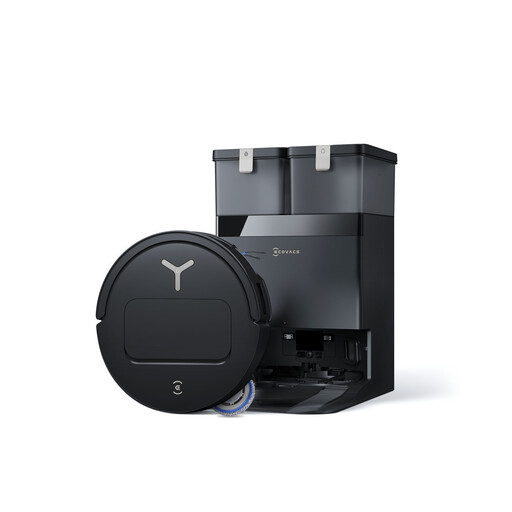 Image unavailable
An option for hard floors with carpets, when routine mopping is part of your cleaning routine.
The product details list OZMO Turbo 2.0, TruEdge 2.0, ZeroTangle 3.0, AIVI 3D 3.0 avoidance, 9 mm pad lift and hot-water pad washing.
Mopping is intended for everyday maintenance; allow for manual cleaning of stubborn stains. Check the space required for the station and the app requirements before buying.
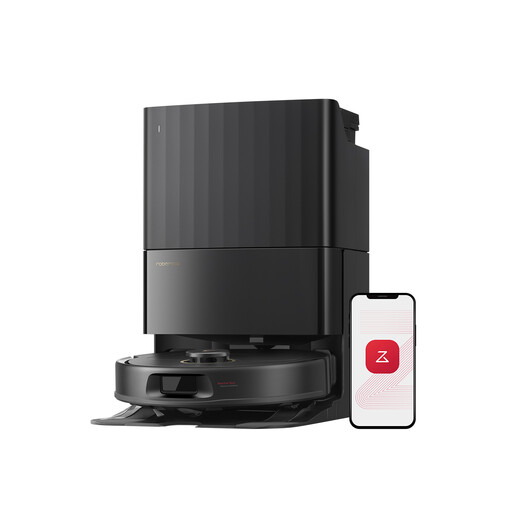 Image unavailable
For households wanting to manage no-go zones and maintain hard floors and carpets with a station.
The product details list 12,000 Pa, FlexiArm pads, a dual anti-tangle system, obstacle avoidance, intelligent navigation and hot-air drying.
The mopping function should not be used on long-pile carpets, according to the product details. The station requires 0.5 m of clearance on each side and 1.5 m in front.
 Image unavailable
A solution for maintaining hard floors and carpets, with particular attention to edges and hair or pet hair.
The product details mention 16,200 Pa, ScrubExtend extendable mopping, FlexiRazor anti-tangle technology, liquid detection, brush and pad lift, and a washing and drying station.
A station does not replace maintenance of the brushes, filters, sensors and pads. Check the noise requirements and app features suited to your home.
 Image unavailable
For households able to install a station to automate vacuuming and routine mopping on hard floors.
The product details describe liftable pads, mechanical mopping arms, hot-water pad washing, hot-air drying, an emptying station and a 3.2 L bag.
Allow at least 1.5 m in front of the station, 0.5 m on either side and 0.8 m above it for access to the tanks. Check the mapping and app features you need.
No. A robot is suitable for scheduled cleaning, but a handheld vacuum remains better suited to immediate cleaning, furniture, corners and areas the robot cannot reach. UFC-Que Choisir also assesses robots separately on different floors, along edges and in corners.
Not automatically. It is mainly intended for routine maintenance of hard floors between more thorough cleans. UFC-Que Choisir states that the cleaning effectiveness of robot mops may remain limited, so do not choose this function assuming it will remove every stain.
Put away cables, small objects and fragile items, then check the clearance beneath furniture. Create no-go zones if the model allows it, and be prepared to adjust the map if certain rooms or areas have not been recorded correctly.
No. A station can automate certain operations, but the brushes, bin, sensors, pads, tank or washing tray may still need maintenance. Also check which consumables are compatible with the model you choose.
Read the privacy policy and check the permissions before installation, then grant only the access that matches the features you want to use. CNIL reminds users that permissions may provide access to resources on the phone, such as location, the camera, microphone, files or contacts.