Schedule cleaning while you’re out
If you want to keep your floors clean between your regular cleaning sessions, look for scheduling that’s easy to fit into your routine. Que Choisir Ensemble covers scheduling features on robot vacuums.


To keep your floors clean regularly while you’re out, look for straightforward scheduling and check how the robot performs on your flooring and gets around your home. An auto-empty dock can mean less handling of the dust container, but it won’t eliminate maintenance altogether. For floors or areas where the results aren’t quite right, a manual solution may still be useful.
If you want to keep your floors clean between your regular cleaning sessions, look for scheduling that’s easy to fit into your routine. Que Choisir Ensemble covers scheduling features on robot vacuums.
Navigation or mapping can help plan the robot’s route, but it doesn’t tell you how well it cleans each type of flooring. Que Choisir Ensemble points out that performance varies depending on the floor type.
If you want to handle the robot’s dust container less often, check what the dock automates and what still needs maintaining. Features and their scope vary between models.
| What matters | What to check | Who it matters most to |
|---|---|---|
| Suitability for your floors and home | Look at tests on the types of flooring you have, and check thresholds, clearance under furniture and obstacles for the exact model. | If several floor types or tricky access make choosing more difficult, compare the robot’s test results and features with your home. Around 29% of consumers put this compatibility first. |
| Scheduling you can use | Check the exact app, compatible phones and networks, and the update requirements listed for the model. | If you plan to schedule cleaning while you’re out, you need settings you can actually use with your equipment. Around 29% of consumers make scheduling their top priority. |
| Handling the dust container | Find out what the dock empties, which bag or container it uses, and what maintenance is still required. | If you want to reduce manual emptying, it’s important to know which tasks the dock takes care of. Around 21% of consumers prioritise reducing how often they need to intervene. |
| Maintenance and repairability | Check the repairability index and how it’s calculated, the parts that fit the exact model reference, and the terms of their availability. | If you want to keep and maintain your appliance, you’ll want to check the repair options for its exact reference. Around 21% of consumers prioritise this. |
Navigation and cleaning performance answer two different questions. Que Choisir Ensemble reports that performance varies depending on the floor type.
As well as checking the navigation features, look at results for the flooring in your home.
Automatic dust transfer doesn’t mean you’ll never have to handle anything: the collection bag or container still needs to be looked after.
Separate the tasks that are automated from those you’ll still need to do, and check the collection system described for the model.
Scheduling from your phone depends on app compatibility and the requirements for the model.
Before relying on connected features, check the app requirements and the instructions against your equipment.
The repairability index tells you how repairable an appliance is; it doesn’t guarantee how long it will work. Repair options and parts availability are also worth checking.
Check the index criteria, the parts that fit the exact model reference, and their availability. Keep this information separate from the legal guarantee.
The X-Plorer range lets you compare a robot that resumes cleaning after recharging with a version that comes with an auto-empty dock.
The Qrevo S lets you explore a combination of LiDAR navigation and a multifunction dock.
The D10 Plus Gen 2 is listed in the French catalogue and has an official French-language support page, which you can consult to help you assess the model.
The products featured here are robot vacuums paired with an auto-empty dock, for automating regular cleaning. Check which tasks each dock takes care of and what still needs maintenance.
 Image unavailable
Worth considering if you want to schedule cleaning and reduce how often you empty the dust container by hand.
The description mentions LiDAR navigation, mapping, scheduling through the app and automatic dust-container emptying.
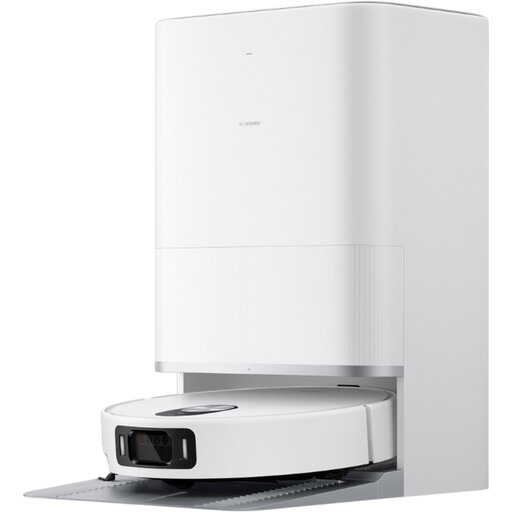 Image unavailable
Worth considering if you want to combine app-based scheduling with automatic emptying.
The description mentions the Xiaomi Home app, scheduled cleaning, zone setting, LiDAR navigation and a base with automatic emptying.
 Image unavailable
Worth considering if you’re looking for app-based scheduling and a bagless auto-empty dock.
The title gives a claimed suction power of 8,000 Pa. The description mentions 3D obstacle detection, adjustable schedules and zones in the app, and a 2.4 GHz Wi-Fi connection.
 Image unavailable
Worth considering if you want to schedule cleaning and set no-go zones in the app.
The title gives a claimed suction power of 12,000 Pa and mentions hot-air drying. The description mentions a dock with automatic emptying, as well as scheduling and no-go zones in the app.
 Image unavailable
Worth considering if you want to combine scheduled cleaning cycles with an all-in-one dock.
The title gives a claimed suction power of 16,600 Pa. The description mentions multi-floor mapping, scheduled cleaning cycles and setup on a 2.4 GHz Wi-Fi network.
Compare results for each type of flooring you have, rather than assuming that good results on one floor will apply to all. Que Choisir Ensemble points out that performance varies depending on the floor type.
Check that the exact app is compatible and find out what update requirements apply to your chosen model. Also compare the connection requirements in the instructions with your equipment.
No. An auto-empty dock transfers dust to a larger container, which still needs to be looked after. For the Qrevo S, Roborock specifies a bag that needs removing, so automatic emptying doesn’t mean there’s nothing left for you to handle.
Yes. The DGCCRF includes household robot vacuums among the product categories covered by repairability information. The index and its criteria tell you about repairability, but don’t set a minimum score to look for or guarantee how long the appliance will work.
No, you can’t draw that conclusion for every model. Que Choisir Ensemble distinguishes between several mopping systems and says results vary in testing. Check the results that match your needs before relying on this feature.