Which type of cleaning suits you?
Your choice depends as much on the surfaces and types of dirt you need to tackle as on how much time you want to spend cleaning manually and maintaining your appliance.
Homes with mixed flooring and a few carpets
A robot can handle routine cleaning, provided you check how it performs on each type of flooring in your home. Que Choisir tests performance on tiles, parquet and carpets separately, among other things; a quoted power figure doesn’t tell you how well it will perform in each case.
Homes with pets, frequent hair or fibres
Regular pick-ups may appeal to you, but remember to remove hair and debris from accessible components too. A station can mean you need to empty the robot less often, but you’ll still need to check the brushes and wheels.
Homes looking to make everyday cleaning easier
Using a robot for routine cleaning doesn’t mean you have to give up your conventional vacuum cleaner. Keep it for hard-to-reach areas, occasional messes and deeper cleans, especially on carpets.
What should you check before choosing?
First decide whether you want automated cleaning or more targeted cleaning by hand. Then compare performance on different surfaces and consider which maintenance tasks you’re happy to take on.
Robot vacuum cleaner
Worth considering: if you want to schedule routine cleaning in areas with plenty of clear space.
The trade-off: check how it performs on your floors and keep maintaining the bin, brushes and other components specified by the manufacturer.
Conventional vacuum cleaner
Best for: frequent cleaning of carpets, corners or specific patches of dirt, either as your main appliance or alongside a robot.
The trade-off: you’ll need to do the cleaning yourself. However, Que Choisir says a canister vacuum cleaner remains the most effective at removing dust.
| Criteria |
What to check |
Your needs |
| Floors and dirt |
Compare tests carried out on the surfaces you have. Look at crumbs, fibres, edges and corners separately rather than relying on the quoted power figure alone. |
I have hard floors and carpets, so performance on one isn’t enough to tell me how it will do on the other. If pet hair or crumbs are a regular problem, I also want to know how well the model picks them up. |
| Maintenance and station |
Check how to empty the robot, access the brushes and clean the wheels, sensors and filters. For a station, check its capacity and which consumables are compatible with the exact model number. |
If I’m cleaning frequently, I’d like to empty it less often, but I won’t assume the station will clean every component for me. |
| Scheduling |
Check the mapping, zone and routine features on the exact model, then make sure its app is compatible with your phone. A map alone doesn’t prove how well it will clean carpets or corners. |
I want to choose which rooms it cleans and when, or exclude certain areas, if those settings suit my home. |
| Mopping |
Assess mopping performance separately from vacuuming. Check which floor types are suitable, how carpets are handled and how well it deals with the stains you need to tackle. |
If my main priority is picking up dust, I don’t need to confuse that with stain removal. Que Choisir reports mixed mopping results, so I’ll use a suitable manual method for dried-on stains. |
A guide to the brands
These examples are a starting point for checking features and accessories by model number. A brand’s inclusion here doesn’t tell you how another model in its range will perform.
Rowenta
Worth a look if you want to explore mapping features and find accessories for a specific X-Plorer model.
- Rowenta lists permanent mapping for the X-Plorer Série 95 RR7987WH and stocks parts and accessories for its robots.
- Check parts against the exact model number. The mapping feature alone doesn’t prove how well it will vacuum different floors.
iRobot
Worth considering if Roomba app routines and model-specific maintenance instructions matter to you.
- iRobot describes routines in its app and lists LiDAR navigation for the Roomba Plus 405 Combo.
- Maintenance is still necessary: for brushes on the Roomba s series, iRobot recommends checking them at least weekly, or twice a week if you have pets.
Ecovacs
Consider it if you’re comparing DEEBOT robots with stations and want to check their consumables.
- Ecovacs explains how its emptying stations transfer debris and offers accessories for different series.
- Check that accessories are compatible with your chosen model and see how it performs on your floors. Having a station doesn’t confirm either.
Dreame
A useful reference when comparing robot models and looking for accessories on the brand’s French online shop.
- Dreame France lists accessories compatible with several robot series.
- An accessory list tells you neither how well a robot vacuums nor whether every part will remain available. Check the exact model number.
Robots to consider on Joybuy
These models are designed for routine cleaning, with mopping or station features depending on the model. They’re no substitute for comparing against a conventional vacuum cleaner if carpets, corners or specific patches of dirt are your priority.
 Image unavailable
ECOVACS Deebot T30C OMNI Gen2 black
For regular cleaning with vacuuming and mopping, check its performance separately on your carpets, fibres and along edges. The product name lists an OMNI station, 25 000 Pa, OZMO Turbo 2.0, ZeroTangle 3.0 and TruEdge 2.0; these specifications aren’t test results. Also check app compatibility and which consumables you’ll need.
View on Joybuy
 Image unavailable
Eureka E20 Plus black
For scheduled cleaning, compare its performance on hard floors, carpets and pet hair before deciding whether the listed features suit you. The product name mentions 8 000 Pa, a 180-minute runtime, an emptying station and DuoDetect AI. Check whether the station on the model on offer uses a bag or another type of container, and which compatible consumables you’ll need.
View on Joybuy
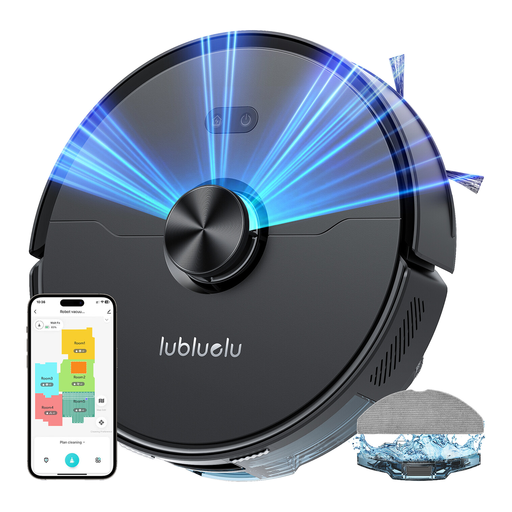 Image unavailable
Lubluelu L15 Ultra 3-en-1
If you want to schedule regular cleaning, the product name lists laser navigation, five-stage mapping, app control and 4 000 Pa. Still, compare its performance on your carpets, pet hair and in corners. Check the station setup, app compatibility and noise level for this model.
View on Joybuy
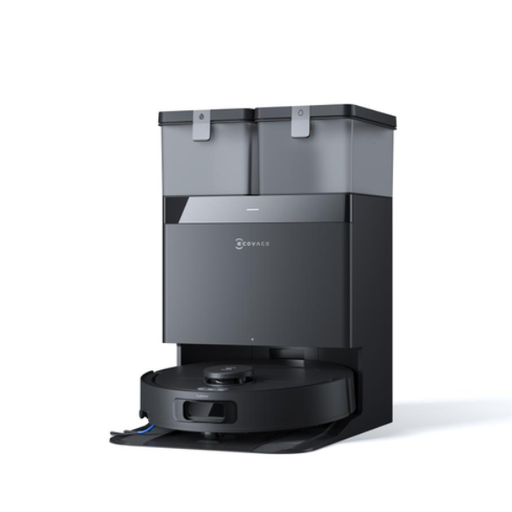 Image unavailable
DEEBOT T30e OMNI EU black
For frequent cleaning when dealing with pet hair or fibres, the product name lists 25 000 Pa, ZeroTangle 3.0, an ARClean side brush and a Triple-V main brush. These features don’t prove how well it picks up dirt on carpets or along edges. Check the station’s features, mapping and maintenance requirements in the model documentation.
View on Joybuy
 Image unavailable
Dreame X40 Ultra Complete white
If you’re considering this robot to reduce how often you need to empty it, first check the base setup and maintenance requirements for this model. Also compare its performance on your hard floors and carpets. Before installation, confirm the power supply voltage required for the station, along with compatible parts and consumables.
View on Joybuy
Frequently asked questions
Can a robot replace a conventional vacuum cleaner on every floor?
Not necessarily: a robot’s performance varies depending on the floor type, fibres, crumbs and areas it needs to reach. Que Choisir tests these conditions separately and says a canister vacuum cleaner remains the most effective at removing dust. If carpets or corners often need a deeper clean, keep a conventional vacuum cleaner as your main appliance or as a companion to your robot.
Does an emptying station mean you don’t have to maintain the robot?
No. It transfers the collected debris, but the brushes, wheels and sensors still need to be checked and cleaned according to the model’s instructions. For example, iRobot recommends checking the brushes on the Roomba s series at least once a week, or twice a week if you have pets. Check the recommended schedule for your own model.
Is robot mopping suitable for stains and every floor type?
No: assess it separately from vacuuming. Que Choisir reports mixed mopping results and advises against using the model in the test described on solid wood. Check the guidance for your floor type, how the robot handles carpets and its performance on the stains you want to tackle.
What should you check about parts and consumables?
Look for brushes, filters and any compatible bags for the complete model number, as well as information about availability and ordering. An accessories page covering a brand or series isn’t enough to confirm that a part will fit your model.
Do you need an app to choose a robot vacuum cleaner?
The app matters most if you want to schedule routines, manage a map or select areas. Check that the exact model offers the settings you want and that its app works with your phone’s operating system. Don’t assume every robot in a range has all the same features.


