What should you check before buying?
Start by checking where the robot can go while you’re out, then consider whether its maintenance features match the tasks you’re still happy to do yourself.
| What matters |
What to check |
Who is this for? |
| Access to rooms |
Measure thresholds and clearance under furniture; check the route back to the dock and the model’s mapping features. |
If I’m out for the day, I want the robot to reach the rooms I’ve planned without getting stuck. Around 36% of consumers put this uninterrupted route at the top of their list. |
| Pet hair, rugs and obstacles |
Look at test results on rugs and different fibres; check how the robot is said to handle cables, small objects and rugs while mopping. |
With pets or rugs at home, I want to know whether the robot can clean my floors without a routine obstacle regularly interrupting its progress. This is the main concern for around 29% of consumers. |
| Emptying and maintenance |
Compare the maintenance required for the dust bin, dock, brushes and tanks; check which consumables are needed for the exact model. |
To reduce the number of jobs between busy days, I need to be able to keep up with any maintenance the dock doesn’t handle. Around 21% of consumers prioritise this maintenance workload. |
| Additional cleaning |
Identify areas the robot can’t reach and check performance on your floors, especially in corners and on rugs. |
If I have stairs and stubborn dirt to deal with, I want to keep a way to clean those areas by hand. Around 14% of consumers put this need ahead of automation. |
Robot vacuum cleaners available on Joybuy
These models are designed for scheduled floor cleaning; several combine vacuuming, mopping and a dock. Before choosing one for a home that’s empty during the day, check your thresholds and floor coverings, and find out what maintenance the specific model requires.
 Image unavailable
Eureka E20 Plus black with self-emptying dock
Worth considering if you want to schedule cleaning and reduce how often you need to empty the robot during the week. The product listing gives suction power as 8 000 Pa, along with 3D obstacle avoidance and a stated run time of 180 minutes. These figures alone can’t predict how it will perform in your home. Check the height of your thresholds and how the dock collects dust: its description gives conflicting information about whether it uses a bag.
View on Joybuy
 Image unavailable
JONR T5 Pro with all-in-one dock
If you want to combine vacuuming and mopping, this model features laser navigation, an anti-tangle side brush and the hot-air drying listed in its product title. The title also gives suction power as 8 150 Pa, but that doesn’t show how it will perform on your floors. Before scheduling cycles while you’re out, check whether it can cross your thresholds and what maintenance the dock requires.
View on Joybuy
 Image unavailable
ECOVACS DEEBOT T30C OMNI Gen2 black
Worth considering if you want scheduled cleaning and a dock that looks after the mop pads. The product title lists an OMNI dock, mop-pad washing at 75 °C and 25 000 Pa; these features don’t replace performance tests on your floor coverings. Check whether it can cross your thresholds, and allow for filling the clean-water tank, emptying the dirty water and cleaning the brushes.
View on Joybuy
 Image unavailable
roborock Q7 L5+ black with automatic emptying
This robot may suit a household looking to schedule floor cleaning with LiDAR navigation and a self-emptying dock. Its product title also lists a dual anti-tangle system and 8 000 Pa, but these don’t guarantee how it will perform on rugs or with pet hair. Check thresholds, how it avoids the objects in your home and which consumables are compatible.
View on Joybuy
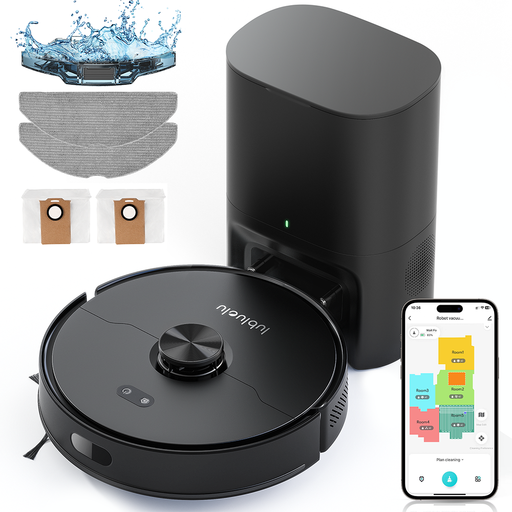 Image unavailable
Lubluelu L15 Max 3-in-1
Worth considering if scheduling and map storage matter more to you than a self-emptying dock. The product title lists laser navigation, storage for five maps and 4 000 Pa; having a map for each floor doesn’t mean the robot can move between them by itself. Check how often you’ll need to empty the dust bin and whether it can cross your thresholds. The product listing says to remove the mop attachment before cleaning rugs, so bear this in mind when scheduling cycles.
View on Joybuy
Frequently asked questions
Can a robot vacuum cleaner replace a traditional vacuum entirely?
No. It can take care of some routine cleaning on the floors it can reach, but it can’t climb stairs or clean every area by hand. UFC-Que Choisir tests performance on hard floors, rugs, edges and corners separately. Keep an upright or cylinder vacuum cleaner if these areas need a deeper clean.
How can I check whether a robot will cross my thresholds?
Measure each threshold and compare its height with the published limit for the specific model. iRobot says Roomba models can cross thresholds up to 1.6 cm while cleaning, but this figure doesn’t tell you whether a robot from another range can do the same.
Should I move cables before an unsupervised cleaning cycle?
Yes. Tidy away cables and small objects that could get caught in the brushes, even if the model claims to avoid obstacles. ECOVACS notes in its DEEBOT X8 Pro Omni support information that obstacle avoidance can sometimes fail, so check the capabilities of your specific model.
Does a dock mean I don’t need to maintain the robot?
No. Depending on its features, a dock may handle emptying or cleaning the mop pads, but you’ll still need to check the brushes, filters, bags and tanks. Before buying, check the manual and consumables for the model you’ve chosen.
Can I use a robot mop on all my floors?
Don’t assume so. UFC-Que Choisir tests mopping on compatible hard floors and, in its test protocol, advises against using it on wooden floors, particularly solid wood. Check the recommendations for your flooring and how the robot handles rugs.


