Households looking to keep floors clean between deeper cleans
A robot can clean accessible floors regularly. You’ll still need another way to clean stairs, furniture and skirting boards, which robots can’t take care of, according to Les Numériques.


A robot vacuum cleaner can take care of some of your regular floor cleaning, but it’s still a useful addition to a manual vacuum for stairs, furniture and deep cleans, as Les Numériques points out. Choose a model with mapping if you need to target specific rooms or set no-go zones. Consider a self-emptying dock if you’d rather handle the dust container less often, but make sure you have room for it and are happy to maintain it. To assess suction, compare tests of the specific model on your flooring, especially carpets and along edges: Que Choisir highlights how results vary between floor types.
A robot can clean accessible floors regularly. You’ll still need another way to clean stairs, furniture and skirting boards, which robots can’t take care of, according to Les Numériques.
If you want to start a cleaning cycle in a specific room or exclude certain areas, look at the model’s mapping features. Check how it performs on your flooring too, and tidy the floor if it’s likely to encounter objects.
A self-emptying dock can mean less handling of the robot’s dust container, but you’ll still need to maintain the dock and brushes. Before choosing a model to keep for the long term, check that parts are available for its exact model number and look up its repairability index in France.
Start with the floors you need to clean and the jobs you’d like to automate. Then consider how much control you need over the route, how much space you have and what maintenance will still be required.
| Criterion | What to check | Think about your needs |
|---|---|---|
| Results on different floors | Compare tests of the model on tiles, wooden floors and carpets, as well as along walls and in corners. Que Choisir assesses these surfaces separately, so a quoted suction figure alone won’t tell you how well it cleans. | I have carpets or need to pick up hair and pet hair: performance on these surfaces matters more to me than a single suction figure. |
| Navigation and scheduling | Check whether the robot follows a random route or maps your rooms. If it maps your home, check which features are actually available: room-by-room cleaning, no-go zones and scheduling. | In an open-plan home, I may be happy with less control over the route. If I want to target certain rooms or avoid an area, mapping becomes more useful. |
| Dust container and dock | Find out how to empty the dust container and where to put the dock. Les Numériques explains that a self-emptying dock transfers debris from the robot’s collector; check how to empty or replace the dock’s container too. | I’d rather empty the robot’s small dust container less often, as long as I have space for the dock and don’t mind maintaining it. |
| Mopping function | Check whether your flooring is suitable for damp cleaning and what you’ll still need to do, such as handling clean water, dirty water and mop pads, depending on the dock. Que Choisir highlights the limitations of mopping and advises against using it on wooden floors, particularly solid wood. | If my floors are suitable for damp cleaning, I could use this function for routine upkeep. I’ll still use a suitable method for stubborn stains and delicate flooring. |
| App and connectivity | Check that the model is compatible with your phone, which features it offers and how updates work. The CNIL also recommends checking whether you can disable Wi-Fi or any connected features you don’t want to use. | I want to schedule cleaning, but I also want to know which features rely on the app and which connectivity settings I can control. |
| Parts and repairability | Check the repairability index that applies to vacuum cleaners in France, then look for filters, brushes and other parts for the exact model number. A brand’s parts catalogue doesn’t guarantee that every accessory will be compatible. | Before choosing, I want to be able to find the right replacement parts for the model I’m considering. |
| Manual cleaning | Work out which stairs, furniture, skirting boards and spot-cleaning jobs you’ll still need to do yourself. Les Numériques points out that a robot can’t take care of these tasks. | If these areas make up a large part of my cleaning routine, I’ll keep a stick or cylinder vacuum to use alongside the robot. |
Results vary depending on the flooring and the areas being cleaned. Que Choisir assesses carpets, hard floors, edges and corners separately in its tests.
Make a note of the floor types in your home, then look for tests of the exact model under similar conditions.
Automatic emptying transfers debris out of the robot’s dust container, but you’ll still need to empty or replace the dock’s container. A dock that also mops adds water and mop-pad maintenance to the list.
Measure the space you have and compare the tasks involved in maintaining the dust container, filters, brushes and, where applicable, water tanks.
Depending on the dock, you may also need to budget for dust bags or mopping consumables, as well as time to maintain the tanks.
Que Choisir highlights the limitations of robot mops and advises against using them on wooden floors, particularly solid wood.
Check your flooring manufacturer’s instructions before using a damp-cleaning function, and keep a suitable method for tackling stubborn stains.
Connected settings depend on the features available on the model you choose. Likewise, a brand-wide parts range won’t tell you which parts fit your robot.
Before buying, check the app and its connectivity settings, then look up the repairability index and available parts for the exact model number.
These brands offer a starting point for comparing features and maintenance. Always check the specifications of the exact model you’re considering.
The Smart Force and X-Plorer ranges may suit households looking to find accessories by model number.
Worth considering if app-based control over the cleaning route is important to you.
The brand offers a range of robot vacuum cleaners and a French accessories catalogue to consult when choosing a model.
The DEEBOT range includes robots with different features, so compare them based on your floors and the functions you need.
These models offer the option of a robot with a dock for regular floor care. Compare their advertised features, then check how much space they need, what maintenance is involved and how they perform on your flooring. They won’t replace a manual vacuum for every surface.
 Image unavailable
Worth considering if you’re looking for a robot with a dock for regular cleaning. The product listing quotes 25 000 Pa suction, OZMO Turbo 2.0 mopping and mop-pad washing at 75 °C. These figures alone don’t tell you how it will perform on your floors. Remember to maintain the dock’s tanks and compare test results on your flooring.
 Image unavailable
This robot with a dock is suited to households with space for the base. Before choosing, check how much clearance the dock needs, whether the app is compatible with your phone and how the model performs in tests on your floors.
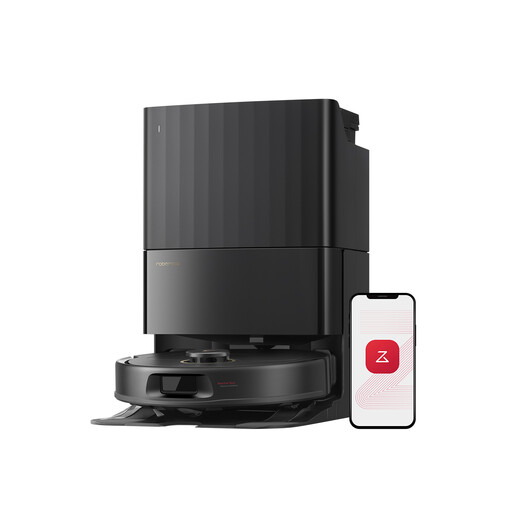 Image unavailable
Worth a look if you want a dock as well as control over the cleaning route. The product title lists 12 000 Pa, FlexiArm mop pads and hot-air drying. Check that the app has the features you want and look for suction test results on your flooring. The dock and its mopping components will still need maintenance.
 Image unavailable
Consider this model if a dock and mopping function suit your regular cleaning routine. The product title lists 16 200 Pa, liquid detection, brush lifting and hot-water cleaning at 75 °C. Check that mopping is suitable for your floors and find out what’s involved in maintaining the dock.
 Image unavailable
Worth considering if you want to schedule cleaning and empty the robot’s dust container less often. The product title lists LiDAR navigation, 8 000 Pa suction and up to 200 min of operation. These figures don’t guarantee results on your carpets or hard floors. Check that it’s compatible with your 2.4 GHz Wi-Fi network and that you have enough room for the dock.
Not for every job. Les Numériques points out that a robot won’t clean stairs, furniture or skirting boards. Keep a manual vacuum if you need to clean these surfaces, tackle specific spills or do a deeper clean.
Mapping is useful if you want to target specific rooms, set no-go zones or schedule cleaning through an app. If you have a simple layout and don’t mind a less predictable route, a robot with random navigation may suit you. Check which settings are available on the exact model.
No. It transfers debris from the robot’s dust container into another container, which you’ll still need to empty or replace. If the dock also handles mopping, check what’s involved in maintaining the tanks and mop pads, as well as how much space you’ll need to install it.
Don’t start damp cleaning without checking that it’s suitable for your flooring. Que Choisir advises against using robot mops on wooden floors, particularly solid wood. Check the flooring manufacturer’s instructions before choosing or using this function.
Check that it’s compatible with your phone, which features rely on the app and how updates work. For connected robots, the CNIL recommends finding out about their features before buying and checking whether Wi-Fi can be disabled physically or through software.