What should you check before choosing?
Start with your floors and the areas you want to clean, then decide how much of the upkeep you want the robot or its station to take care of.
| Criterion |
What to check |
My needs |
| Floors and edges |
Compare test results on your types of flooring, including how well the robot picks up dirt along walls and in corners. UFC-Que Choisir assesses these situations separately, so a quoted power rating alone won’t tell you how well it cleans. |
I have carpets or hard floors, and I want to know which areas will still need manual cleaning. |
| Scheduled cleaning |
Check the schedules, mapping, no-go zones and obstacle handling on the specific model. Remember to clear away objects that could block its route. |
The robot should be able to move around accessible rooms while I’m out, but I won’t assume every run will finish without interruption. |
| Emptying and maintenance |
An auto-empty station transfers dust out of the robot’s container. Check how much space it takes up, how easy it is to access the brushes and filters, and which consumables are compatible. |
If I run the robot often, I’d prefer to handle the dust container less frequently, while still making time to maintain the robot and station. |
| App and network |
Check which app is required, whether it’s compatible with your phone and what Wi-Fi requirements apply to the model. Setup and update features may depend on this connection. |
I want to be able to set schedules and cleaning zones using the equipment I have at home. |
| Built-in mopping |
Check that the function is suitable for your floors, look at mopping test results, and find out how to maintain the water tanks and mop pads. UFC-Que Choisir reports that mopping results vary between robot vacuums. |
A damp clean would be useful as an extra for my compatible hard floors; I don’t expect it to automatically replace a mop. |
| Manual cleaning |
Identify stairs, furniture, skirting boards and narrow spaces that the robot can’t reach. Keep a suitable manual tool for these jobs and for targeted cleaning. |
If these areas make up a large part of my cleaning routine, a manual vacuum cleaner will remain my main tool, even with a robot. |
Robots for scheduled cleaning
These Joybuy models are robot vacuum cleaners designed to schedule cleaning runs while you’re away. They have an auto-empty function; some also offer built-in mopping, which should be assessed separately based on your floors and the maintenance you’re happy to do.
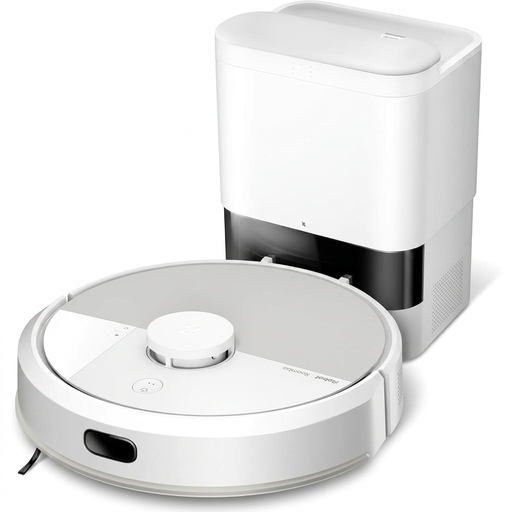 Image unavailable
iRobot Roomba Combo 115 AE, white
To schedule cleaning while you’re away, the product listing specifies scheduling in the Roomba Home app, LiDAR mapping and resume cleaning after recharging.
The AutoEmpty station empties the dust container; the listed bag capacity is 2,5 L. The robot also has a built-in mopping function. Check that it’s compatible with your 2.4 GHz Wi-Fi network, and remember to maintain the brushes and sensors.
View on Joybuy
 Image unavailable
Eureka E20 Plus, black
The product listing includes cleaning schedules and no-go zones in the app, so you can arrange cleaning runs while the house is empty.
It lists an auto-empty station and a 2 L station tank. Its information about the dust container is contradictory, so check whether it needs a bag and which consumables are compatible. A 2.4 GHz Wi-Fi connection is listed as a requirement.
View on Joybuy
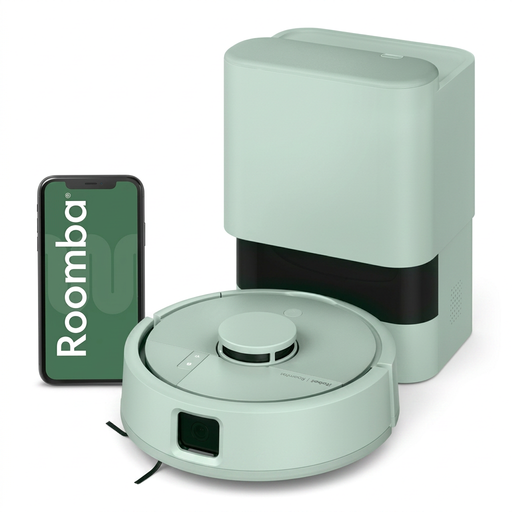 Image unavailable
iRobot Roomba Mini Mint F155440
Remote scheduling and room selection let you set up targeted cleaning runs while you’re away.
The product listing specifies a 200 ml robot dust container and an AutoEmpty base that empties it automatically. It also describes a microfibre mop pad: check whether this mopping mode is suitable for your floors, and don’t mistake it for a full manual clean.
View on Joybuy
 Image unavailable
roborock Q7 L5+, black
The product listing mentions schedules and no-go zones in the app, as well as LiDAR navigation, so you can set up cleaning runs while you’re away.
The station automatically empties the dust container into a bag. The robot has a mopping function and a quoted suction power of 8 000 Pa, but this figure alone won’t tell you how well it will perform on your floors. Check the app, network requirements and compatible bags.
View on Joybuy
 Image unavailable
ECOVACS Deebot T30C OMNI Gen2, black
The product listing specifies scheduled cleaning cycles and multi-floor mapping, so you can plan floor care while you’re away.
The station is described as emptying the dust container and washing and drying the mop pads. These features don’t remove the need to refill the water tank, empty the dirty-water tank and maintain the brushes. Also check app compatibility and how much space the station needs.
View on Joybuy
Frequently asked questions
Can a robot completely replace a manual vacuum cleaner?
Not if you also need to clean stairs, furniture or skirting boards: Les Numériques says these tasks are beyond the reach of robot vacuums. A stick or cylinder vacuum is still useful for these areas and for targeted cleaning, while the robot can keep accessible floors clean with regular runs.
Does an auto-empty station mean the robot needs no maintenance?
No. It transfers dust from the robot’s container to the station, but the brushes, filters and station components still need maintenance. Depending on the model, also check which bags and other accessories are compatible.
Is the mopping function suitable for all types of flooring?
No. Check your flooring manufacturer’s instructions before using a damp-cleaning function. UFC-Que Choisir reports that mopping results vary between robot vacuums, so assess this feature separately from vacuuming and use manual cleaning for any messes it can’t tackle.
What should you check before scheduling a robot to clean while you’re away?
Check that the model offers the schedules and zone settings you need, then confirm the app, phone and network requirements. For example, iRobot’s Roomba Home app is compatible with certain series sold after March 2025, so the series and sale date matter when choosing a model.


