For a small, uncluttered space, a robot with straightforward navigation may be enough if you don’t mind emptying its bin regularly. In a home with several rooms, mapping can help you manage areas and cleaning routes more precisely. An auto-empty station means less hands-on bin emptying, but you’ll still need to maintain the robot, and it won’t guarantee the same results on every floor. Keep a handheld vacuum for areas your chosen model doesn’t clean well, and check its performance on your flooring, the app and the availability of replacement parts before you buy.
Who is a robot vacuum cleaner for?
A robot can take care of some of your regular vacuuming, as long as it’s suited to your floors, your home’s layout and the tasks you’re happy to continue doing yourself.
Households looking to automate regular vacuuming
If you want to automate routine cleaning, start with your flooring rather than assuming a robot will replace all manual cleaning. UFC-Que Choisir notes that vacuuming results vary depending on the type of floor.
People living in homes with several rooms or lots of furniture
If your routine involves navigating between furniture, cleaning several rooms or setting specific zones, look at the model’s navigation and mapping controls.
People who want to empty the bin less often
An auto-empty station can transfer dust from the robot into a larger container. You’ll still need to maintain the station and the robot, and clean any areas the robot doesn’t cover well.
What should you check before choosing?
Start with your flooring and how you move between rooms, then decide how much maintenance you’re prepared to do. Connected features and repairability matter most when they suit the way you plan to use the robot.
| Factor | What to check | Your needs |
|---|
| Flooring |
Look for tests of the model on your types of flooring, as well as along edges and in corners. UFC-Que Choisir’s testing protocol distinguishes between carpets, tiles and wooden floors, among other surfaces. |
I have carpets or corners where dust builds up: a result for hard floors alone isn’t enough to help me decide. |
| Navigation |
Compare how the model moves around, handles obstacles and manages zones or schedules. Measure the thresholds in your home and check the limitations listed for the model you’re considering. |
In a home with several furnished rooms, I want to organise cleaning routes; for a small, uncluttered area, a simpler routine may suit me. |
| Emptying and maintenance |
Check how to empty the bin, maintain the brushes and, if applicable, use the station and its consumables. An auto-empty station means you empty the small bin less often, but it doesn’t eliminate all maintenance. |
I’d rather empty the robot less often, but I can still check the appliance and maintain its station. |
| App |
Check that it’s compatible with your phone, which features are available and what the update arrangements are. Review the privacy policy and the permissions requested; the CNIL distinguishes these technical permissions from consent to data processing. |
If I plan to schedule cleaning by room, I want to know which controls will work with my phone and what access the app will request. |
| Repairability |
Compare the model’s repairability rating, the stated period for which parts will be available and the maintenance options. UFC-Que Choisir notes that the availability period varies considerably between brands. |
For an appliance I plan to use regularly, I want to be able to replace parts that wear out and find the right documentation. |
What mistakes should you avoid?
-
Assuming automatic vacuuming means no effort on your part
The bin needs to be emptied regularly. A station makes this less frequent, but you’ll still need to maintain the robot and do some extra cleaning in areas that are difficult to reach.
Before you choose, decide whether you’re happy to clear obstacles, clean the brushes and vacuum occasionally yourself.
-
Trusting a claim that applies to every type of floor
UFC-Que Choisir tests vacuuming on different flooring types, as well as along edges and in corners. A single advertised figure doesn’t tell you how the robot performs in all these situations.
Make a list of your floors, carpets and tricky areas, then look for results for the exact model and surfaces that matter in your home.
-
Choosing connected features without checking the app
Scheduling and managing zones depend on the features available on your phone. An app may also ask for access to certain resources on your device.
Before relying on these features, check compatibility, planned updates, requested permissions and the privacy policy.
-
Forgetting about parts and long-term maintenance
According to UFC-Que Choisir, the period for which spare parts are available varies between brands. The presence of extra features alone doesn’t tell you how easy a model is to repair.
Compare the repairability rating, the stated parts availability period and the documentation for the specific robot you’re considering.
Which brands are worth considering?
UFC-Que Choisir lists these brands among the players in the robot vacuum cleaner market. Their presence in the sector doesn’t tell you how any individual model will perform or what features it has.
iRobot
An established name in the robot vacuum cleaner market, mentioned by UFC-Que Choisir.
- A good starting point for comparing specific models.
- Check how the model you choose performs on your floors, and look at its navigation, maintenance and parts.
Rowenta
Another established brand mentioned by UFC-Que Choisir in this category.
- Models to consider based on the layout of your home.
- Don’t assume every model in the range offers the same vacuuming, mapping or repairability. Compare the details of the exact model.
Roborock
A brand mentioned by UFC-Que Choisir among the newer players in the market.
- Its models can be assessed based on the navigation and station features you’re looking for.
- A general privacy policy doesn’t necessarily explain every permission and software condition for the model you choose.
Ecovacs
Another brand mentioned by UFC-Que Choisir among the players in the robot vacuum cleaner market.
- Compare its models based on the features that are useful for your routine.
- A feature being present doesn’t prove how well it will work on your floors; look for tests of the specific model.
Dreame
A brand mentioned by UFC-Que Choisir among the newer players in the category.
- Its models can be compared based on their vacuuming, navigation and maintenance features.
- Don’t assume a model will wash floors effectively just because it has this feature: UFC-Que Choisir reports that results vary between models and floor types.
Robots for different routines
These Joybuy options include robots advertised with mapping and an auto-empty station. Compare them based on the layout of your rooms, station maintenance and the flooring in your home. Their advertised features don’t replace vacuuming tests on your floors.
 Image unavailable
Eureka E20 Plus, black robot vacuum cleaner
Worth considering if you want a station and navigation with 3D obstacle avoidance. The product name states a suction power of 8 000 Pa and a runtime of 180 minutes. Check separately how it performs on your floors and what type of consumable the station uses.
View on Joybuy
 Image unavailable
ECOVACS Deebot T30C OMNI Gen2, black
Consider this model if you’re looking for an OMNI station and a mop function as well as vacuuming. The product name states 25 000 Pa and mop washing at 75 °C. These figures don’t guarantee how well it will clean your floors.
View on Joybuy
 Image unavailable
Q8-Max, robot vacuum cleaner with mop and auto-empty station
Worth considering if you want to build your routine around LiDAR mapping and Wi-Fi app controls. The product name states 8 000 Pa and a runtime of 200 minutes. Check compatibility with your network and phone before relying on connected controls.
View on Joybuy
 Image unavailable
roborock Q7 L5+, robot vacuum cleaner with auto-empty station
Consider this model if you want to combine LiDAR navigation, app controls and automatic emptying. The product name states 8 000 Pa and a mop function. Check its vacuuming performance on your floors and the maintenance required for the station.
View on Joybuy
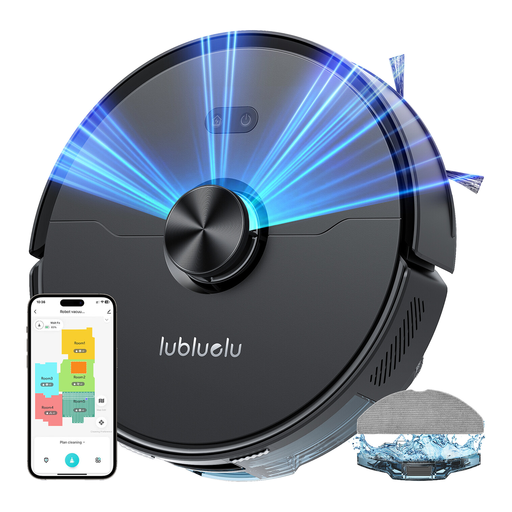 Image unavailable
Lubluelu L15 Ultra, robot vacuum cleaner and mop
Worth considering if you’re looking for laser navigation with mapping and a station to support your routine. The product name states 4 000 Pa. Check the noise level and the conditions under which it was measured before buying, as the title and product listing give different information.
View on Joybuy
Frequently asked questions
Can a robot replace all your usual vacuuming?
Not always. UFC-Que Choisir finds that vacuuming results vary depending on the floor type, and also tests performance along edges and in corners. Keep a handheld vacuum for areas or messes your robot doesn’t handle well.
Does an auto-empty station mean you don’t need to do any maintenance?
No. It can transfer dust from the small bin to a larger container, but both the robot and the station still need maintenance. The station also won’t, by itself, change how well the robot vacuums your floors.
Do you need to accept every app permission?
Review each permission before allowing it. The CNIL explains that these settings control access to certain resources on your phone, but don’t by themselves amount to full consent to data processing. Also check the privacy policy and which features you need.
How do you compare the repairability of two robots?
Compare each model’s repairability rating and the stated period for which parts will be available. UFC-Que Choisir highlights that availability varies considerably. Check the maintenance documentation too before choosing between two appliances.
Does a mop function mean you don’t need to wash your floors?
Don’t assume so. In its analysis published in December 2024, UFC-Que Choisir found that mopping performance was insufficient for most of the models tested and particularly advised against the use it examined on solid wood flooring. Check the results for the model and the care instructions for your floors.


