People who are out during the day
If the robot needs to work while you’re away, look for programmable routines and, if you want to target specific rooms, mapping. Before relying on these settings, check that the required app works with your phone.


To schedule targeted cleaning sessions while you’re out, choose a robot whose mapping and routine features suit your home and phone. An auto-empty station can mean less frequent contact with dust, but it doesn’t eliminate maintenance. Measure thresholds and the clearance under furniture too, as a robot won’t replace a manual vacuum in every area.
If the robot needs to work while you’re away, look for programmable routines and, if you want to target specific rooms, mapping. Before relying on these settings, check that the required app works with your phone.
A scheduled clean won’t cover a room the robot can’t reach. Measure thresholds and the clearance under furniture, then check the instructions for the exact model and your rugs and floor coverings.
An auto-empty station can mean you need to empty the robot’s bin less often. You’ll still need to find space for the station and maintain the tanks, brushes and other parts specified for the model.
If you want the robot to clean while you’re out, start by considering the route it needs to cover, then think about the maintenance and connected features you’re happy with.
| Feature | What to check | Who is it for? |
|---|---|---|
| Navigation and scheduling | Check the mapping, room selection and routines actually offered by the model. | If you need to clean several rooms at specific times, being able to repeat the same route matters more than simply starting the robot remotely. Around 33 % of consumers would put this kind of targeted scheduling at the top of their list. |
| Emptying and maintenance | Look at the type of station, where it can go and how easy it is to access the tanks and consumables. | If the bin fills up between cleaning sessions, having to empty it frequently takes away from the convenience of a routine. For around 27 % of consumers, reducing how often they have to do this would be their main priority. |
| Access to different areas | Measure thresholds, rug thickness and the clearance under furniture, then compare them with the specifications for the exact model. | With rugs, thresholds or low furniture, some areas may remain out of reach while you’re away. Around 27 % of consumers would prioritise how much of their home the robot can cover. |
| App and data | Check which mobile operating systems are compatible, along with updates, connectivity requirements and privacy settings. | If scheduling depends on an app, you’ll want to know whether you can set it up on your phone and what data settings are available. This would be the main concern for around 13 % of consumers. |
UFC-Que Choisir distinguishes between random navigation and mapping. Mapping can make targeted cleaning possible, but it won’t remove obstacles in your home. A station addresses a different issue: how often you need to empty the bin. It can work alongside a robot that maps rooms, rather than serving as an alternative to mapping. And keep a manual vacuum for stairs, corners and areas the robot can’t reach.
Tests published by UFC-Que Choisir show that mopping results vary by model and floor type. Having a mop doesn’t mean you’ll no longer need to clean manually.
Think of mopping as an extra feature: check the care instructions for your flooring and look for test results for the model you’re considering.
Limits vary from one appliance to another. iRobot Support says Roomba models can cross thresholds up to 1,6 cm while cleaning; ECOVACS Support gives a limit of up to 2 cm for the DEEBOT model in question. These figures don’t apply to every robot or every rug.
Measure obstacles in each room and compare them with the documentation for the exact model. Plan another way to clean any areas the robot can’t reach.
A station may empty the robot’s bin or handle some mopping tasks, but the tanks and cleaning components still need regular attention.
Check how easy it is to access the parts that need cleaning and which consumables the station requires.
Brushes, filters and tanks still need maintenance. Depending on the station, you may also need to manage bags or mopping components.
Depending on the series, setting up routines may require a compatible phone, an account and specific permissions or connections. The CNIL also recommends checking connected features and their settings before buying.
Check the requirements for the app for the exact model, its privacy policy and whether you can disable features you don’t need.
Worth considering if the robot’s height and access under furniture are particularly important in your home.
Worth considering for a multifunction station and map settings, but be sure to check the specifications for each model.
Worth considering if routines and selecting rooms in a compatible app are priorities.
This selection includes robots to consider for regular cleaning, as well as a cordless vacuum for extra manual cleaning. For each robot, check its scheduling features, access to the rooms you want to clean and app requirements separately before planning to run it while you’re away.
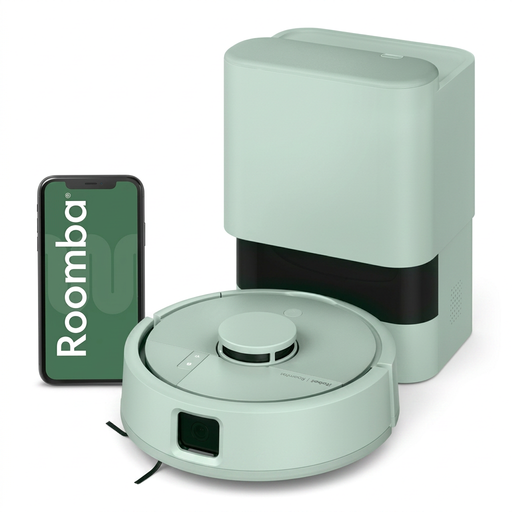 Image unavailable
Worth considering if you want to schedule room-by-room cleaning and empty the bin less often with an AutoEmpty base. The specifications for this version list the robot as measuring 24,5 × 9,2 × 24,5 cm. Compare its dimensions with the clearance under your furniture.
You’ll also need to find space for the base: the specifications call for around 46 cm of clearance on each side and 122 cm in front. Check that Roomba Home is compatible with your phone before relying on its routines.
 Image unavailable
Consider this model if you want to set cleaning schedules and areas in the app, with a station designed to reduce how often you empty the bin. Before setting up a routine for when you’re away, check the features available on this version and make sure your phone is compatible.
Measure your thresholds and check the model-specific guidance for rugs. The station bin and cleaning components still need maintenance.
 Image unavailable
This robot vacuum and mop is for anyone looking to combine scheduled cleaning with a multifunction station. The specifications for this version include multi-floor mapping and automatic emptying. Check the settings available for your rooms and phone.
The mopping function alone doesn’t guarantee suitable results for every floor. Also compare your thresholds and rugs with the specifications for the T30C OMNI Gen2, rather than relying on information for another DEEBOT.
 Image unavailable
Worth considering for scheduled cleaning with LiDAR mapping and automatic emptying. The specifications state that pairing the app requires a 2,4 GHz Wi-Fi network, so check your setup before relying on the connected features.
Check your phone’s compatibility and the limits for this version when it comes to thresholds and rugs. The station doesn’t remove the need to maintain the brushes, filters and bin.
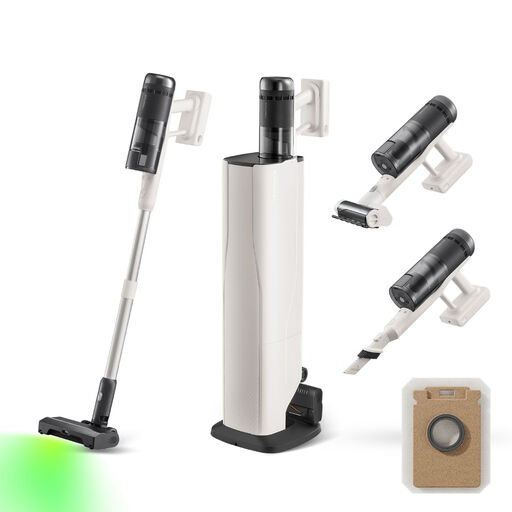 Image unavailable
This is a cordless vacuum for manual use, not a robot you can schedule to clean while you’re away. It could be a useful extra for stairs, corners or localised spills.
The product title lists an auto-empty station, a stated power of 170 AW and a stated runtime of 80 minutes. Before choosing this manual-cleaning option, check that it has the right accessories for your surfaces and find out how to maintain the station.
No, not in every area of your home. UFC-Que Choisir tests vacuuming on different floor coverings and in areas such as edges and corners. Keep a manual option for stairs, corners and places the robot can’t reach.
Measure thresholds and the clearance under furniture, then remove cables and small objects that could get in the way. Compare any remaining obstacles with the limits stated for the exact model, rather than those for another product from the same brand.
It depends on the model and the features you want. Room selection and advanced routines may require an app. Check the features available for the series you’re choosing, the required operating system, any account requirements and the update terms.
Read the privacy policy and check the settings for the model you’re considering. The CNIL recommends reviewing connected features before buying and checking whether features you don’t use can be disabled. This is general advice and doesn’t describe the practices of every robot manufacturer.
As the French Ministry of the Economy points out, the statutory guarantee of conformity applies, in particular, to new goods sold by a professional to a private individual in France. It covers non-conformity, for example when a product doesn’t match its description. Check the seller’s identity and keep your proof of purchase.