What to look for
Robot vacuum
Choose this if: you want to schedule routine cleaning on accessible floors while you’re out and can prepare any areas that might cause problems.
Bear in mind: stairs and elevated surfaces still need to be cleaned by hand. A dock reduces some of the work, but won’t eliminate all maintenance.
Cordless stick vacuum
Choose this if: you want to tackle crumbs, stairs, furniture or areas the robot can’t reach quickly.
Bear in mind: you need to be there to use it and hold the appliance. Battery life and performance depend on the model and setting.
Cylinder vacuum
Choose this if: you prefer to do a thorough clean by hand, or your home needs too much attention for an automated cycle to be worthwhile.
Bear in mind: it takes time and effort to use. A bagged model means buying replacement bags, but you won’t have to empty a dusty container directly.
If you’re often out, first check whether the robot can move around the rooms you want it to clean. Then compare the tasks handled by the dock, the parts you’ll need and any connected settings that are useful for you.
| Priority |
What to check |
What matters to you |
| Cleaning while you’re out |
Scheduling, navigation, resuming after recharging and the specific tasks handled by the dock. Make sure you have room for it, too. |
If I’m out all day, I want accessible areas cleaned without needing to intervene during the cycle. Around 36% of consumers prioritise scheduled cleaning. |
| Moving across floors and around obstacles |
Measure thresholds and the clearance under furniture; check reviews covering rugs and obstacles like those in your home. Stairs still need to be cleaned separately. |
With rugs, thresholds or low furniture, I want to know which areas will actually be accessible and what I need to move before I leave. Around 29% of consumers prioritise suitability for their home. |
| Ongoing maintenance and parts |
Find out what maintenance is needed, which consumables are compatible and what repairability score is listed for the vacuum in question. |
I want to reduce hands-on maintenance without finding out that brushes, filters or mops are difficult to replace. Around 21% of consumers prioritise maintenance and parts. |
| Data and connectivity |
Check the app’s features, how maps are handled, opt-out options and updates for the specific model. |
I want to understand which data is linked to mapping and which features change if I switch off certain options. Around 14% of consumers prioritise control over their data. |
Robot vacuums available on Joybuy
These models are robot vacuums designed for regular floor care. Mopping features and the tasks handled by the dock vary by version.
 Image unavailable
Roborock Q7 L5+ with mopping function
LiDAR navigation, app control and an auto-empty dock are listed for this model.
The title specifies a dual anti-tangle system and 8 000 Pa suction power.
View on Joybuy
 Image unavailable
Eureka J15 Pro Ultra
The dock is listed as emptying the dust container, washing and drying the mops, automating several maintenance tasks.
The title specifies a mopping function and 16 200 Pa suction power.
View on Joybuy
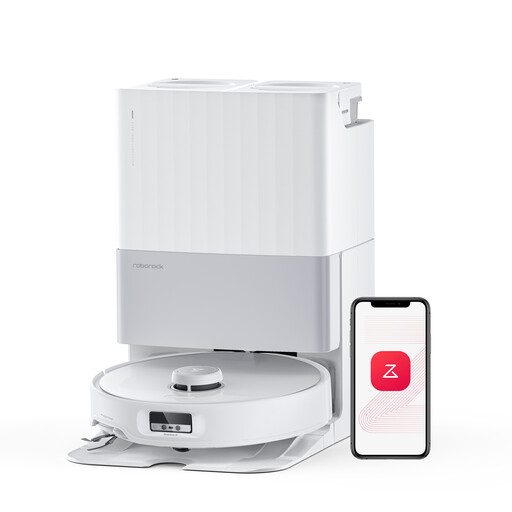 Image unavailable
Roborock Qrevo Edge
The dock is listed as automatically collecting dust and washing the pads. The description also mentions that the mop lifts when the robot moves onto rugs.
The title specifies a dual anti-tangle system and 18 500 Pa suction power. Les Numériques’ review notes limitations near walls and with some obstacles.
View on Joybuy
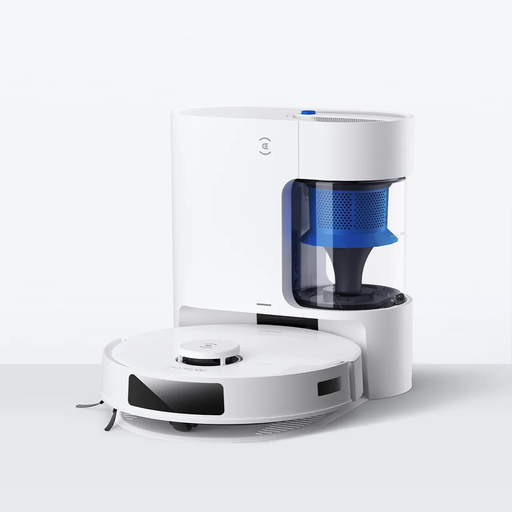 Image unavailable
Ecovacs DEEBOT N20 Plus
Automatic return to the dock and app control are listed for scheduling floor care; the title mentions automatic dust emptying.
The title specifies 8 000 Pa suction power. Les Numériques reports navigation difficulties with the N20 Plus, so clear the floor before starting a cycle.
View on Joybuy
 Image unavailable
Dreame X40 Ultra Complete
The dock is listed as emptying the dust container, washing and drying the mops. App control is also mentioned.
In its review of this model, Les Numériques finds that the automatic mop washing is underwhelming, the dock gets dirty and some obstacles aren’t identified correctly.
View on Joybuy
Frequently asked questions
Is a robot mop suitable for all rugs and wooden floors?
No, it depends on the model and the type of floor. Check how the model you’ve chosen detects or avoids rugs while mopping. UFC-Que Choisir’s mopping tests cover tiled floors and warn against using these robots on wooden floors, particularly solid wood.
What should I do before running a cycle while my home is empty?
Remove cables and small objects that could get in the way, check thresholds and clearance under furniture, and plan to clean the stairs by hand. Even a robot tested for obstacle detection may miss some objects.
Does an automatic dock eliminate maintenance?
No. Check separately whether it empties dust, washes or dries the mops, then find out which brushes, filters, bags and parts are compatible with the exact model. The dock itself may also need cleaning.
Is the repairability score relevant to a robot vacuum sold in France?
Yes. In France, robot vacuums are among the vacuum cleaners covered by this score. The rating out of 10 gives information about factors such as how easy the appliance is to dismantle, documentation and parts. It doesn’t measure cleaning performance.
Can you switch off mapping without losing any features?
It depends on the service and model. In its documentation on iRobot Imprint smart maps, iRobot states that turning off cloud uploads also disables some associated features, including room-by-room cleaning and keep-out zones. Before you buy, check the app documentation for the robot you’re considering.


