People who are out during the day and have several rooms
If you want to schedule regular cleaning in different rooms while you’re out, check the scheduling options, customisable zones and the app’s connection requirements.


To keep your floors clean while you’re out, start by choosing a robot to suit the rooms it needs to cover and the routines you want to set. Mapping is particularly useful if you want to select specific rooms or set no-go zones. A dock can reduce some of the day-to-day tasks, but you’ll still need to maintain the robot. Keep a handheld vacuum for occasional messes, and check how the robot performs on the floor coverings in your home.
If you want to schedule regular cleaning in different rooms while you’re out, check the scheduling options, customisable zones and the app’s connection requirements.
A dock may be worth considering if you’re happy with the space it takes up and the periodic maintenance it still needs in return for fewer routine tasks.
You can rely on a robot to clean hard floors and walkways regularly, while keeping a handheld vacuum for areas or messes that need targeted attention.
Start by deciding which areas need cleaning while you’re out, then check that the model’s connectivity and maintenance requirements suit your home.
| Criteria | What to check | Who this matters to |
|---|---|---|
| Scheduled cleaning | Whether you can schedule cleaning by room and set no-go zones, if needed for your home. | I want the robot to clean certain rooms while I’m out, rather than follow the same route everywhere; around 36% of consumers would prioritise this level of control over cleaning schedules. |
| Connectivity and app | The required Wi-Fi band and phone compatibility; also check your network’s pairing requirements. | If my phone or network won’t let me set up the robot, I won’t be able to rely on its connected features; around 29% of consumers would put compatibility first. |
| Routine maintenance | Which tasks the dock actually handles and what you’ll still need to do by hand; check the repairability rating and parts information for the specific model. | I’d rather spend less time on routine tasks between cleaning runs, while still making time for periodic maintenance; around 21% of consumers would prioritise cutting down on these tasks. |
| Floors and awkward areas | Test results on your floor coverings, as well as around edges and in corners. | At home, rugs, corners or a localised mess may still need a handheld vacuum; keeping one for these jobs would be the main concern for around 14% of consumers. |
App scheduling and remote control depend on the model’s connection requirements. Ecovacs and iRobot list requirements that vary between devices and setup procedures.
Before buying, check the Wi-Fi band, your phone’s operating system version and any restrictions relating to VPNs, proxies or login portals.
A dock can handle some tasks, but what’s left to do and which consumables you’ll need depend on the model.
Check the manual to see which tasks are automatic and which you’ll still need to do yourself. Also make sure you have enough space for the dock.
Remember to allow time for periodic maintenance, and check which consumables you’ll need.
UFC-Que Choisir assesses rugs, tiles, wooden floors, edges and corners separately. A result for one situation doesn’t tell you how the robot will perform in others.
Identify the floor coverings and awkward areas in your home, then look for tests that match those conditions. Keep a manual vacuum if you’ll need to deal with the occasional mess yourself.
According to information from the French Ministry of the Economy, the repairability rating takes account of factors including documentation, ease of dismantling and spare parts. On its own, it doesn’t guarantee that a particular part will be available when you need it.
Check the rating for the model you’re considering and ask the retailer about the availability of essential parts.
The brand offers an app and support for its connected robots.
Connected DEEBOT robots offer app-based features, depending on the model.
The iRobot Home app helps you set up and adjust compatible robots.
Dreame provides manuals for certain robot vacuum models.
These LiDAR navigation robots are designed for people who want to schedule regular floor cleaning while they’re out. Compare their advertised features with your network, floor coverings and the tasks you’re happy to continue doing yourself.
 Image unavailable
Worth considering if you want to schedule cleaning and empty the dustbin by hand less often.
LiDAR navigation, advertised suction power of 8,000 Pa and advertised runtime of 200 min.
Before relying on the app, check that your network allows 2.4 GHz pairing; also compare test results on your floors.
 Image unavailable
Worth considering if you want to schedule cleaning and have a dock to support the mopping function.
Advertised suction power of 25,000 Pa; the product title states that the mop pads are washed at 75 °C.
Check the app requirements and which maintenance tasks you’ll still need to do, as well as how it performs on your floor coverings.
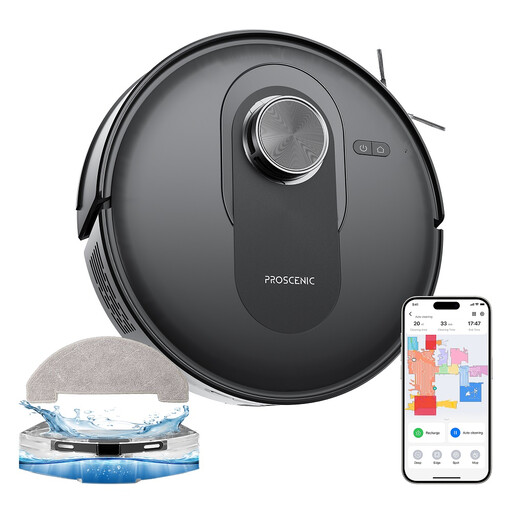 Image unavailable
Worth considering if navigation and app control matter for the cleaning runs you schedule during the week.
Advertised suction power of 6,000 Pa; the product title lists Wi-Fi, app and Alexa control.
Check that your network allows 2.4 GHz pairing, and look for test results that reflect your floors and rugs.
 Image unavailable
Worth considering if you want to control cleaning runs from an app and need to take obstacles on the floor into account.
Advertised suction power of 8,000 Pa and DuoDetect AI 3D obstacle detection system, as stated in the product title.
Check that the app is compatible with your phone and network, and see how the robot performs on your floor coverings.
 Image unavailable
Worth considering if you’re looking for LiDAR navigation and want to empty the dustbin by hand less often between cleaning runs.
Advertised suction power of 8,000 Pa, LiDAR navigation and a dual anti-tangle system, as stated in the product title.
Check the app’s network and mobile requirements, then look for test results covering the floors and areas in your home.
Don’t assume it will replace your manual vacuum throughout your home. UFC-Que Choisir assesses performance on rugs, tiles, wooden floors, edges and corners separately. Keep a handheld vacuum if any of these areas or occasional messes need targeted attention.
To use the custom scheduling and remote control features described by Ecovacs and iRobot, you need to be able to set up the connected features on the model in question. Check its required Wi-Fi band, compatible app and scheduling options in the manual.
Compatibility depends on the model’s pairing process. Ecovacs support says the process it describes does not support VPNs, proxies or networks that require authentication on a web page. Check the requirements for the model you’re considering before buying.
Check the repairability rating displayed for the model sold in France, then look at the information available about essential parts. According to the French Ministry of the Economy, the rating takes account of factors including documentation and parts availability. However, the score doesn’t guarantee that a particular part will be available when you need it.
They do if your robot’s settings and features depend on its connected app. iRobot links its app to settings and updates, so check how these are provided for your model and what connection requirements apply.