Households that clean up after meals
They want to run the kitchen and dining room cleaning cycle regularly without sending the robot all around the house again. ECOVACS documents zone-cleaning scenarios, subject to model compatibility.


Choose a robot based on what you want to automate: being able to select a room doesn’t necessarily mean you can give it a separate schedule and cleaning mode. If you often clean the kitchen and want to adjust vacuuming or mopping for different floor types, check the exact model to see which rooms, frequencies and settings can be combined in a routine. Also confirm whether these features are available without a subscription.
They want to run the kitchen and dining room cleaning cycle regularly without sending the robot all around the house again. ECOVACS documents zone-cleaning scenarios, subject to model compatibility.
They want to schedule recurring tasks at different times and frequencies for different rooms and days. iRobot France and ECOVACS describe routine or scenario features, depending on the compatible robot.
They want to vacuum some rooms and adjust mopping in others. The mode and water settings described by manufacturers aren’t necessarily available on every model.
If your kitchen gets dirty faster than the other rooms, check targeted cleaning, recurring schedules and mopping settings separately. One feature doesn’t guarantee that the other two are available.
| What matters | What to check before buying | Shoppers concerned |
|---|---|---|
| Targeted cleaning | Check whether you can select rooms, create zones and set no-go zones on the exact model. | If I want to clean the kitchen without starting a full cycle, I look for the option to select rooms or zones. Around 36% of shoppers prioritise targeted cleaning. |
| Schedules and frequency | Check that a scheduled task can assign the rooms you want to a particular day, time or frequency. | When different rooms get dirty at different rates, I look for recurring tasks rather than a simple manual start. Around 29% of shoppers prioritise separate schedules. |
| Vacuuming and mopping modes | Confirm which modes are available and, if needed, whether you can adjust the water volume on the model you’re considering. | If my floors need different types of cleaning, I check how the robot switches between vacuuming and mopping in different rooms. Around 21% of shoppers prioritise this flexibility. |
| Routine maintenance | Check how easy it is to access the parts that need attention and what maintenance-tracking features are available for the model. | To keep up frequent cleaning without neglecting maintenance, I also check what needs to be done to the robot. Around 14% of shoppers prioritise easy maintenance. |
Being able to select a zone after creating a map doesn’t prove that you can give that zone its own schedule.
For the model you’re considering, check which settings a scheduled task can save, particularly rooms and frequency.
ECOVACS documents water-volume preferences in some scenarios, but that doesn’t mean every robot mop offers this setting.
Confirm that your chosen model can combine the room, cleaning mode and water setting you want.
Scheduling doesn’t remove the need to check what maintenance is required and which parts need replacing for your model.
Before you buy, check which consumables are compatible, how easy it is to access parts for maintenance and what reminders are available in the app.
Depending on the DEEBOT model, ECOVACS’s documented scenarios can combine a zone, frequency and cleaning preferences.
iRobot offers routines with room selection and, on compatible robots, vacuuming, mopping or combined modes.
The French manual for the X-Plorer Series 95 describes mapping, no-go zones and personalised settings.
Roborock describes personalised routines for the Qrevo S Pro and separately documents room-by-room cleaning on the S6.
Consider these robots if you’re looking for scheduled cleaning with mapping, customisable zones or cleaning modes, depending on the model. Check the controls available on each model, how to schedule them and the terms for using the app.
 Image unavailable
Worth considering if you want to schedule cleaning and customise zones. Check which options are available in the app for this model.
Claimed suction power: 8000Pa.
 Image unavailable
Worth considering if you want to schedule cleaning cycles and switch between cleaning modes. Check which tasks and settings you can save on this model.
Claimed suction power: 16,600Pa. Mopping function stated in the product name.
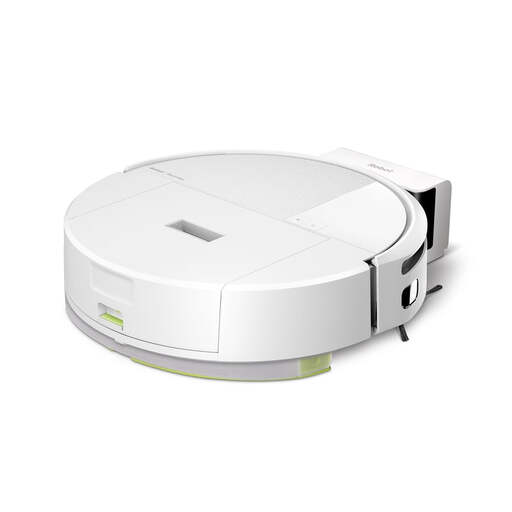 Image unavailable
Worth considering if you want to organise cleaning cycles in an app. Check which modes and scheduled tasks are available on this exact model.
Mopping function stated in the product name. Colour: white.
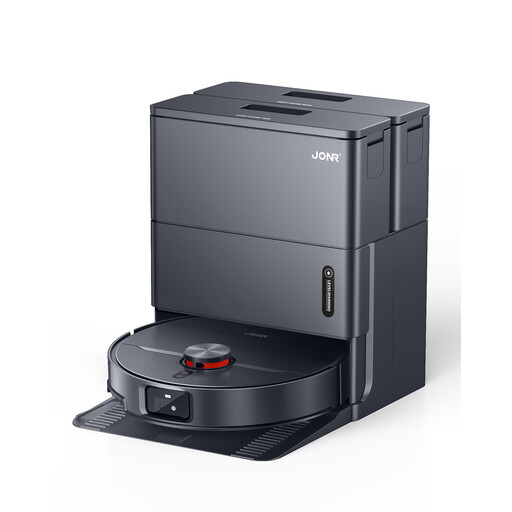 Image unavailable
Worth considering if you want to schedule cleaning and combine vacuuming with mopping. Check which settings are available for rooms and tasks.
Claimed suction power: 20kPa. Colour: black.
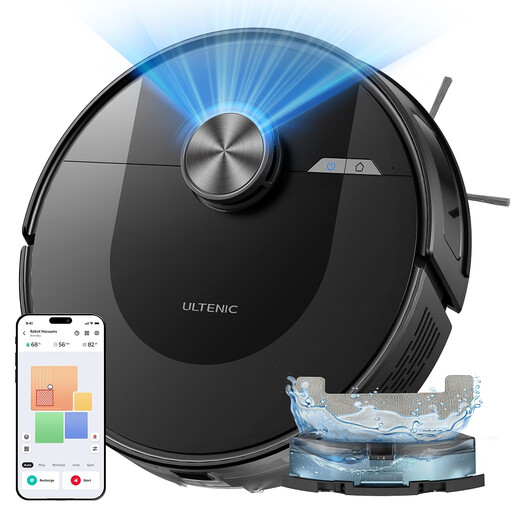 Image unavailable
Worth considering if you want to schedule cleaning and customise zones. Confirm which mapping and scheduled-task options are available.
Claimed suction power: 5000Pa. The product name states 5 maps and 10 no-go zones.
No. A map alone doesn’t prove that you can schedule a task for every room. Check room selection, saving a routine, its frequency and the settings it includes separately. ECOVACS documentation distinguishes zone cleaning from scenarios set up after creating a map.
Check the requirements for the specific model and its app. For the ECOVACS scenarios documented, you need to create a map before customising cleaning. Don’t assume the same steps apply to another robot.
Check the maintenance tasks and consumables required for your model, but don’t use the product specifications alone to estimate an annual cost. In France, the Ministry of the Economy and Finance states that the legal guarantee of conformity applies to new, second-hand and refurbished goods sold by a business to an individual.