Households that want to save maps for each floor
You can carry the robot, but want it to remember the rooms and settings on each floor without having to map them again. Check how many maps the exact model can store.


If you can carry the robot between floors, multi-floor maps can save you from having to map your home again, provided your model stores and can retrieve the maps you need. They won’t carry the robot up the stairs or replace a dock for recharging or maintaining the mops. If you often clean several floors, compare the effort involved in moving a single device with the practicalities of having several. The guidance published by Roborock, Dreame and Xiaomi varies by model.
You can carry the robot, but want it to remember the rooms and settings on each floor without having to map them again. Check how many maps the exact model can store.
You want to cut down on trips to dampen or wash the mops. Check how the robot works away from its dock, as having a saved map doesn’t guarantee that the mops will be maintained.
You often clean several areas or run a small guest house, so carrying the robot, recharging it and possibly using separate units all affect how you organise things. One account from a French guest-house operator illustrates this need, but does not represent French households as a whole.
Choose this if: you can carry the robot and want it to recall a separate map for each floor.
Bear in mind: maps won’t make the robot travel up stairs, recharge or wash its mops on a floor without a dock.
Choose this if: you only clean upstairs occasionally, or mainly want to vacuum there.
Bear in mind: using the robot away from its dock may require you to select a map, return it to the dock manually or change the mopping settings.
Consider this if: each floor needs cleaning regularly and you want to avoid carrying a device every time.
Bear in mind: several devices mean more maintenance; check that an additional dock is compatible with the exact model.
| Consideration | What to check | Who it matters to |
|---|---|---|
| Saving maps | How many maps the exact model can save; how to create and select or recognise the map for each floor. | I want to move between floors without mapping the rooms again. Around 36% of consumers prioritise saving maps for different floors. |
| Mopping upstairs | How mopping works away from the dock; the settings required and any mop maintenance needed before or after a cycle. | I clean several floors and want to mop while limiting trips to move the dock. Around 29% of consumers prioritise mopping across multiple floors. |
| Completing cleaning cycles | The usual floor area and cleaning time for each level; how the robot returns to its starting point, recharges and resumes after an interruption. | I plan long cleaning sessions and need to know how the robot will recharge if its dock is on another floor. Around 21% of consumers prioritise running consecutive cycles and recharging. |
| Reducing the need to carry it | How often each floor needs cleaning; confirmed compatibility and the functions of any additional dock. | I want to avoid regularly carrying the robot between floors, even if that means using several units. Around 14% of consumers prioritise reducing the need to carry it. |
Whatever you choose, you’ll need to move the robot between floors yourself: a robot vacuum cleaner can’t climb stairs on its own. Capacity claims and instructions vary by model. For example, Roborock says the Q10 S5 Set supports up to four floors, while Xiaomi’s instructions for the X20 Max describe manually selecting a map.
The word “mapping” doesn’t guarantee that several maps can be saved and used again. The documented capabilities can vary between models, even within the same brand.
Check the instructions for the exact model to find out how many maps it can save and how to select or retrieve the one for the floor you want to clean.
A dock on another floor can’t wash the mops or recharge the robot remotely. Dreame and Xiaomi’s instructions describe specific steps or settings for using the robot upstairs without its dock.
Check separately how the model vacuums, washes its mops and recharges away from the dock.
Multi-floor mapping and dock-based maintenance are two separate functions. An additional dock isn’t confirmed as compatible with every robot mentioned.
Ask for confirmation for the exact model and dock. If avoiding the need to carry the robot is your priority, also consider using one device per floor.
The documented examples distinguish multi-floor maps from a washing or emptying dock.
The French instructions cited distinguish creating maps from using the robot upstairs without its dock.
Xiaomi’s French instructions for the X20 Max explain how to use the robot when its dock is on another floor.
ECOVACS’ French DEEBOT support explains how to create a map in a different environment.
iRobot’s French guide to Imprint maps outlines how features vary across Roomba series.
These robots could be worth considering if you’re planning to clean several floors and can carry the device between them. Some product titles mention multi-floor maps; check the mapping capabilities and how each model works away from its dock, as no robot can climb stairs on its own.
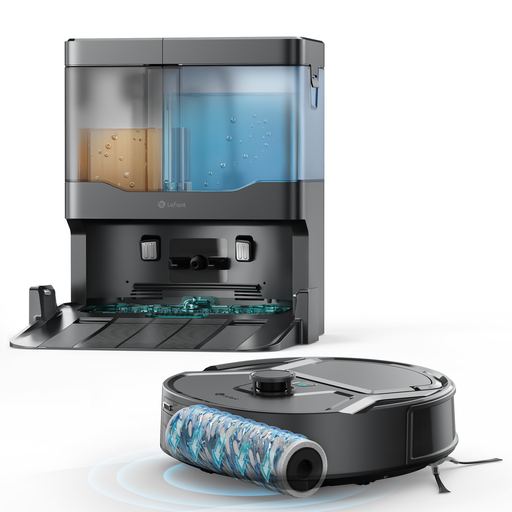 Image unavailable
The multi-floor mapping mentioned in the name may appeal if you’re happy to carry the robot between floors. Check how many maps this exact model can save and how to use them.
Mopping function; stated suction power of 20 000 Pa; stated cleaning width of 20 cm; anti-tangle hair function.
You’ll need to move it between floors manually.
 Image unavailable
Bear in mind that the dock will be on the floor where you install it; you’ll need to carry the robot manually to clean the other floors.
Stated suction power of 12 000 Pa; FlexiArm mops; hot-air drying; intelligent navigation.
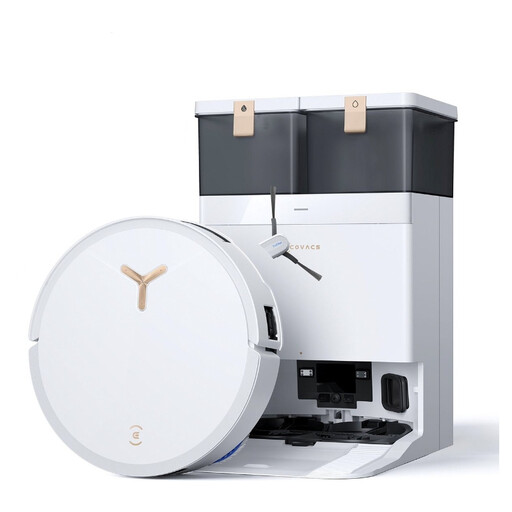 Image unavailable
For use across several floors, plan to carry the robot and check how it works when its dock is on another floor.
Robot vacuum and mop; white model; automatic emptying stated in the product name.
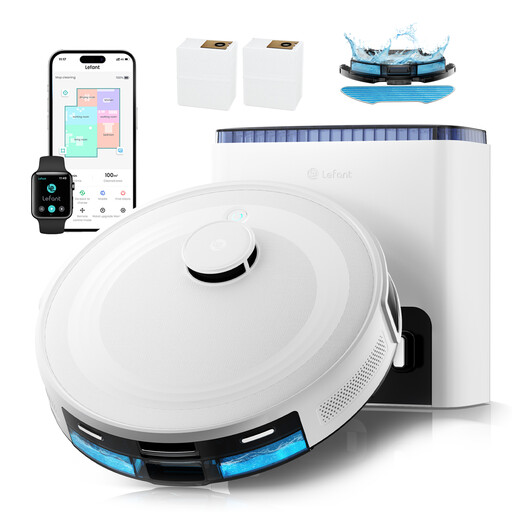 Image unavailable
The name mentions multi-floor mapping; check how many maps it can save and how to resume cleaning after moving it.
Stated suction power of 6 000 Pa; stated battery life of 130 minutes; automatic emptying for up to 75 days, as stated; 2.4 GHz and 5 GHz Wi-Fi; Alexa, app and Apple Watch mentioned in the name.
You’ll still need to move it between floors manually.
 Image unavailable
Bear in mind that the all-in-one dock will be on the floor where you install it; plan to carry the robot to the other floors.
Stated suction power of 8 150 Pa; hot-air drying; anti-tangle side brush; obstacle recognition; laser navigation.
No, as long as the model saves maps for the relevant floors and lets you retrieve or select the right one. Roborock says the Q10 S5 Set supports up to four floors; Xiaomi describes manual map selection for the X20 Max. Check these features for the exact model.
Follow the model’s mapping instructions. ECOVACS support says to move the DEEBOT to the new floor to create a map. Dreame support distinguishes between quick mapping without cleaning and mapping during cleaning for the L10s Pro Gen 2. Don’t assume the same steps apply to another model.
Don’t assume it will: this depends on the model and its instructions for use without a dock. For the L40s Pro Ultra, Dreame support says you must manually return it to the dock to wash the mops during use and recharge after the cycle. Xiaomi’s instructions for using the X20 Max upstairs without a dock disable automatic mop cleaning.
The statutory guarantee of conformity covers new, second-hand and refurbished goods sold by a business to a consumer. The French Ministry of the Economy states that you have two years to claim under it, and that consumers should contact the seller. A commercial guarantee offered separately by a brand or seller is different.