Households looking to schedule regular cleaning
A robot can handle cleaning cycles between deeper cleans when floors are accessible. However, you’ll still need to account for areas it can’t reach and objects that could get in its way.


A robot vacuum is a good choice for regular cleaning if your rooms are accessible and reasonably clear. First, check the thresholds, carpets and obstacles in your home. A mopping function may suit compatible hard floors, but don’t assume it will eliminate the need for manual mopping. For stairs, one-off messes and hard-to-reach areas, keep a manual appliance as a back-up or choose a stick vacuum if automation isn’t your priority.
A robot can handle cleaning cycles between deeper cleans when floors are accessible. However, you’ll still need to account for areas it can’t reach and objects that could get in its way.
Your choice will depend on where your carpets are, the height of your thresholds and, for a robot mop, how it avoids surfaces that shouldn’t get wet. Check these points for the model you’re considering.
Automated cleaning cycles can take care of some everyday cleaning. A manual appliance is still useful for picking up mess straight away, cleaning stairs or reaching spots the robot misses.
Worth considering: if you want to schedule cleaning on accessible floors with few objects left lying around.
Bear in mind: corners, carpets and obstacles may need extra attention. UFC-Que Choisir assesses performance separately for these situations.
Worth considering: for regular damp cleaning on hard floors confirmed as compatible.
Bear in mind: you may still need to mop manually. In December 2024, UFC-Que Choisir reported poor mopping results for the majority of the models it tested.
Worth considering: for picking up crumbs straight away or cleaning stairs and hard-to-reach areas.
Bear in mind: you’ll need to do the cleaning yourself. UFC-Que Choisir describes stick vacuums as appliances better suited to quick, occasional cleaning.
Worth considering: if you want to automate everyday cleaning while keeping an appliance for stairs and one-off jobs.
Bear in mind: you’ll have two appliances to store and maintain, rather than expecting the robot to clean every surface.
| Consideration | What to check | What I need |
|---|---|---|
| Access to rooms | Measure each threshold and compare it with the limit for the exact model. Check for carpets in doorways, as well as cables or objects that may need moving. | I want cleaning cycles to reach the intended rooms without getting stuck or having to avoid too many areas. |
| Performance on different floors | Look for test results on the types of floor you have, including edges and corners. UFC-Que Choisir’s testing protocol assesses carpets, tiles and parquet separately, among other surfaces. | My floors aren’t all the same. I’d rather look at results for the surfaces that matter in my home than rely on a single power figure. |
| Mopping and carpets | Check that your flooring is compatible, then find out how the robot avoids carpets or lifts its mopping component. Be prepared to clean manually if the mess calls for it. | I’m interested in damp cleaning on hard floors, but I don’t want to wet carpets or assume dried-on stains will disappear. |
| Docking station and maintenance | Check which tasks the station actually handles: emptying dust, washing or drying, depending on the model. Consider how much space it needs and which tasks you’ll still have to do by hand. | I want to cut down on repetitive jobs, while knowing what I’ll still need to refill, empty or clean. |
| App and data | Check the Wi-Fi, account and update requirements, as well as settings for usage and mapping data. The CNIL advises weighing the benefits of connected features against the data they involve. | Before using remote control or mapping, I want to understand which features require a connection and what settings are available. |
A figure in Pa doesn’t tell you on its own how well a vacuum picks up dirt from carpets, along walls or in corners. UFC-Que Choisir assesses these situations separately in its testing protocol.
Look for tests on flooring similar to yours, paying particular attention to pet hair, fibres or edges if these are relevant to your home.
In its December 2024 article, UFC-Que Choisir rated the mopping function as poor on the majority of robot mops it tested. Don’t assume it will remove dried-on stains.
Check that your flooring is suitable for the model’s mopping method, and keep a manual cleaning option for more demanding jobs.
A threshold the robot can’t cross may leave a room out of reach. Ecovacs support says that an obstacle more than 2 cm high will prevent the DEEBOT in question from cleaning the area beyond it.
Measure thresholds, check for carpets in doorways and compare these constraints with the specifications for the exact model. You’ll also need to clear away cables and small objects.
According to iRobot, usage data from its Wi-Fi robots may be sent to the cloud. The features and settings you should check will depend on the appliance you choose.
Read the data policy, check the app’s terms of use and turn off any unnecessary connected features if the model allows it.
These examples highlight features of specific models. A brand name alone doesn’t tell you what all of its robots can do.
The DEEBOT range includes robot vacuum and mop models, with docking station, mapping and carpet management features that vary by model.
Depending on the model, X-Plorer robots offer navigation, in-app room management and self-emptying station features.
The Roomba range includes connected robots, with cleaning and app features that vary by model.
These models are robot vacuums, with a mopping function on some versions. Compare their features with the floors, thresholds and cleaning tasks in your home. This list doesn’t replace the decision between a robot and a manual appliance.
 Image unavailable
If you want to schedule regular cleaning, check that its scheduling settings and no-go zones suit your home. The product title lists suction power of 8,000 Pa and a 180-minute battery life, but these figures don’t tell you how it will perform on your floors. The instructions recommend leaving 0.5 m of clearance on each side of the station and 1.5 m in front.
 Image unavailable
If you’re considering regular vacuuming and mopping on compatible floors, check which tasks its station handles and what maintenance the tanks still need. The model’s specifications mention a 2.4 GHz Wi-Fi connection. Also check the height of your thresholds and the space available around the station.
 Image unavailable
If you want to schedule cycles in several rooms, check the mapping and scheduling features available in the app. The product title lists 25,000 Pa suction power and mop washing at 75 °C, but these figures alone can’t tell you how it will perform on your floors. You’ll still need to fill the clean water tank, empty the dirty water and clean the brushes regularly. Check how it handles your carpets too.
 Image unavailable
Its product title lists LiDAR navigation, app control and suction power of 8,000 Pa. If you plan to schedule regular cleaning, check the scheduling options, threshold height and how the mopping function behaves around your carpets.
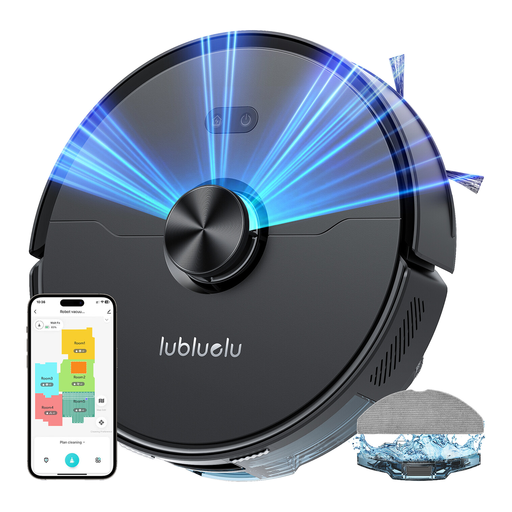 Image unavailable
To work out which rooms it can reach, compare your thresholds with the maximum height of 2 cm listed for this model. The product title mentions laser navigation, app control and suction power of 4,000 Pa. Check separately how it performs on your carpets and whether its mopping function is suitable for your floors. The noise level information varies, so check with the seller if noise is an important factor in your choice.
No. Measure each threshold and compare its height with the limit for the model you choose. Rowenta lists a limit of up to 18 mm for the X-Plorer Série 75S+; Ecovacs support says an obstacle over 2 cm high may prevent the DEEBOT in question from reaching an area. These figures don’t apply to every robot.
Not necessarily. In its December 2024 article, UFC-Que Choisir reported poor mopping results for the majority of the models it tested. Consider this feature for everyday cleaning on compatible hard floors, but be prepared to clean manually when the results you need call for it.
Check how the robot mop avoids carpets or lifts its mopping component, then confirm that your flooring is suitable for its cleaning method. UFC-Que Choisir limits its mopping tests to tiles and specifically warns against using the function on solid wood floors. A feature listed for one model won’t necessarily be available on others.
Check the Wi-Fi and account requirements, which features are available without a connection, and the settings for usage and mapping data. The CNIL advises weighing the benefits of connected features against the data they involve. Check the terms that apply to the model you’re considering.