Households with regular schedules away from home
You want to set cleaning to run to a schedule rather than arrange a manual clean each time. TP-Link France describes recurring schedules for compatible models.


If you want to schedule floor cleaning while you’re away, a robot is better suited to the job than a stick vacuum, which is designed for manual cleaning. Then choose based on which rooms the robot can actually reach, whether its mopping function is suitable for your floors, and which maintenance tasks you’re happy to handle yourself.
You want to set cleaning to run to a schedule rather than arrange a manual clean each time. TP-Link France describes recurring schedules for compatible models.
You need to consider your floor surfaces and access between rooms, especially if a threshold, glass door or rug affects the route or mopping. Tapo’s documentation notes that obstacles can leave some areas untouched.
You’re comparing the tasks you’ll still need to do with a docking station and want to keep a manual cleaner for edges or narrow spaces. TP-Link describes station cleaning tasks, while Dyson France lists parts for the V8 Advanced.
If you’re out during the day and want to keep your floors clean between manual cleans, start by checking the schedule options and access to each room. Then look at mopping features, maintenance and connected controls.
| What matters | What to check | Who will value it? |
|---|---|---|
| Scheduling cleaning runs | Check the available days and times, model-specific settings and compatible app. | If I want cleaning to start at regular times while I’m away, I’ll look for a schedule that’s easy to set up. Around 29% of consumers are estimated to prioritise scheduling. |
| Access to rooms and floor surfaces | Check thresholds, doors, rugs and areas to exclude; consult the instructions for the exact model. | If my home has thresholds between rooms or rugs that make it harder to navigate, I want to know which areas the robot can actually reach. Around 23% of consumers are estimated to prioritise access to floor surfaces. |
| Mopping suitable floor surfaces | Check the mopping settings and guidance on rugs and damp floors. | If I want to add a mop-pad pass, I’ll first check that my floors are suitable and that the robot won’t treat a damp area like a normal surface. Around 18% of consumers are estimated to prioritise mopping. |
| Reducing maintenance and being able to repair | List the manual tasks that remain and check the parts available, as well as the repairability index where it applies to a new appliance. | If I want to reduce the amount of handling without giving up regular appliance maintenance, I’ll compare what the station automates with the tasks I’ll still need to do myself. Around 18% of consumers are estimated to prioritise maintenance and product lifespan. |
| Managing connected features | Check which features require a connection and which controls you can use without the app. | If I’d rather stay in control of the settings and connected features, I’ll check what I can still access without an app. Around 12% of consumers are estimated to make this their top priority. |
Tapo’s FAQ states that its robots are not waterproof and should not be used on wet areas.
Wipe up any spills before cleaning and follow the usage limits for the model in question.
Tapo says obstacles can cause the robot to skip some areas, which may not be shown as cleaned rooms.
Check the map and make sure the robot can pass between rooms, rather than relying on the displayed percentage alone.
For the RV50 Pro Omni, TP-Link still describes manually cleaning the bin and the base.
Check the tasks required for the exact model before deciding how much automation you need.
Cleaning the bin and base is still a task to factor in.
An accessory listed as compatible with a vacuum isn’t necessarily included in the product bundle.
Check the list of items supplied with the exact model.
You may need to buy suitable brushes or nozzles separately if they’re not included in the box.
Programmable robots with docking station features that vary by model.
The Roomba range includes connected models designed to schedule regular cleaning.
The L series includes robot vacuum-mops, such as the L10s Ultra Gen 2.
The Saros series can be compared in terms of clearance under furniture.
The V8 Advanced can be a useful point of comparison for additional manual cleaning.
This selection features robot vacuum-mops to automate floor cleaning. Docking station and scheduling features vary by model.
 No image available
For households looking to schedule cleaning runs and cut down on manual emptying, this model combines vacuuming and mopping features.
The title lists automatic emptying, a dual anti-tangle system, 8,000 Pa suction power and LiDAR navigation.
 No image available
This model is designed to automate floor cleaning and add a mopping pass; check that the settings suit your floor surfaces.
 No image available
For households looking to schedule regular cleaning and reduce manual emptying, this model pairs a robot vacuum-mop with an emptying station.
The title lists 8,000 Pa suction power, an anti-tangle feature, 3D obstacle detection and a stated run time of 180 minutes.
 No image available
This model is aimed at households looking to add mopping to automated vacuuming and cut down on some of the manual work involved in caring for mop pads.
The title lists 16,200 Pa suction power, liquid detection, a brush lift and hot water cleaning at 75 °C.
 No image available
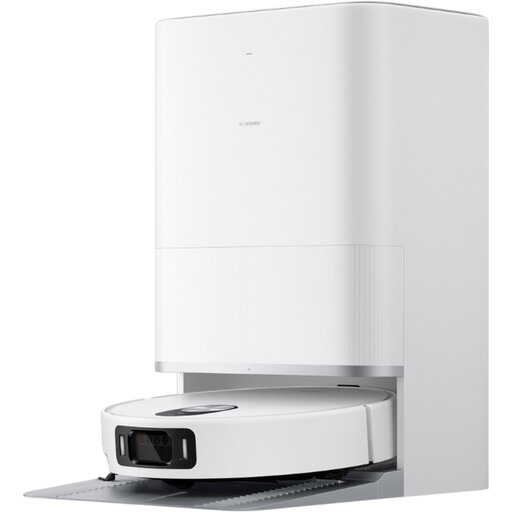
For households looking to combine automated vacuuming and mopping, this model comes with a station that takes care of some maintenance tasks.
The name specifies the white version; check the station’s features and whether it’s suitable for your floor surfaces before choosing.
For the relevant models, open the device map in the app, select “Schedules”, set the time and days, then save. Screens and settings vary by model; TP-Link France’s guide demonstrates the process using the RV30 Max Plus.
No. In the display described by Tapo, some areas skipped because of obstacles may be excluded from the area counted as cleaned. Check the map and whether the robot can actually reach each room too.
No. Tapo’s FAQ says its robots are not waterproof and shouldn’t be used on wet areas. Wipe up any water before use and follow the instructions for your model.
For the RV50 Pro Omni, TP-Link describes removing and cleaning the bin, as well as wiping down the base. Follow the instructions for the exact model.
For applicable new vacuum cleaners, the repairability index still applies to robot, corded and cordless models. The French Ministry of the Economy and Service Public distinguish this from the durability index, which applies in particular to televisions and washing machines.