
Livraison le jour même ou le lendemain

Qualité garantie

Débloquez vos offres de bienvenue: Livraison GRATUITE | Jusqu'à -80 % | 30 jours d'essai gratuits à JoyPlus
Téléchargez l'application
A robot vacuum and mop can make everyday cleaning easier and reduce the need to vacuum so often. However, choosing the right model is essential. Some purchases disappoint after just a few weeks: the docking station is too bulky, the mop is incompatible with carpets, or the app is awkward to set up. Claimed suction power alone is therefore not enough to distinguish between models.
Here are the key points to consider before choosing a robot floor cleaner, along with a selection of models suited to different needs.
Expressed in pascals, or Pa, the advertised figures indicate suction pressure. However, they cannot predict performance on their own when it comes to carpets, wooden floors or pet hair. The brush design, airflow, filter and ability to handle hair are just as important.
High suction power can be useful for a robot vacuum for pet hair or for cleaning carpets. It can also result in higher noise levels and greater energy consumption. Instead, check whether the model has an anti-tangle brush and several suction levels.
A robot vacuum with mop does not necessarily come with a station that can wash and dry the mop pads. With some models, you have to remove the cloth, rinse it and refill the tank after every cleaning cycle.
If you want to minimise manual tasks, choose a station with automatic emptying, mop-pad washing, drying and separate tanks. Also check whether the mop lifts when the robot moves over carpets. A lift of 10 mm, for example, reduces the risk of wetting a carpet or short-pile rug.
An automatic docking station must be installed on a stable, level surface with sufficient clearance around it. Manufacturers often recommend several dozen centimetres on each side and more than one metre in front of the base. In a flat, remember to measure the width of the hallway, the available space beside a low cabinet and the distance to a power socket before placing your order.
A robot vacuum with LiDAR navigation uses a laser sensor to map rooms and optimise its movements. This technology makes zone cleaning, virtual walls and room-by-room scheduling easier. Models that combine LiDAR, a camera and distance sensors may be better at avoiding furniture and small obstacles. Even so, you should still remove cables, toys and fragile objects from the floor.
If your home has several levels, check whether the robot can manage multiple maps and detect stairs. No sensor replaces basic precautions around a staircase or open area.
Actual battery life depends on the power level used, the type of flooring and the selected cleaning mode. An advertised runtime of 120 minutes may be enough for a small flat. A battery rated for 180, 220 or 300 minutes offers more flexibility in a house or when cleaning several rooms. Automatic recharging followed by cycle resumption is particularly useful when the area is larger than the robot can cover in a single session.
A robot vacuum with an automatic-emptying station means you do not have to empty the dustbin after every cleaning cycle, but it does not eliminate routine maintenance. You still need to clean the sensors, check the brushes, empty the dirty-water tanks and replace filters or bags, depending on the system.
Some so-called self-cleaning stations also wash the mop pads with hot water and dry them with warm air. If the appliance uses heated water, follow the manufacturer’s instructions: do not handle the tank immediately after the cycle and keep electrical components away from moisture.
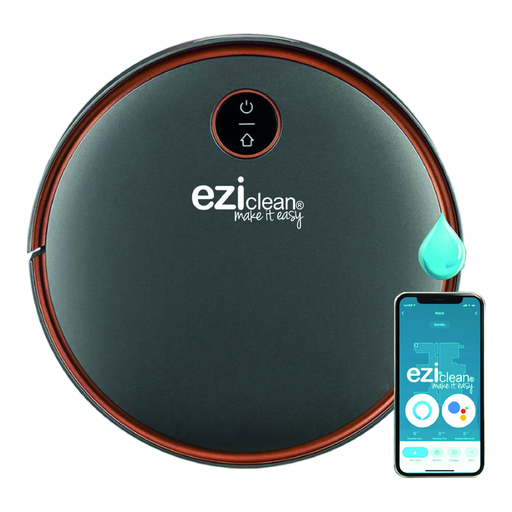
Why this model suits this type of user: Measuring 33 × 33 × 9,6 cm and featuring LiDAR navigation and a 2,4 GHz Wi-Fi app, this model offers an appealing introduction to connected robot vacuums, particularly in a flat with hard floors.
The product details mention LiDAR mapping and automatic return to the base. This is a long way from a model that simply moves around at random.
An advertised battery life of up to 120 minutes, a mopping function and a multilingual manual that includes French.
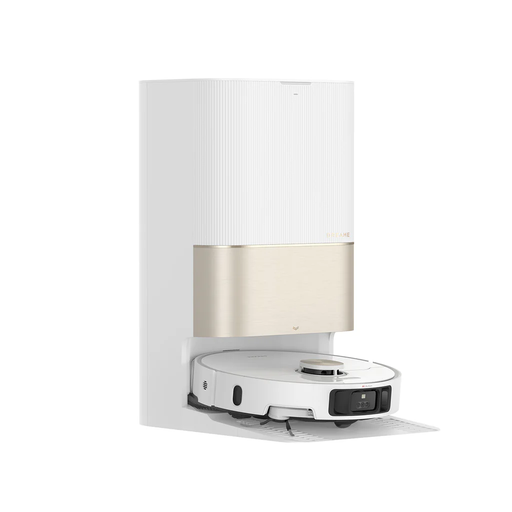
Why this model suits this type of user: Its station washes the mop pads with water heated to a claimed 70 °C, dries them with warm air and empties the dustbin. It is designed for households that want to automate floor maintenance as much as possible.
Integrated washing and drying mean you do not have to handle the mop pads every day, unlike with a simple charging station with a washing plate.
A 6 400 mAh battery, advertised suction power of 12 000 Pa and 2,4 GHz Wi-Fi connectivity.
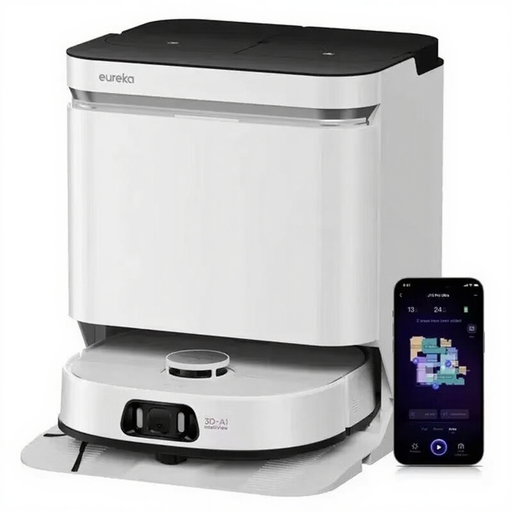
Why this model suits this type of user: Households with pets or those who use their robot intensively may appreciate its advertised suction power of 16 200 Pa, anti-tangle technology and station designed to automate maintenance.
The FlexiRazor brush is described as anti-tangle. It therefore tackles the problem of hair and pet fur that often means reaching for the scissors.
The station washes the mop pads with water heated to a claimed 75 °C, then dries them and cleans the station according to the supplied description.
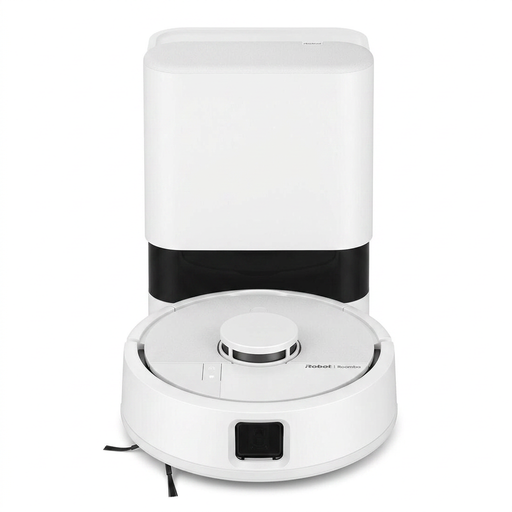
Why this model suits this type of user: Its compact design, LiDAR mapping, carpet detection and AutoEmpty base make it an appealing option when every square centimetre counts.
The base automatically empties the dustbin and the robot resumes its cycle after recharging. This limits interruptions, including on mixed flooring.
Robot dimensions: 24,5 × 9,2 × 24,5 cm; Roomba Home app and 2,4 or 5 GHz Wi-Fi control.
We have put together a complete, real-time selection of products that meet these demanding criteria, in line with European safety regulations.
Not necessarily, provided that the model detects carpets and lifts or disables the mop. Check the advertised lift height, the « no-go zone » settings and compatibility with thick carpets. As a precaution, remove tassels and small objects that could become caught in the brush.
It depends on the price of the bags, filters, brushes, mop pads and products approved by the manufacturer. A bagless station can reduce certain consumables, while a bagged model requires regular replacement. Before buying, check the availability of spare parts and the recommended maintenance schedule.
Most models can start a cycle using a button, but the app is generally essential for creating a map, setting schedules, selecting a room or defining a no-go zone. Check Wi-Fi compatibility, which is often limited to a 2,4 GHz network, as well as the permissions requested by the app.