What should you compare before buying?
UFC-Que Choisir compares results across different floor types, while tests by Les Numériques highlight limitations found in certain models. Compare tested performance and advertised features with the flooring and layout of your home.
Robot vacuum
Choose this if: you want to schedule cleaning on accessible floors, particularly if mopping isn’t useful for your carpets.
Things to consider: you’ll need to empty the dustbin, and the robot can’t clean stairs or elevated surfaces.
Robot vacuum and mop
Choose this if: you have a lot of hard flooring that’s suitable for damp cleaning and want to add regular wet cleaning to your routine.
Things to consider: mopping results vary, and mop pads, tanks or docking stations need maintenance and space.
Stick or cylinder vacuum as a back-up
Choose this if: you need to clean stairs, furniture, skirting boards or areas the robot can’t reach.
Things to consider: you’ll need to clean these areas or tackle occasional messes yourself.
| What matters |
What to check |
Who it matters to |
| Vacuuming performance on different floor types |
Compare tests of the exact model on the floors in your home, particularly for dust and fibres. Check how it performs along edges too. |
I have carpets or rugs and want to know whether the robot can remove dust and fibres without relying on its advertised figures alone. Around 33% of consumers prioritise vacuuming performance across different floor types. |
| Navigation and obstacles |
Measure thresholds and passageways, then check how the model navigates in comparable situations. |
If the robot needs to move between several rooms and around furniture or objects on the floor, I want to reduce the risk of it getting stuck. Navigation and obstacle avoidance are priorities for around 27% of consumers. |
| Mopping hard floors |
Check mopping results, floor compatibility and how the robot handles areas that must stay dry. |
I want to add regular mopping on compatible hard floors without getting carpets or delicate surfaces wet. Mopping hard floors is the top priority for around 20% of consumers. |
| Maintenance and upkeep |
Check the repairability index, information about parts availability and the app’s connectivity requirements. |
I’d rather know what maintenance and ongoing attention the robot and its docking station will need before I choose. Maintenance, the app and repairability are the main criteria for around 20% of consumers. |
Robot vacuums available on Joybuy
These models are designed to vacuum accessible floors; some also advertise mopping or a docking station. Check the features and floor types supported by each model, particularly if your home has carpets.
 Image unavailable
EUREKA E20 Plus
Worth considering if you’re looking for a robot for hard floors and carpets with an advertised mopping function.
The product listing gives an advertised suction power of 8,000 Pa, LiDAR navigation, obstacle detection and an anti-tangle brush. It also mentions carpet detection and a bagless auto-empty station.
View on Joybuy
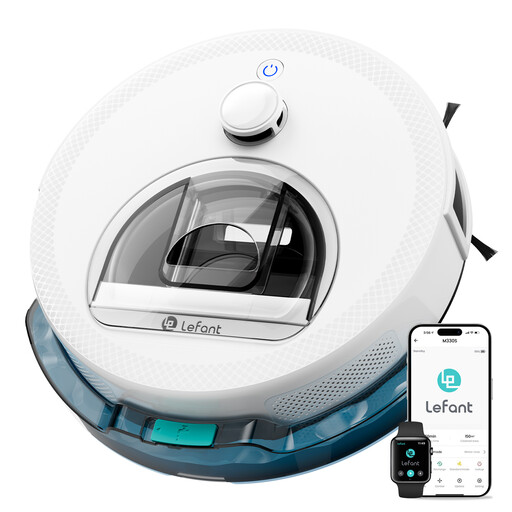 Image unavailable
LEFANT M330S
Worth considering if you want to schedule cleaning on accessible floors and check how well the navigation suits your home’s layout.
The title lists 5,000 Pa suction, mapping and scheduled cleaning. The description mentions dToF navigation and a PSD obstacle-detection sensor, as well as compatibility with an app and Alexa.
View on Joybuy
 Image unavailable
Roborock Qrevo S5V White
Worth considering if you want to combine vacuuming and mopping and check how it handles carpets in a home with mixed flooring.
The product listing gives suction power of 12,000 Pa, FlexiArm mop pads and a dual anti-tangle system. It also mentions carpet avoidance and a docking station that collects dust, refills the water tank and dries the mop pads with warm air.
View on Joybuy
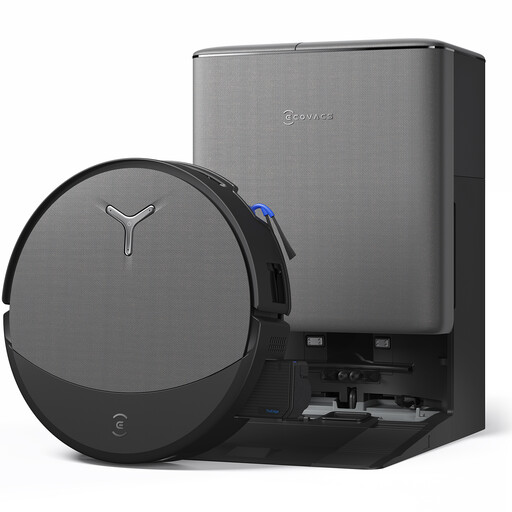 Image unavailable
ECOVACS T90 PRO (Black)
Worth considering if you want a robot vacuum and mop with a docking station and need to check that its features suit your floor layout.
The title lists suction power of up to 30,000 Pa, the OZMO ROLLER 3.0 system, ZeroTangle 4.0 and AIVI 3D 4.0 navigation. It also mentions an OMNI station.
View on Joybuy
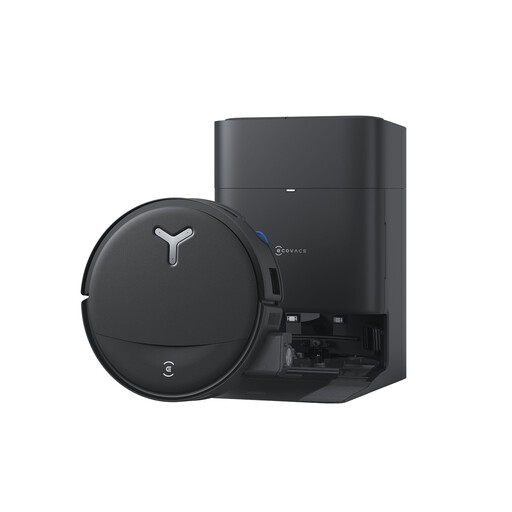 Image unavailable
Ecovacs T80S (Black)
Worth considering if you want to combine mopping and vacuuming and check how it protects carpets as it moves between floor types.
The title lists suction power of up to 24,800 Pa, OZMO ROLLER 2.0, ZeroTangle 3.0 and an OMNI station. The description mentions lifting the mop pads when moving onto carpets and washing them in hot water.
View on Joybuy
Frequently asked questions
How should I prepare my home before the first mapping run?
Open the rooms you want to include and clear the floor as instructed for your model. Ecovacs gives these instructions for the relevant devices; check your robot’s manual before following them for a different model.
What should I do if the robot mops a carpet?
Check the model’s no-mop zone features and map. For the Roomba Combo j7+/j9+, iRobot describes how to set a no-mop zone and update the map after moving a carpet. These instructions won’t necessarily apply to other brands.
Does a docking station eliminate robot maintenance?
No. An auto-empty station collects dust from the robot’s bin, but its own container still needs to be maintained. Mopping components also need looking after, depending on the equipment. Check the maintenance tasks listed in the manual for your chosen station.
Which warranty and repairability details should I check in France?
When you buy from a professional seller, the statutory legal guarantee of conformity applies, subject to its terms. The Ministry of the Economy states, for example, that you have two years to take action. The DGCCRF explains that the repairability index applies to domestic robot vacuums and must be provided in accordance with the regulations. Also ask for information about how long spare parts will be available. Any commercial warranty is in addition to, and does not replace, the statutory legal guarantee.
Will the robot’s app work with my Wi-Fi network?
It depends on the model. Ecovacs’ connection instructions say that the relevant robots support 2.4 GHz Wi-Fi, but not a 5 GHz-only network. Check the app, phone and network requirements for your chosen model, as well as the stated conditions for software updates.


