Households that want to schedule cleaning by room
If you want to clean several rooms regularly while keeping certain areas off limits, check that the model offers these controls in an app that works with your phone and network.


If you want to schedule cleaning by room or block off certain areas, look for a robot that creates maps and check what you can do in its app. If having to empty the dustbin frequently is your main concern, find out exactly which tasks its dock automates. A robot can take care of some routine cleaning, but your choice should also suit your floors, obstacles and internet connection, and take account of the manual tasks you’ll still need to do.
If you want to clean several rooms regularly while keeping certain areas off limits, check that the model offers these controls in an app that works with your phone and network.
An auto-empty dock can mean you need to empty the dustbin less often. However, it takes up space and still needs looking after, including the parts and consumables specified for that model.
Check how the robot performs on your types of flooring and whether it can move around your furniture. UFC-Que Choisir tests floors, edges and corners separately, so keep a manual cleaning option for areas the robot doesn’t clean well enough.
Start with the layout of your home and the task you want to hand over. Guiding the robot, reducing how often you empty the dustbin and getting the right results on your floors are separate considerations.
| Criteria | What to check | Who is it for? |
|---|---|---|
| Navigation around your home | Mapping, room-by-room cleaning and no-go zones on the exact model; clearance under furniture. | If I have several rooms to clean and don’t want to treat them all the same way, I want to be able to schedule where the robot goes. Around 31% of consumers would put this at the top of their list. |
| Floors and tricky areas | Results on your carpets and hard floors; how it handles edges and corners. | With carpets and hard-to-reach corners, I want to know where the robot will be useful and where I’ll need to step in. This would be the main priority for around 31% of consumers. |
| Robot maintenance | Which tasks the dock actually handles, the space it needs, and maintenance for brushes, filters and consumables. | If emptying the dustbin after every clean becomes a chore, I mainly want to cut down on that task without expecting the dock to do everything. Around 23% of consumers would prioritise maintenance. |
| App and long-term use | Phone and Wi-Fi compatibility, announced software updates, and parts and consumables for the model you choose. | Before relying on scheduling from my phone, I want to be sure I can install the app and find the parts I need for maintenance. Compatibility and ongoing support would be priorities for around 15% of consumers. |
UFC-Que Choisir highlights that performance varies depending on the type of flooring. For connected features, the published requirements from iRobot Assistance France and Roborock France show why it’s important to check the exact model rather than relying on the words “Wi-Fi” alone.
Results depend on the model and the floor. UFC-Que Choisir finds that mopping systems don’t all perform equally well.
Think of mopping as a way to keep floors clean between deeper cleans, and keep manual cleaning equipment for stains or areas that need extra attention.
A dock can empty the robot’s dustbin, but you’ll still need to check the brushes and filters, as well as any mopping parts included with the model.
Before choosing a model, find out which tasks you’ll still need to do by hand and how much space the dock needs.
Depending on the dock and robot, you may need bags, mop pads, filters or brushes.
Some mapping and scheduling features rely on the app. Network requirements vary by model: for example, Roborock France says the QV 35A only supports 2.4 GHz Wi-Fi.
Check the Wi-Fi frequency, required mobile operating system and set-up instructions in the documentation for the model you’re considering.
A suction figure on its own doesn’t tell you how a robot will perform on your carpets, hard floors, edges and corners. UFC-Que Choisir tests these situations separately.
Compare results for the surfaces in your home and check the repairability index shown for the model you’re considering.
The features and set-up requirements below apply to the models mentioned, not every robot made by each brand.
Worth considering if you’re looking for mapping and want to check the instructions or parts for a specific X-PLORER model.
Worth considering for a mapping robot with a dock, if it suits the space and network in your home.
Worth considering if you want to compare Roomba models based on their set-up and compatibility requirements.
This selection includes robots whose names indicate mapping navigation, as well as models with a dock. To choose between them, think about the rooms you need to clean, which emptying tasks you’d like to hand over and what you need to check before installation.
 Image unavailable
Worth considering if you want to combine vacuuming, mopping and a dock for everyday cleaning. The product name lists 25,000 Pa suction, the OZMO Turbo 2.0 system and mop washing at 75 °C. These figures alone don’t tell you how it will perform on your floors. Check app and network compatibility, as well as what you’ll need to do with the tanks and consumables.
 Image unavailable
Worth considering if navigation and reducing manual emptying are your two main priorities. The product name lists LiDAR navigation, automatic emptying, an anti-tangle system and 8,000 Pa suction. Check which controls are available in the app, network compatibility, and how to maintain the bag and other parts.
 Image unavailable
Worth considering if you want mapping and an auto-empty dock for regular cleaning. The product name lists LiDAR navigation, 8,000 Pa suction and a claimed battery life of 200 minutes. Check that your set-up supports the 2.4 GHz Wi-Fi specified for this model, then find out which maintenance tasks you’ll still need to do.
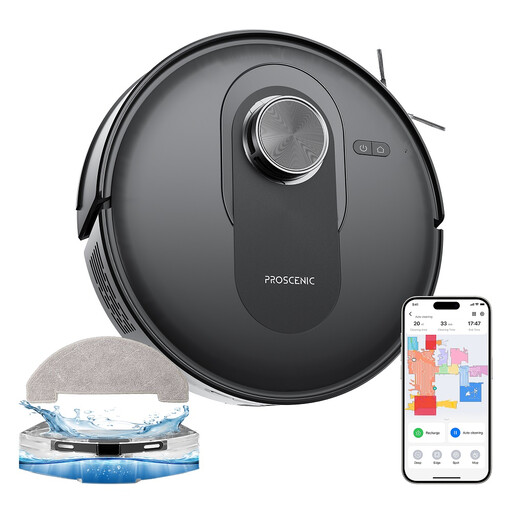 Image unavailable
Worth considering if scheduling cleaning matters more to you than having a dock. The product name lists LiDAR navigation, app control and 6,000 Pa suction. Check whether you can schedule cleaning by room, whether it’s compatible with your network, and how to empty and maintain this model.
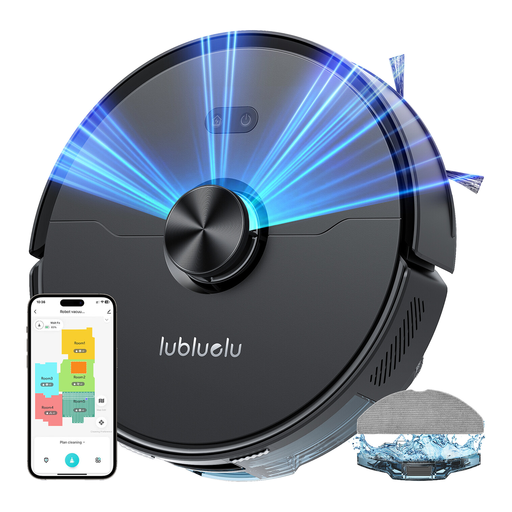 Image unavailable
Worth considering for a more organised cleaning routine if laser navigation suits your home. The product name lists five-stage mapping, app control and 4,000 Pa suction. Before relying on automatic emptying, check exactly what the dock does on this model. Also check the connection requirements and which consumables you’ll need.
No. It helps keep floors clean between manual cleans, but won’t deliver the same results everywhere. UFC-Que Choisir tests performance on different floor types, along edges and in corners. Keep a manual cleaning option for stairs and occasional messes.
No. It can empty the dustbin, but you’ll still need to check the brushes, filters, bags and any mopping parts, depending on the model. Check the maintenance requirements before choosing a dock.
Not for every model. iRobot Assistance France says some of its robots don’t support 5 GHz, while Roborock France specifies that the QV 35A only supports 2.4 GHz. Check the required frequency for the model you choose and make sure it’s compatible with your phone.
Yes, if it’s shown for the models you’re comparing. ADEME says the index, which applies to vacuum cleaners including robot vacuums, takes factors such as documentation, ease of disassembly and spare parts into account. You should still check that parts are available for the model you choose.
Yes, especially if the dock stays plugged in between cleaning sessions. UFC-Que Choisir recommends checking energy use while charging and on standby. Compare the information provided for the models and docks you’re considering.