What should you check before choosing?
Start with your floors and room layout, then consider what you’ll still need to do yourself when you have a robot and its station.
Robot vacuum
Worth considering: if you want to schedule regular cleaning in rooms the robot can move around.
Bear in mind: results can vary across floor types, edges and corners, and you’ll still need to empty the dustbin.
Robot vacuum and mop
Worth considering: for light damp cleaning on compatible hard floors, if you’re happy to manage the water and mop pads.
Bear in mind: UFC-Que Choisir reports disappointing mopping results for most of the models included in its tests.
Manual vacuum cleaner as a backup
Keep one handy: for corners, narrow spaces or dirt that needs targeted attention.
Bear in mind: you’ll need to be there to use it, unlike a scheduled robot cycle.
| Priority | What to check | My needs |
|---|
| Results on different floors |
Look for tests on your main floor types, as well as along edges and in corners. UFC-Que Choisir tests robots on carpets, tiles and wooden floors in these different areas. |
I have a mix of hard floors and carpets, and want to know where I’ll still need to clean by hand. |
| Navigation |
See how the robot moves around furniture and deals with obstacles. Also check whether its settings let you exclude areas you don’t want it to clean. |
Furniture or objects may get in the way, so I’d like to know what I need to move before starting a cycle. |
| Mopping |
Check which floor types are suitable, the test results on hard floors and how to care for the mop pads. UFC-Que Choisir advises against damp cleaning on wooden floors, particularly solid wood, in its tests. |
I’m considering damp cleaning for my tiled floors, but don’t expect the robot to remove every stain. |
| Emptying and maintenance |
Check how easy it is to access the dustbin, brushes and filters. According to UFC-Que Choisir, an auto-empty station transfers dust from the robot into a larger container; check how much space it needs and what maintenance it requires. |
Having to empty a small dustbin often could put me off scheduling regular cycles. |
| Connected features |
Check that the app works with your phone and that your Wi-Fi reaches the base station. Look up the update requirements for the specific model. |
If scheduling requires an app, I want to be able to set it up with my phone and network. |
| Parts and repair |
For a vacuum cleaner covered by the scheme and sold in France, compare its repairability index, shown out of 10, then look for brushes, filters and parts for the exact model. France’s Ministry for Ecological Transition explains that the index takes into account factors including how easy the product is to dismantle, the documentation available and the availability of parts. |
I want to be able to maintain and repair my appliance without assuming accessories from another model will fit. |
What can you expect from different brands?
Features and maintenance requirements vary from model to model. Information about one product range doesn’t necessarily apply to every robot from the same brand.
Rowenta
Worth a look if parts availability and the type of navigation are important to you.
- Rowenta has an official catalogue of parts and accessories for many robot vacuum cleaners, and says it keeps technical parts for almost all its products for 15 years after purchase.
- Check the terms for the exact model. Rowenta describes the X-Plorer Series 45 as a model with random navigation, so don’t assume that all X-Plorer models map your rooms.
iRobot
A brand to look into if you plan to use the connected features on a Roomba.
- iRobot’s support information explains that a Wi-Fi robot connected to the network and placed on its base will update its software automatically when a new version is available.
- For the ranges covered by its Roomba Home setup guide, iRobot specifies iOS 15 or later, or Android 9.0 or later, and does not support setup on iPad. Check the requirements for the model you choose.
Roborock
A brand to consider, but check the settings, updates and accessories for each model.
- Roborock support gives specific requirements for updating the S7’s software: the robot must be on its dock and its battery must be charged to more than 20%.
- These requirements apply to the S7. Roborock also says that several accessories for older models are not compatible with it, so check before ordering any parts.
Robots available on Joybuy
These models are designed to automate everyday floor cleaning; several combine vacuuming, mopping and a station. Compare their advertised features with your flooring and the maintenance you’re prepared to do, and don’t mistake product specifications for test results.
 Image unavailable
EUREKA E20 Plus robot vacuum cleaner
Worth considering if you want to run regular cleaning cycles while emptying the dustbin less often. The product listing specifies an auto-empty station, DuoDetect AI 3D obstacle detection and 8000 Pa suction power. Check how it performs on your floors, as well as app compatibility and the availability of parts for this model.
View on Joybuy
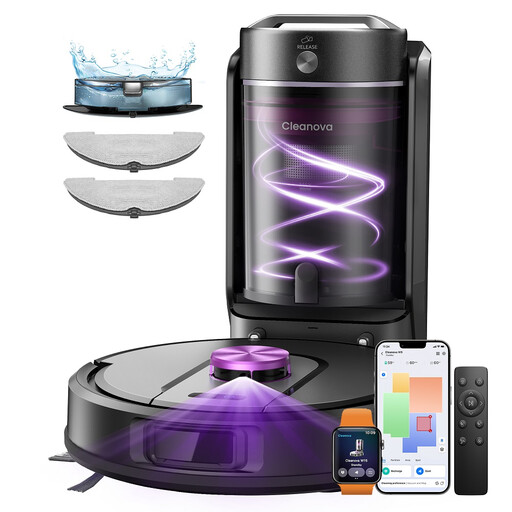 Image unavailable
Vactidy W15 robot vacuum and mop with bagless station
Its LiDAR navigation and advertised five maps may be useful if the robot needs to cover several areas. The product listing specifies a bagless auto-empty station, 10000 Pa suction power and up to 180 minutes of runtime. Check the cleaning results, filter maintenance and noise level of the mode you’re interested in, as the listing gives conflicting noise figures.
View on Joybuy
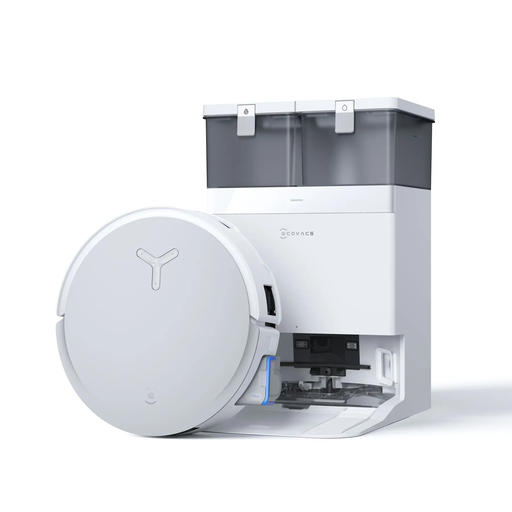 Image unavailable
White ECOVACS X8 OMNI robot vacuum and mop with station
This model combines advertised features including roller washing at 75 °C, drying and automatic emptying. If you’re relying on it to clean edges or remove stains, look for test results specific to the X8 OMNI and check the maintenance involved, as well as the space needed for its station.
View on Joybuy
 Image unavailable
White roborock Qrevo S5V robot vacuum and mop with station
The product listing specifies a FlexiArm mop, obstacle avoidance, hot-air drying and 12000 Pa suction power. If you have a home with tricky edges, compare cleaning results for this model before assuming the extending mop will make a difference. Also check app compatibility and the availability of consumables.
View on Joybuy
 Image unavailable
Eureka J15 Pro Ultra robot vacuum and mop
Worth considering if you’re looking for a station that also helps care for the mop pads. The product listing specifies washing them with water at 75 °C, an anti-tangle feature and 16200 Pa suction power. Check how it performs on your floors and in corners, as well as what maintenance you’ll still need to do.
View on Joybuy
Frequently asked questions
Can a robot vacuum cleaner replace all manual cleaning?
No. Its performance for everyday cleaning depends on your floors and the areas it needs to reach. UFC-Que Choisir tests edges and corners, among other things, so plan to clean by hand wherever the robot is less effective or dirt needs targeted attention.
When should you choose an auto-empty station?
Choose one if having to empty the robot’s dustbin very frequently could put you off using it. According to UFC-Que Choisir, the station transfers dust into a larger container. This still needs maintenance, and the station doesn’t guarantee better cleaning.
Can robot mops be used on all floors?
No. UFC-Que Choisir describes tests on tiled floors and advises against damp cleaning on wooden floors, particularly solid wood, in this context. Before starting a damp-cleaning cycle, check the guidance for both your flooring and the robot.
What should you check before controlling a robot with an app?
Check that your phone and its operating system are compatible, then make sure your Wi-Fi reaches the base station and look up the update requirements for your model. For the ranges covered by its Roomba Home guide, iRobot specifies iOS 15 or later, or Android 9.0 or later, and does not support setup on iPad.
How can you check the repairability of a robot sold in France?
Look up the repairability index for the model, then check that the relevant parts and consumables are available. France’s Ministry for Ecological Transition says that, for vacuum cleaners covered by the scheme, the index is shown out of 10 and takes into account factors including how easy the product is to dismantle, the documentation available and the availability of parts.


