What should you check before buying?
Start by measuring the robot’s route and identifying your floor types. Then choose the level of mopping and maintenance you’re comfortable with. The percentages below relate to consumers considering everyday floor care, grouped by their main priority.
| Criteria |
What to check |
Consumers concerned |
| Access and obstacles |
Measure thresholds and clearance under furniture; check the robot’s climbing limits and plan to move cables out of the way. |
If objects or narrow passages could interrupt a cleaning cycle, I want to know first whether the robot can reach the rooms I have in mind. Around 33% of consumers would prioritise a route without blockages. |
| Floor types and mopping |
Compare results on your types of flooring. For mopping, check that your floors are compatible and find out how the robot handles rugs. |
With tiles and rugs in the same home, I want suitable care for each without getting the textiles wet. Around 25% of consumers would make this adaptability a priority. |
| Dock and maintenance |
Check which tasks you’ll still need to do: empty the bin and maintain the brushes, filters, tanks and mopping components, depending on the model. |
I want to schedule cleaning cycles without having to empty or clean the robot after every run. Around 25% of consumers would prioritise cutting down on these tasks. |
| Targeted cleaning |
Identify stairs, corners and hard-to-reach areas that may need a conventional vacuum. |
If some areas will be outside the robot’s route, I’d rather keep a way to clean them directly. Around 17% of consumers would put this manual back-up first. |
Robot vacuum and mop models on Joybuy
These models combine vacuuming and mopping for everyday upkeep. Before choosing, compare their advertised features with your thresholds and rugs, and think about the maintenance tasks you’re happy to take on.
 Image unavailable
ECOVACS DEEBOT X9 PRO Omni
Worth considering if you want a combination of vacuuming and mopping and are happy to maintain the dock and mopping components.
The model name mentions an OZMO roller, an Omni station and advertised suction of 16 600 Pa; this figure doesn’t predict how it will perform on your floors.
Measure your thresholds and check how the mop handles your rugs, as well as whether it’s suitable for your flooring.
View on Joybuy
 Image unavailable
ECOVACS DEEBOT X11 Pro Omni
Worth considering if you want mopping and a multi-function dock in a home with thresholds you can measure.
The model name mentions an OZMO Roller 2.0, an Omni station and advertised suction of 19 500 Pa; this figure alone isn’t enough to judge its real-world cleaning performance.
The stated climbing limit distinguishes between a single step of up to 2,2 cm and a combined height of up to 4 cm. Check which condition applies to each of your thresholds, and how the robot handles rugs while mopping.
View on Joybuy
 Image unavailable
Eureka E20 Plus black
Worth considering if you want to maintain hard floors while checking exactly where rugs fit into the mopping route.
The model name mentions 3D obstacle avoidance and advertised battery life of 180 minutes; how long a cycle takes in your home will depend on the route.
Check how high the mop lifts in relation to your rugs, the threshold clearance limit and the type of dust collector supplied with the dock.
View on Joybuy
 Image unavailable
Eureka J15 Pro Ultra
Worth considering if you’re looking for a robot vacuum and mop with a dock, provided you can make room for the setup and carry out the required maintenance.
The model name mentions anti-tangle technology and mopping components that are advertised as being cleaned with hot water at 75 °C; this isn’t a measure of how well it will clean your floors.
Before buying, check the threshold clearance limit and how the mop works around rugs.
View on Joybuy
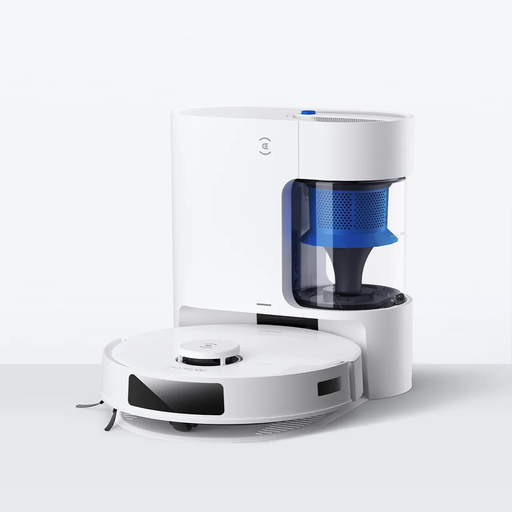 Image unavailable
ECOVACS DEEBOT N20 Plus
Worth considering for regular cleaning cycles if its vacuuming and mopping modes suit your floors and rugs.
The model name mentions advertised suction of 8 000 Pa and advertised battery life of 300 minutes; these figures don’t guarantee the results or coverage in every room.
Compare your thresholds with the stated limit of 2 cm, then check how the mop handles rugs and how the dock works.
View on Joybuy
Frequently asked questions
How can I tell if a robot will move between rooms?
Measure each threshold and compare its height with the stated limit for the specific model. Also consider the shape of the doorway, rugs and objects on the floor: iRobot support warns that these obstacles can reduce the area covered, even when a robot has automated navigation.
Can a robot mop replace a conventional mop?
Not on every floor or for every type of dirt. In its tests on tiled floors, UFC-Que Choisir found that mopping results were often inadequate for the types of dirt assessed. Check the guidance for your flooring and keep a manual method for stubborn marks.
Does a dock mean the robot needs no maintenance?
No. It only automates the tasks included with that model, such as emptying the bin or some stages of mopping. Check the instructions to find out when to clean the brushes, filters, sensors and tanks, and which consumables the dock uses.
Which parts should I check for long-term maintenance?
Check that filters, brushes and mopping components are available for the exact model, along with any parts needed for the dock. Availability can vary by brand and model, so don’t assume your robot’s parts will remain available just because they are for another model.


