What should you look for before buying?
Start with the rooms the robot needs to reach, then decide how much programming and maintenance you want. The priorities below are for people looking to hand over some of their regular floor cleaning; each percentage relates to one main need.
| Criteria |
What to check |
Who it’s for |
| Flooring and access between rooms |
Measure your thresholds and check the stated limit for the exact model. Look for tests on your flooring, especially rugs and edges. |
If my rugs or thresholds stop the robot reaching certain rooms, scheduled cleaning won’t cover the areas I want it to clean. Around 31% of consumers concerned would put compatibility with their home first. |
| Scheduling and zones |
Check the mapping, room-by-room cleaning and no-go zone features, as well as app and Wi-Fi compatibility. |
In a home with separate rooms, I want to choose which rooms to clean and exclude those that need different treatment. This would be the top priority for around 31% of consumers concerned. |
| Emptying and maintenance |
Check how the dock works and look for dust bags, filters, brushes and other parts that match the exact model reference. |
For frequent cleaning, I’d rather empty the robot less often while keeping maintenance manageable. Around 23% of consumers concerned would prioritise reducing these chores. |
| Mopping hard floors |
Check the guidance for your flooring, how the robot protects rugs, and how the mops and dock are maintained. |
If my hard floors are suitable, I’m mainly looking for light maintenance mopping, rather than expecting the robot to tackle every stain. This feature would come first for around 15% of consumers concerned. |
Models for regular cleaning
These robots pair a dock with regular vacuuming, and several also mop hard floors. Choose between dust collection and mop maintenance based on the chores you want to reduce, then check access between rooms and how the robot handles your floors.
 Image unavailable
ECOVACS DEEBOT X9 PRO Omni
Worth considering if you want vacuuming and mopping, with a dock that washes and dries the mops.
The product name states an advertised suction power of 16 600 Pa, an OZMO roller and an Omni dock. Check how it handles your rugs and remember to maintain the water tanks.
View on Joybuy
 Image unavailable
ECOVACS DEEBOT T30C OMNI Gen2 noir
This model may suit you if you want to schedule cleaning and leave some of the mop maintenance to the dock.
The product name states an advertised suction power of 25 000 Pa and mop washing at 75 °C. Check whether it can cross your thresholds; you’ll still need to deal with the dirty water tank and brushes.
View on Joybuy
 Image unavailable
roborock Q7 L5+ noir
Worth a look if your priority is emptying the dust less often while scheduling cleaning.
The product name lists an automatic emptying dock, LiDAR navigation, a mopping function and an advertised suction power of 8 000 Pa. Check the threshold limits, how it handles your rugs and which consumables it needs.
View on Joybuy
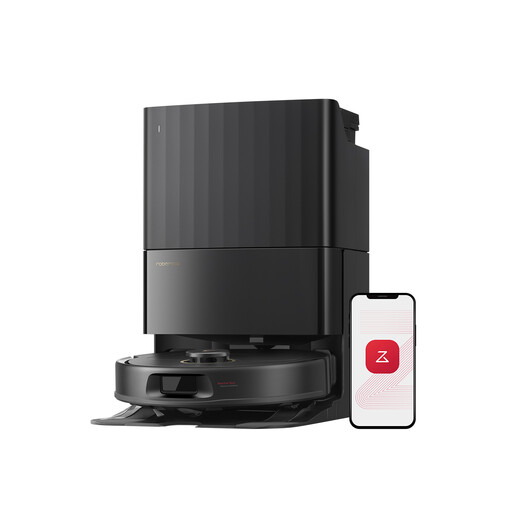 Image unavailable
Roborock Qrevo S5V noir avec station
Worth considering for regular vacuuming and mopping if you’re happy to maintain the dock and mops.
The product name states an advertised suction power of 12 000 Pa and hot-air drying. Set no-go zones for high-pile rugs, and check how it handles your other rugs and thresholds.
View on Joybuy
Frequently asked questions
Can a robot vacuum cleaner replace all manual cleaning?
No. Don’t expect it to handle every floor and surface. UFC-Que Choisir finds that performance varies by flooring and assesses rugs, tiles, wooden floors, corners and edges separately. You may need another way to clean around furniture or give your home a more thorough clean.
How can I tell if a robot will get over my thresholds and rugs?
Measure your thresholds and compare them with the limit stated in the manual for the exact model. Ecovacs support refers to 2 cm for the case it covers, but this figure doesn’t apply to other models. If you want the robot to mop, also check whether it can detect rugs or let you create no-mop zones.
Does a self-emptying or washing dock mean there’s no maintenance?
No. A dust-collection dock means you need to empty the robot’s bin less often, while some multifunction docks also wash or dry the mops. Dust bags, filters, brushes, tanks and the dock still need maintenance, depending on the model.
Is robot mopping suitable for all floors?
No. First, check the guidance for your flooring. UFC-Que Choisir reports that mopping results in its tests on tiled floors are often inadequate, and advises against using a robot mop on wooden floors, particularly solid wood, in this context. Protect rugs, too, according to the model’s actual features.


